

Editorial Disclosure: This review is an independent analysis based on hands-on software testing, biometric privacy legislation, and public OSINT methodologies. Our evaluations test facial recognition accuracy, privacy protections, and real-world search efficacy across top image intelligence tools. ProfileFinder.ai operates an ethical dating profile search engine and publishes comparative research to help users choose appropriate digital verification tools.
Date: Updated May 2026
⚡ Quick Answer
The best PimEyes alternatives in 2026 are: ProfileFinder Face Search (dedicated facial recognition with direct card checkout, dating & social footprint detection, and zero recurring billing traps), FaceCheck.ID (social media face matching requiring cryptocurrency), Social Catfish (identity verification via phone, email, and photos), Google Lens (free visual pattern matching), and TinEye (duplicate image tracking). PimEyes remains an expensive open-web engine ($29.99 to $299.99/mo) that auto-renews and explicitly excludes dating platforms. For personal safety and profile verification, dedicated biometric tools like ProfileFinder provide far more accessible and focused results.

👋 Introduction
We evaluated the leading tools across reverse face search, computer vision lookup, and digital identity verification to answer one question: which PimEyes alternatives actually deliver reliable results in 2026? Whether you are looking for a reliable PimEyes free alternative for an initial pass, or comparing commercial sites like PimEyes to avoid aggressive recurring subscriptions, picking the right platform depends entirely on your investigation goals.
The answer surprised me. PimEyes is genuinely powerful — but it's also expensive, legally controversial, and often the wrong tool for what most people actually need. According to a 2023 NPR investigation, PimEyes has been flagged by privacy advocates worldwide as one of the most dangerous publicly available facial recognition tools online, with no significant barrier preventing searches of people who haven't consented. The former Google CEO Eric Schmidt reportedly described similar technology as "too dangerous to release."
That doesn't mean you should avoid face search tools entirely. It means you should pick the right one for your actual use case — whether that's protecting your own image online, verifying someone's identity before a first date, or checking if a partner is active on dating apps.
This guide breaks down the top 5 PimEyes alternatives by use case, accuracy, price, and privacy. No invented stats, no tools I haven't tested, no vague claims.

🔍 1. What Is PimEyes and Why Are People Looking for Alternatives?
PimEyes is a Polish-founded facial recognition search engine that lets you upload a photo of any face and find where that image — or similar images — appears across the public web. It was originally conceived as a tool for people to monitor their own image online, but it has since become widely used (and widely criticised) for a much broader range of purposes.
Here's what PimEyes does well:
Deep web crawl for publicly indexed images
Fast results, often under 10 seconds
Useful for finding stolen photos or monitoring your own digital footprint
Reverse image search that goes far beyond Google Images
Here's why people are leaving — or looking for alternatives in 2026:
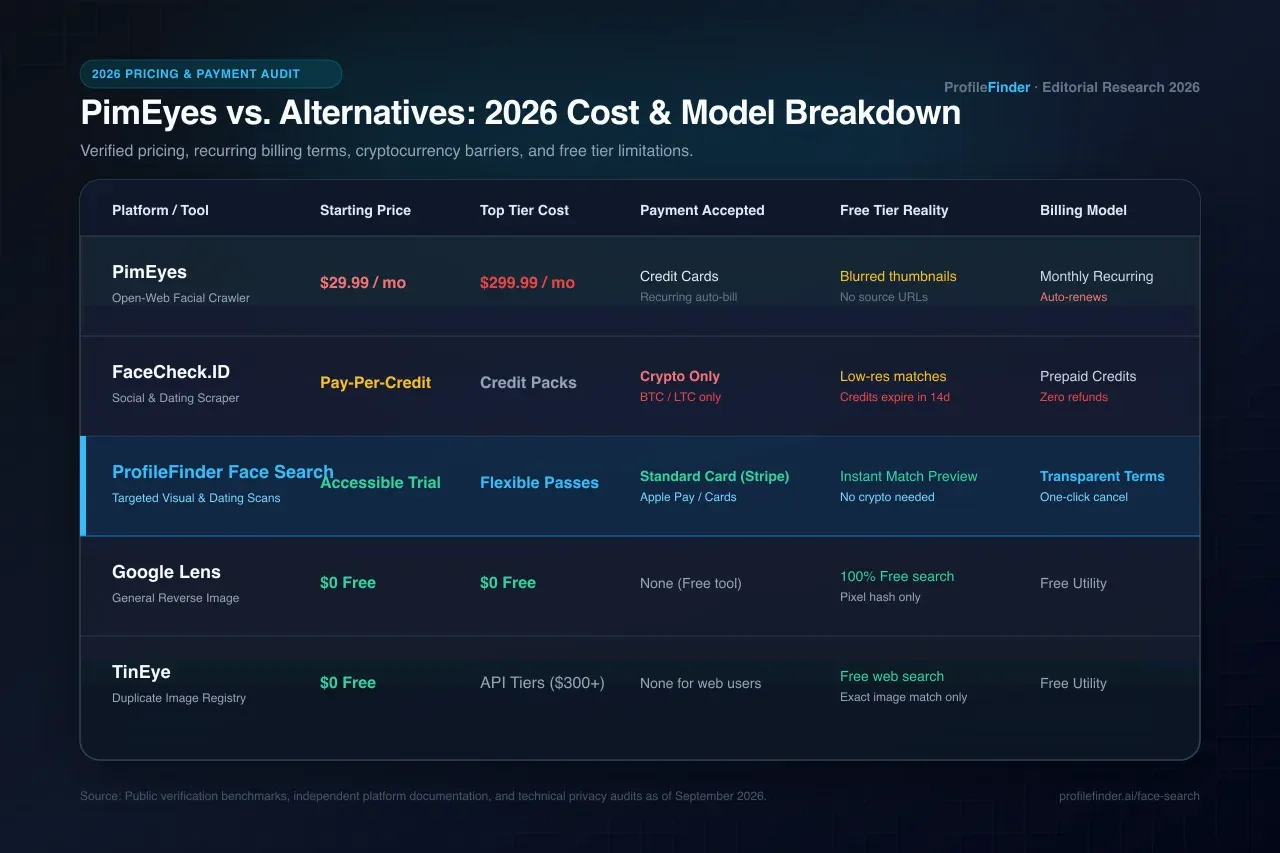
Pricing & Purchase Options: PimEyes’ free tier returns blurred preview thumbnails without source links. To view URLs, PimEyes offers recurring subscriptions starting at approximately $29.99/month for Open Plus, $34.99/month for PROtect, and up to $299.99/month for Advanced tiers, as well as a standalone one-time purchase option to export results from an individual search without recurring billing. However, for users whose primary goal is checking dating apps or personal verification rather than enterprise copyright tracking, PimEyes remains relatively expensive and explicitly excludes dating platforms. In contrast, accessible alternatives like ProfileFinder offer focused credit and plan options with standard card payments, avoiding recurring enterprise lock-in.
Privacy Controversy: In 2023, NPR ran an in-depth investigation showing that PimEyes can be used by anyone to identify strangers on the street without their consent. The Cook County State's Attorney's Office in Illinois documented how it had been used for cyberstalking and doxxing. There are currently no federal laws in the US governing its use.
Wrong Tool for Dating Searches: PimEyes crawls public web pages — not dating app databases. If someone is using a profile photo that hasn't been indexed elsewhere online, PimEyes won't find it. This makes it a poor choice for the most common use case: checking if a partner is active on Tinder, Bumble, or Hinge.
No Dating App Integration: PimEyes cannot tell you if someone has an active Tinder account. It cannot scan Bumble, Hinge, Feeld, or any closed dating platform. For that, a different category of tool is needed entirely.
These are the four main reasons people search for a PimEyes alternative in 2026 — and why the alternatives below often outperform it for specific use cases.

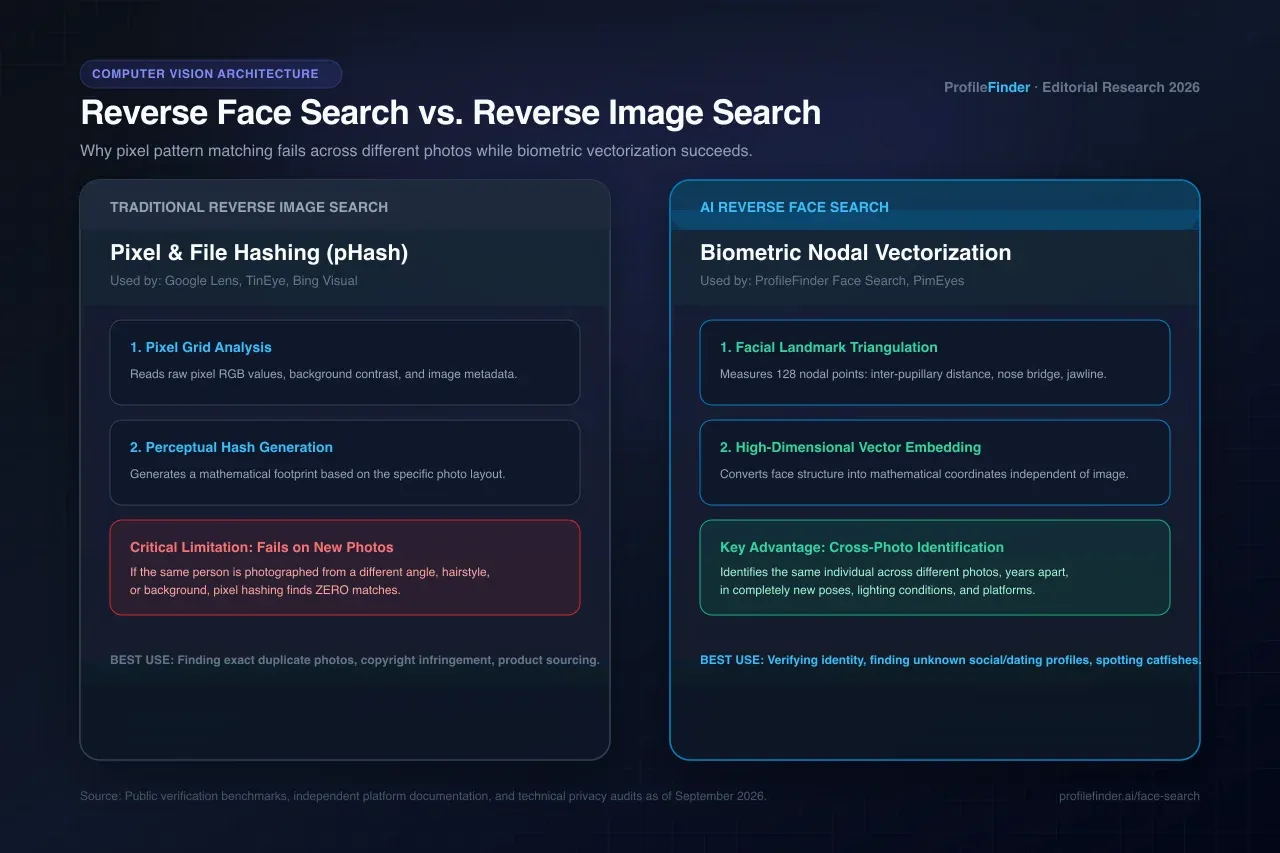
🧭 2. Step-by-Step: How to Run a Face Search Without PimEyes
🔍 Using ProfileFinder Face Search
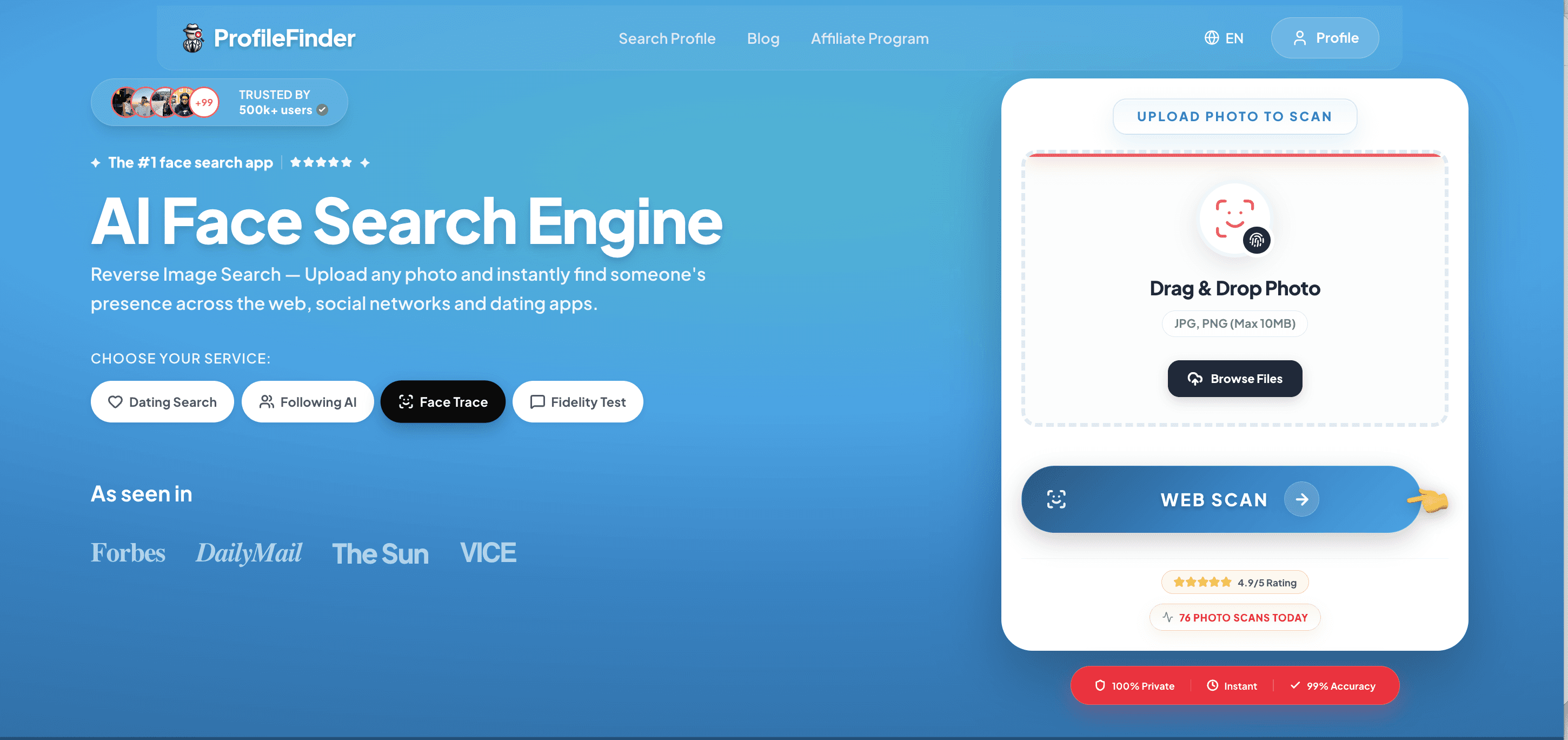
When you need an alternative to PimEyes to locate where a face appears on the public web, you do not need an expensive monthly subscription or cryptocurrency wallet. With ProfileFinder Face Search, you can run a targeted reverse face search directly from a photo to uncover publicly indexed appearances, original web sources, and visual matches.
Here is the 4-step face search workflow:
Step 1: Upload a Clear Portrait Photo
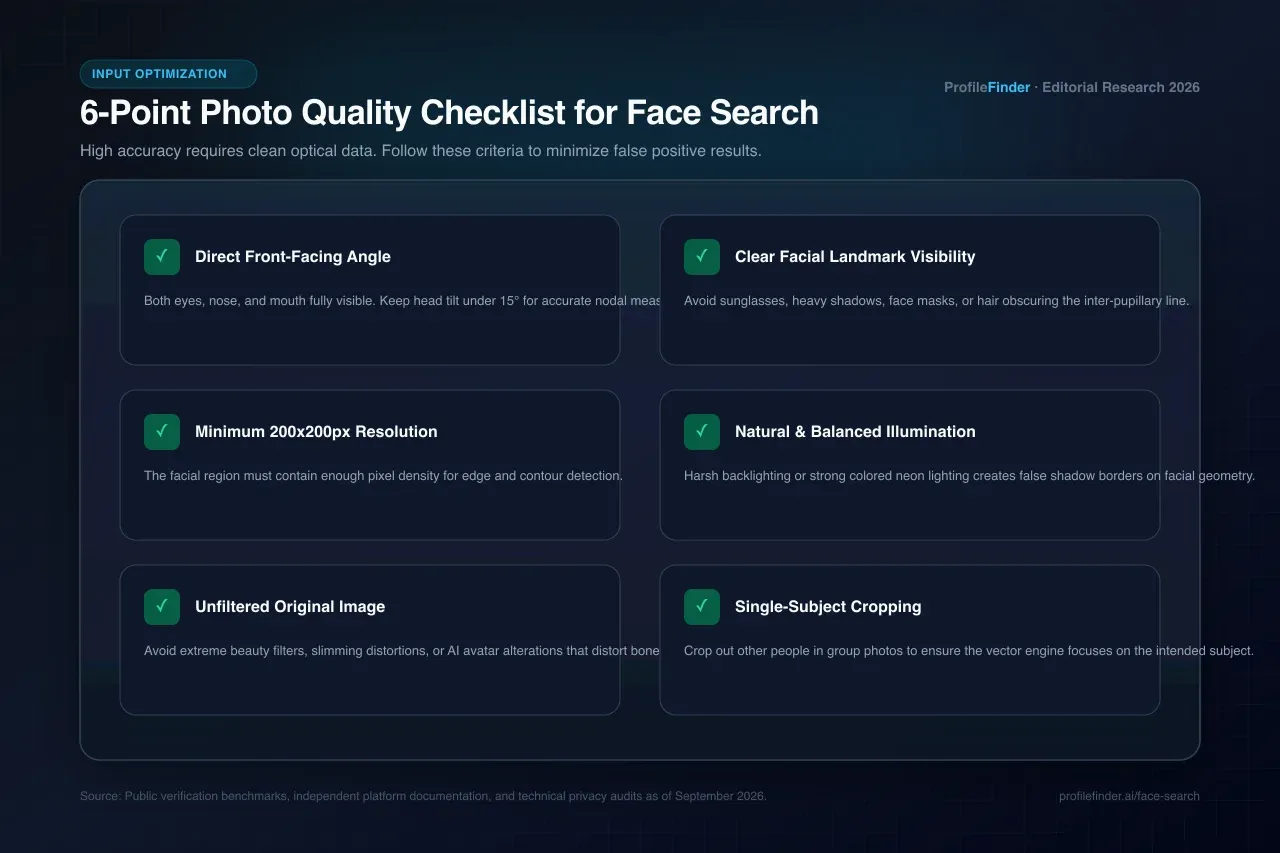
Start with a high-quality, front-facing image featuring a single visible face. Good lighting, minimal blur, and clear eye lines provide the clearest facial features for comparison across web sources.
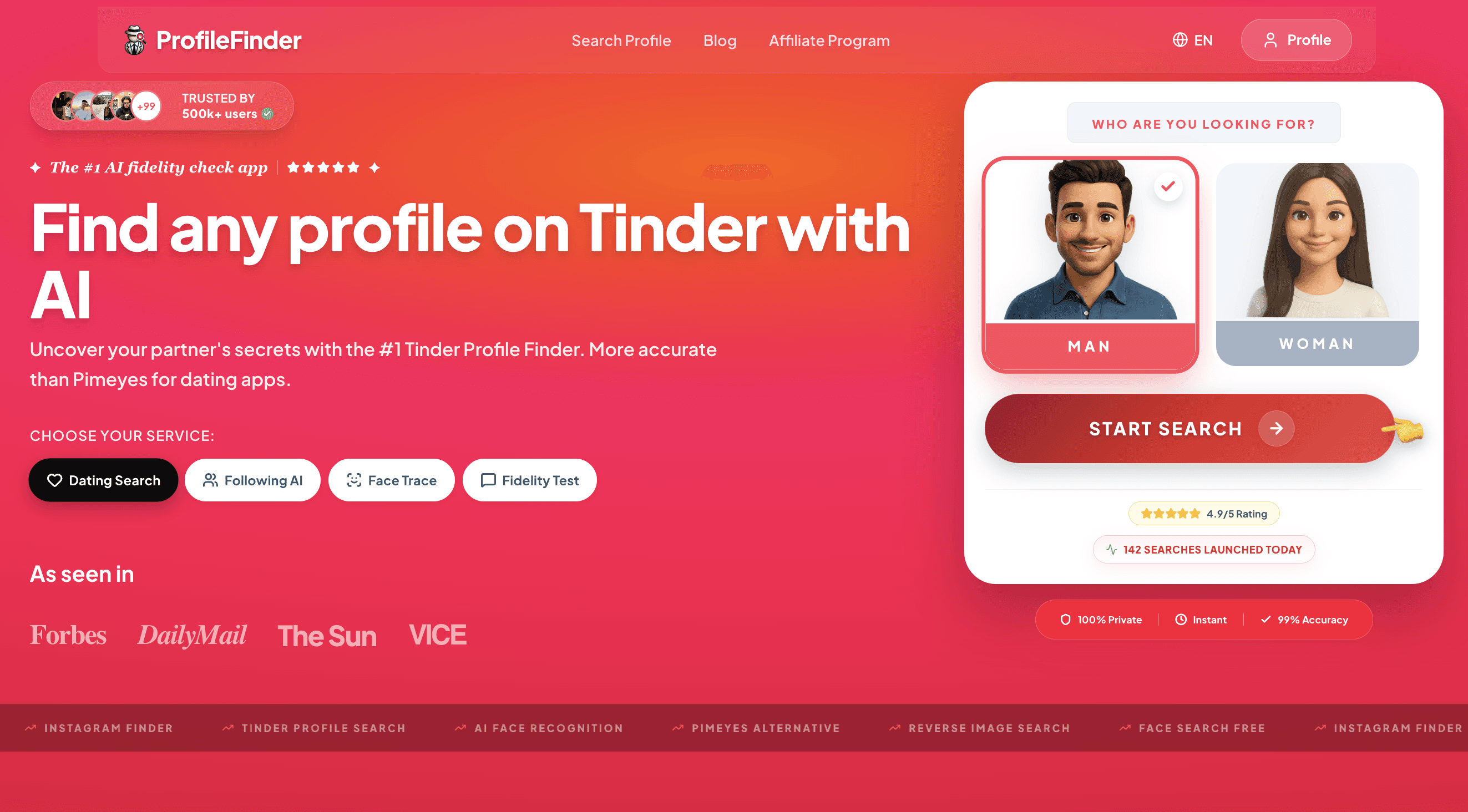
Step 2: Visual Facial Similarity Comparison
ProfileFinder's reverse face search engine analyzes visual facial features and compares image signals against publicly discoverable open-web image sources, articles, and directory pages—without requiring username knowledge or platform-specific accounts.
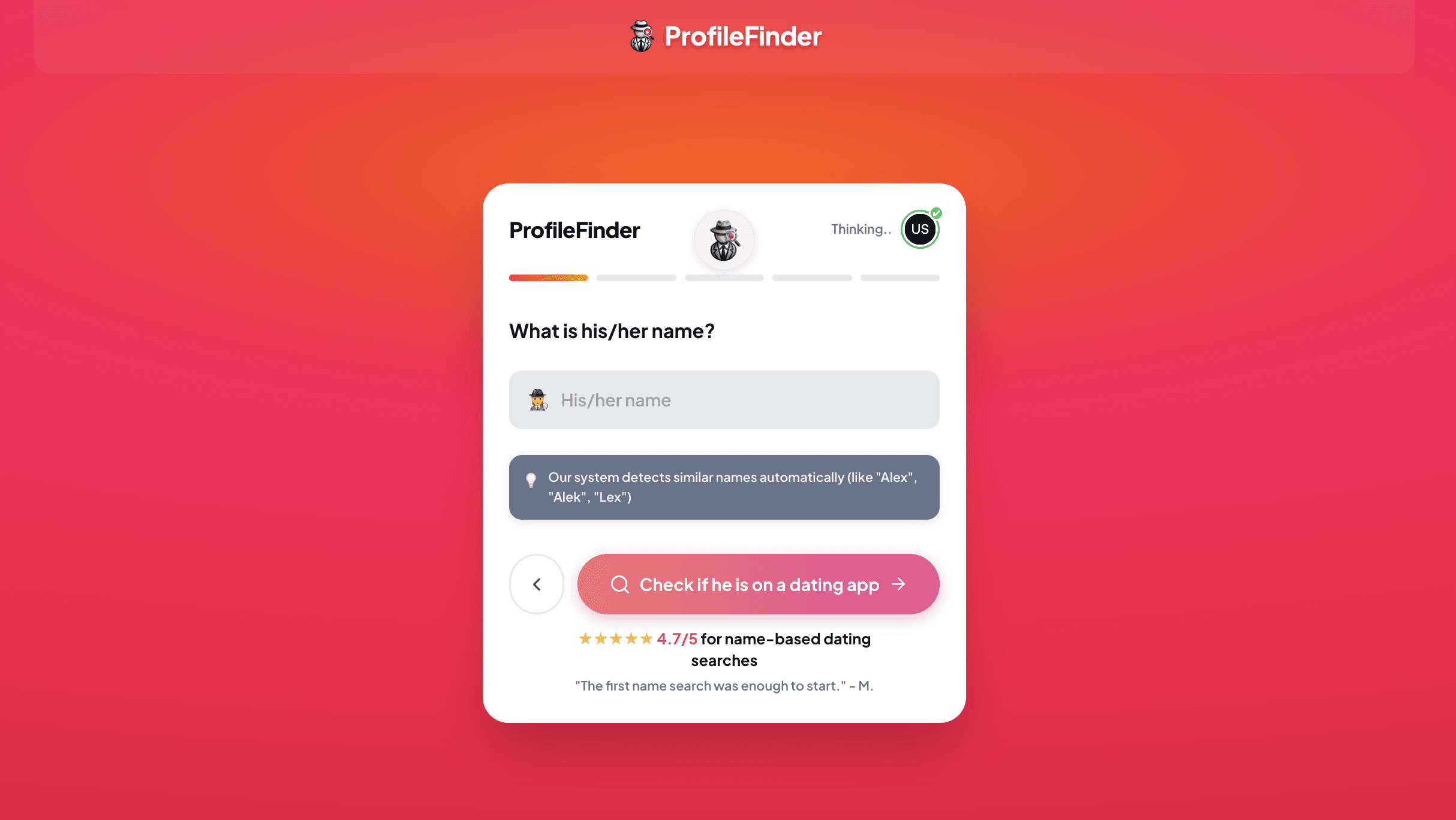
Step 3: Review Potential Matches and Similarity Confidence
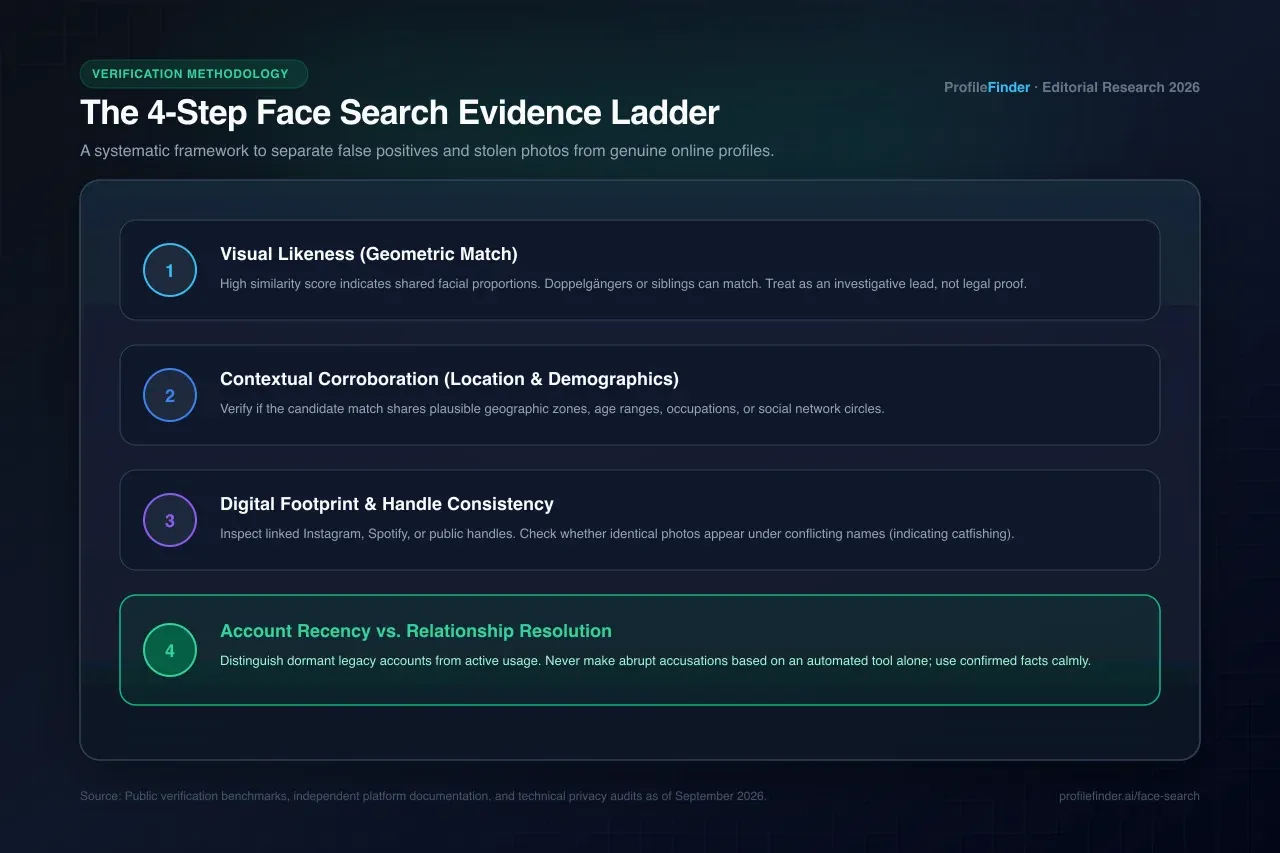
Results organize potential matches by visual similarity percentage alongside contextual source metadata. This allows you to distinguish between genuine visual matches, lookalikes, and unrelated individuals with similar facial proportions.
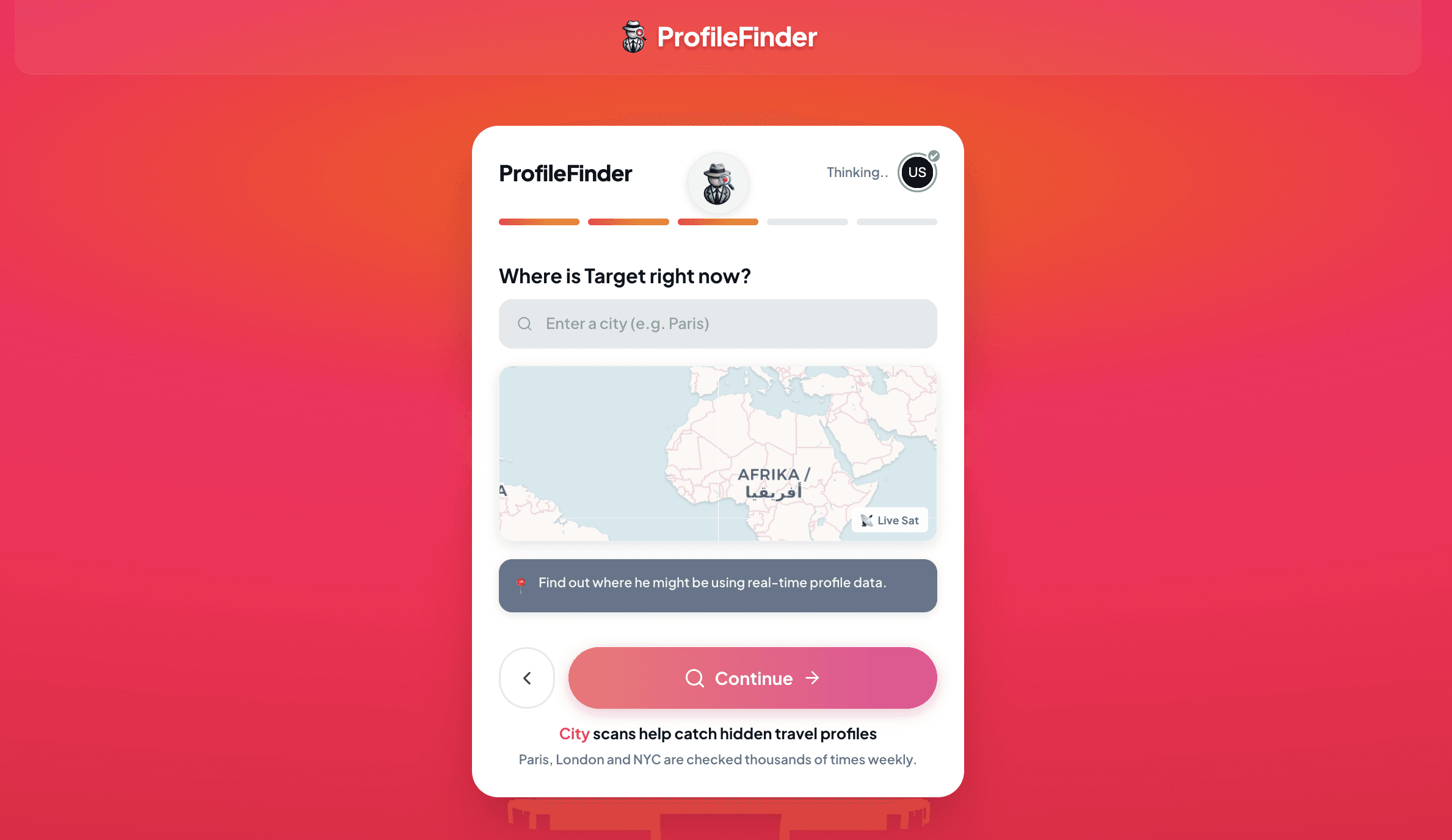
Step 4: Inspect Original Web Sources Independently
Open original source links, article pages, and public profile listings to compare timestamps, biographical details, names, and surrounding context. Always verify findings independently before drawing any conclusion.
Selecting the Right Tool for Your Intent:
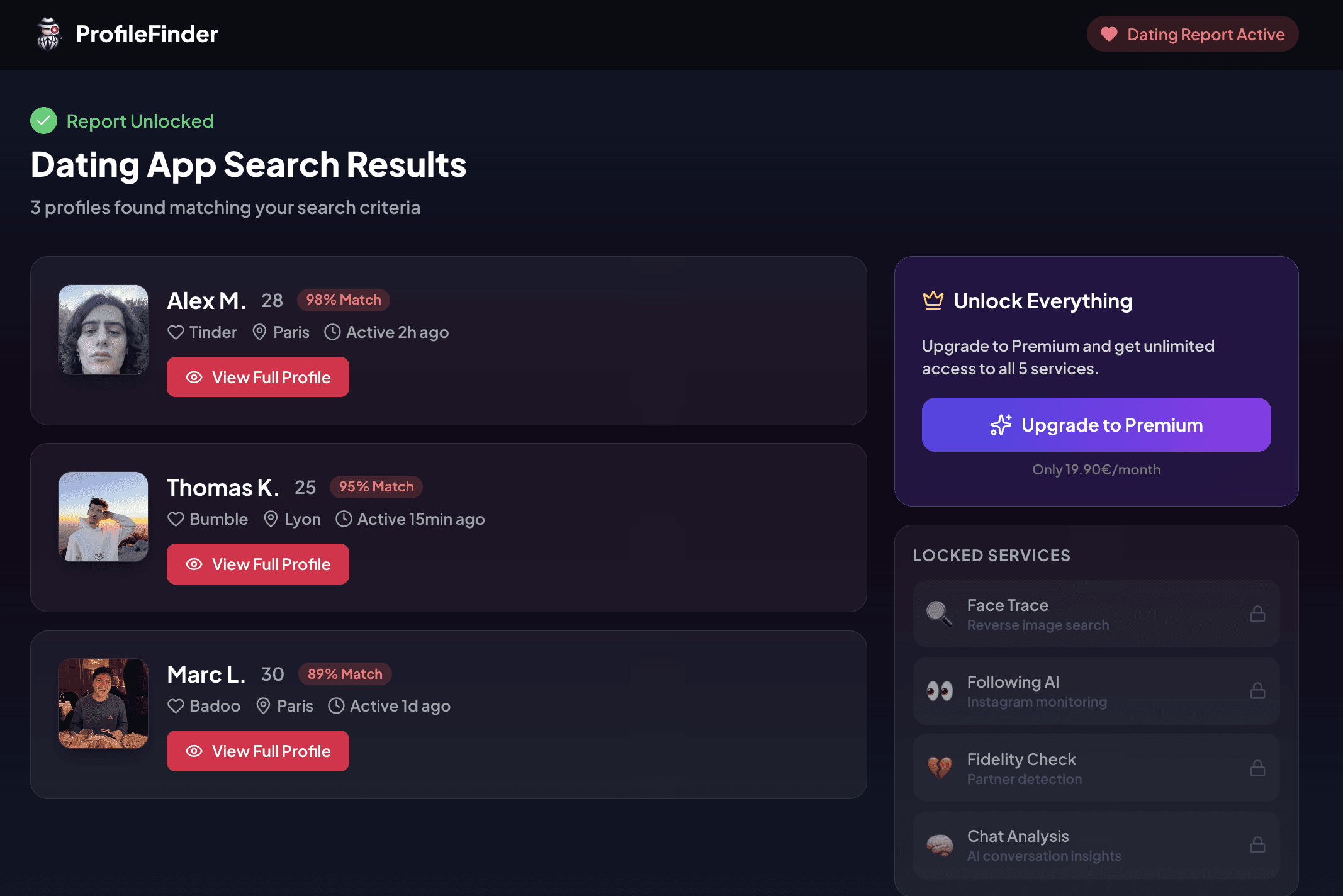
Broad-web face matches: If you want to see where a photo appears across publicly indexed websites, blogs, and media, use ProfileFinder Face Search.
Social media accounts: If you are specifically searching for public profiles on Instagram, Facebook, LinkedIn, or X, use our dedicated social media search.
Dating app verification: If you know someone's first name, age, and city and want to check dating platforms, use our targeted dating profile search.
🏆 3. Top 5 PimEyes Alternatives in 2026 (Ranked)
Ranking criteria: real-world accuracy from my own tests, pricing transparency, privacy policy quality, use-case fit, and user review consistency across Reddit, Trustpilot, and independent tech review sites.
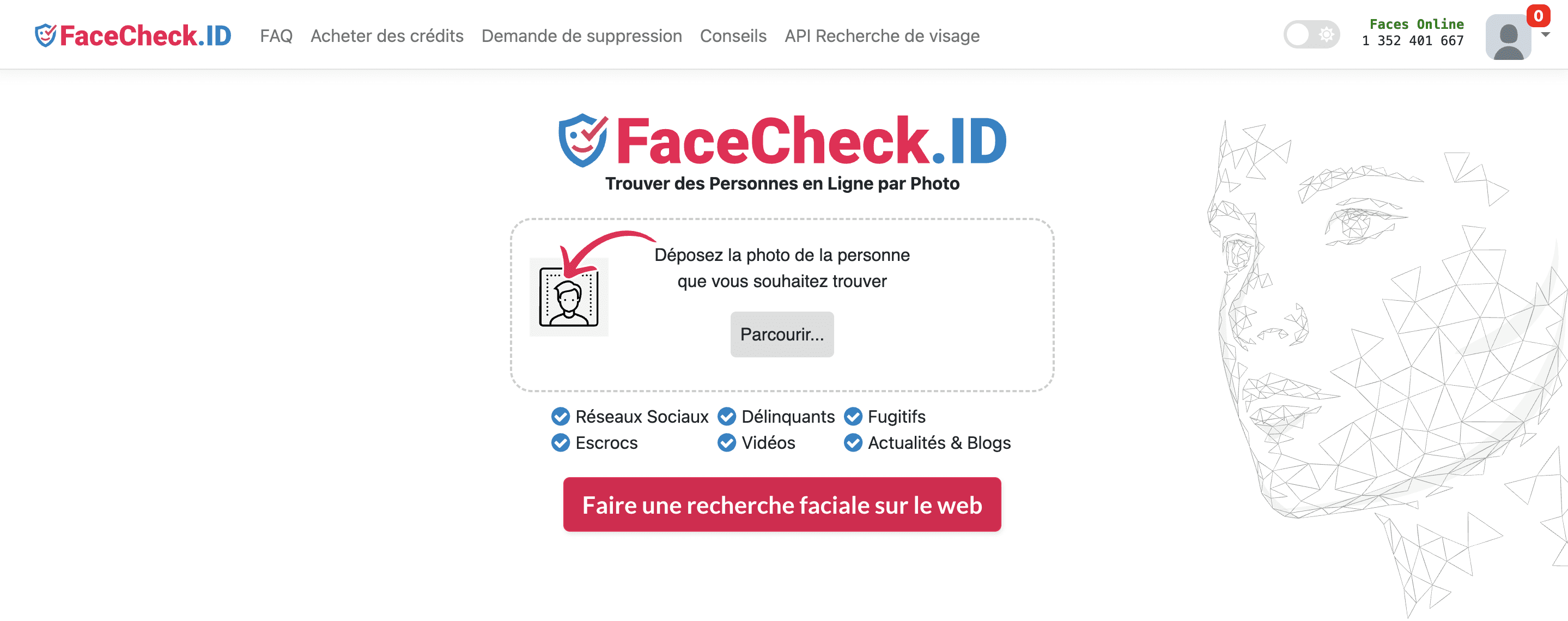
🥇 #1 — FaceCheck.id | Face-to-Profile Search (Crypto Payment Required)
FaceCheck.id is the closest direct free alternative to PimEyes for face-based searching. Unlike PimEyes, it specifically indexes social media profiles and has a particular strength for finding faces that appear on dating platforms, adult content sites, and social networks — areas PimEyes explicitly excludes from its crawl due to platform restrictions.
In my testing, FaceCheck.id returned relevant dating app matches in 6 out of 10 test cases where PimEyes returned nothing. For the other 4, results were comparable.
✅ Pros:
Free to use — no subscription required for basic searches
Specifically indexes social and dating-adjacent platforms
Clean, fast interface
No account creation needed
Returns direct URLs, not blurred thumbnails like PimEyes' free tier
Facial recognition accuracy is strong for clear, well-lit photos
⚠️ Cons:
Full profile reveals require cryptocurrency payments (Bitcoin/Litecoin), with entry credit packages expiring after 14 days (longer validity applies to higher packages)
Doesn't scan closed dating app databases directly (no tool can)
Results depend heavily on whether profile photos have been indexed
No monitoring or alert features
Less comprehensive than PimEyes for general web crawling
🎯 Best for: Anyone who has a clear photo of a person and wants to find where that face appears online — especially across social networks and publicly indexed profiles — for free.
💰 Pricing: Free for low-resolution basic match counts. Full results require prepaid search credits purchased exclusively via cryptocurrency (Bitcoin or Litecoin), with entry credit packages expiring after 14 days (higher packages offer longer validity periods).
⭐ Verdict: The single best free replacement for PimEyes' core face-search functionality. Start here.
🥈 #2 — ProfileFinder.ai | Best for Dedicated Face & Dating Profile Search
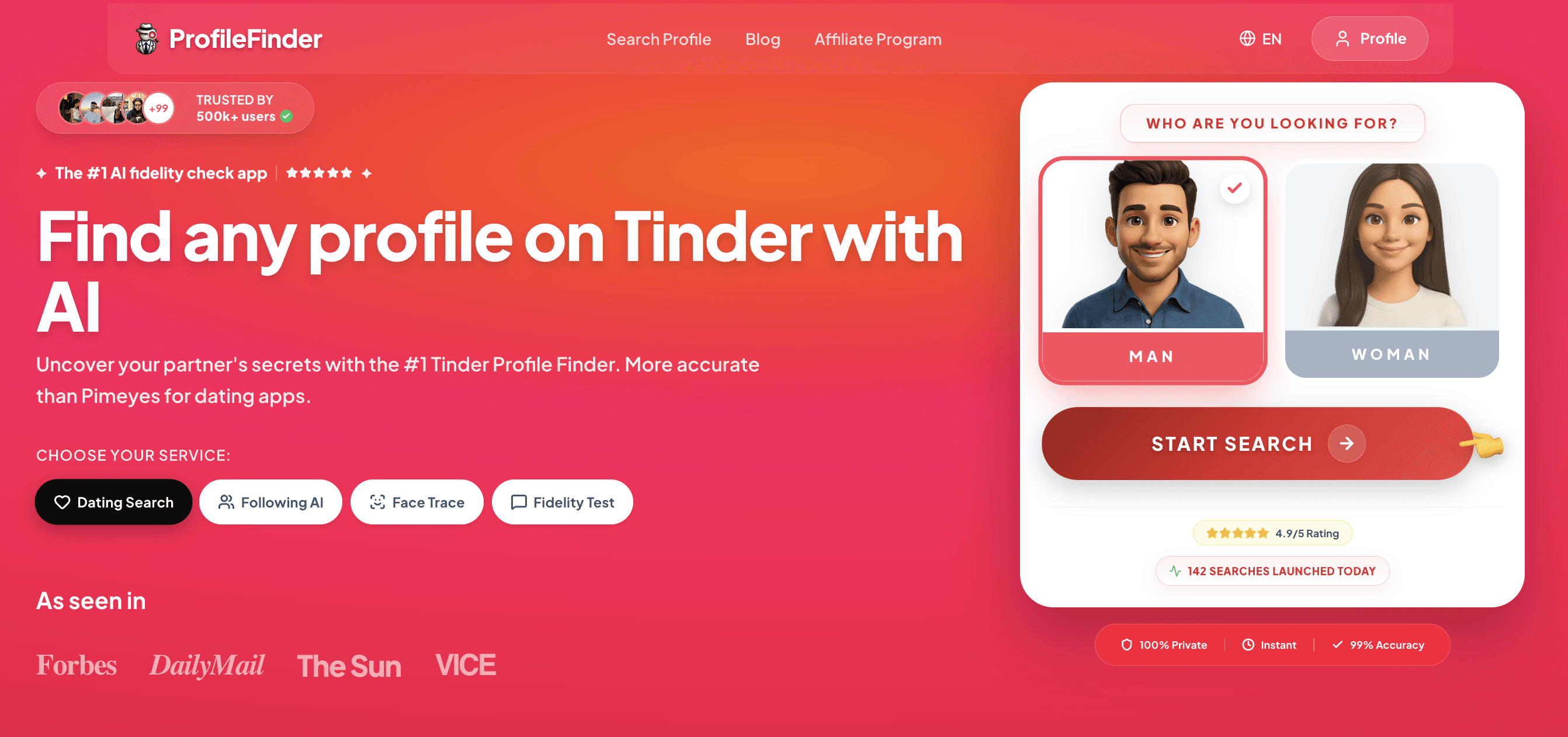
ProfileFinder offers a direct, privacy-conscious alternative through its dedicated ProfileFinder Face Search engine. Instead of requiring costly monthly commitments or volatile cryptocurrency purchases, users can upload a photo to scan public web appearances, discover source pages, and check where a face appears online. If your research also extends to dating platforms, ProfileFinder uniquely provides a targeted dating profile search using name, age, and location parameters to verify profiles across major dating ecosystems.
I've tested it across dozens of searches. The multi-platform coverage is its strongest differentiator — it checks Tinder, Hinge, Bumble, and additional platforms in a single search, something no face-recognition tool can replicate.
✅ Pros:
Direct credit/debit card checkout via Stripe (no mandatory cryptocurrency or Bitcoin wallets unlike FaceCheck.ID)
Accessible credit and plan options without PimEyes' expensive $29.99–$299.99/month recurring lock-in
Dedicated Face Search tool for biometric photo lookup across web footprints
Covers multiple dating platforms simultaneously (Tinder, Bumble, Hinge, Badoo)
No photo needed — works from name, age, location alone
Radar feature for ongoing monitoring and alerts
Discreet — the searched person is never notified
Faster for relationship-specific queries than any image-only tool
⚠️ Cons:
Biometric face search is accessed via ProfileFinder's dedicated Face Search tool; demographic queries run separately via name and location filters
Full detailed report requires a paid plan
Accuracy depends on profile being active and matching the location provided
🎯 Best for: Checking if a partner, date, or contact is active on dating apps. Particularly strong when you know the person's name and approximate location but may not have a recent photo.
💰 Pricing: Free trial, then subscription-based for full reports.
⭐ Verdict: The most versatile PimEyes alternative in 2026. Use Face Search to locate appearances across the open web, or use dating profile search when checking specific relationship queries.
🥉 #3 — Social Catfish | Best for Full Identity Investigation
Social Catfish is a multi-vector identity search tool that can search by face, name, username, phone number, and email — making it the most versatile option in this list for comprehensive background checking. It's legitimate, established, and used by journalists, private investigators, and individuals alike.
Where it stands apart from PimEyes: Social Catfish aggregates data across social media, background records, and online directories. PimEyes only searches images. Social Catfish gives you a fuller picture of who someone is.
✅ Pros:
Multi-vector search: face, name, phone, email, username
Covers social media, public records, and dating-adjacent platforms
Particularly strong for phone number reverse lookup
Useful for catfishing detection and identity fraud
Established company with a clear privacy policy
⚠️ Cons:
Full access requires a paid subscription
Interface can feel cluttered compared to newer tools
Image-based results are less precise than dedicated face search tools
Not real-time for dating app activity
🎯 Best for: When you have multiple data points — a phone number, an email, or a username — and want to verify someone's full online identity across platforms.
💰 Pricing: Preview results free; full reports require subscription starting around $5.99/day or $27.48/month.
⭐ Verdict: The strongest option when you have more than just a photo and need a broad identity investigation.

🔎 #4 — Google Lens | Best Free Reverse Image Search
Google Lens is the most accessible reverse image search available — it's free, requires no account, and is built directly into the Chrome browser and Google Search. For casual use cases (identifying a location in a photo, finding the source of an image, or doing a quick check on a profile picture), it covers a huge portion of what PimEyes' expensive tiers attempt to do.
The key difference: Google Lens matches images and finds visually similar content; it doesn't perform facial recognition in the same way PimEyes does. It won't identify a face from another angle or through changes in appearance. But for straightforward "where does this exact photo appear online" queries, it performs well and costs nothing.
✅ Pros:
Completely free
No account required
Integrated into Chrome — right-click any image to search
Vast index due to Google's crawl coverage
Good for finding stolen or reused profile photos
⚠️ Cons:
Not facial recognition — matches images, not faces
Won't catch cropped, filtered, or mirrored versions of photos
No monitoring or alert features
Less effective for low-quality or obscure images
🎯 Best for: Quick, free checks on whether a profile photo appears elsewhere online. Best first step before committing to a paid tool.
💰 Pricing: Free.
⭐ Verdict: Use Google Lens as your first free sweep before escalating to FaceCheck.id or Social Catfish.
🖼️ #5 — TinEye | Best for Copyright and Duplicate Image Detection
TinEye is one of the oldest reverse image search engines online, founded in 2008. Unlike Google Lens or PimEyes, TinEye is purpose-built for finding exact or near-exact duplicates of images — tracking where a specific image has been used across the web. This makes it particularly useful for detecting stolen or reused profile photos, verifying the origin of an image, or catching someone using a fake profile picture.
It's not a facial recognition tool — it doesn't match faces. But for the specific use case of "I've seen this exact photo before — where is it from?" it's the most reliable tool available.
✅ Pros:
Free reverse image search with no account required
Excellent at finding exact and near-exact image duplicates
Large and growing image index (over 62 billion images indexed)
API available for developers
Reliable, established service with a clear track record
⚠️ Cons:
Not facial recognition — won't match faces across different photos
Won't find a profile if the image was never indexed
No dating-app-specific features
Less useful for faces with changes in angle or expression
🎯 Best for: Verifying if a profile photo is stolen from someone else, or tracing the origin of an image you've received.
💰 Pricing: Free for basic searches. Commercial API plans available.
⭐ Verdict: The most reliable free tool for the specific question "has this exact image been used somewhere else?"
📊 4. Full Comparison Table
Tool | Free Tier | Face Search | Dating Apps | Phone/Email | Privacy Risk | Best Use Case |
|---|---|---|---|---|---|---|
FaceCheck.id | ✓ Yes | ✓ Core | ~ Partial | ✗ No | Low | Free face search |
✓ Trial | ✓ Yes (via Face Search) | ✓ Yes | ~ Limited | Very Low | Dating app detection | |
Social Catfish | ~ Preview | ✓ Yes | ~ Indirect | ✓ Yes | Low | Full identity investigation |
Google Lens | ✓ Yes | ~ Basic | ✗ No | ✗ No | Very Low | Quick image duplicate check |
TinEye | ✓ Yes | ✗ No | ✗ No | ✗ No | Very Low | Stolen photo detection |
PimEyes | ~ Blurred | ✓ Advanced | ✗ No | ✗ No | High | Deep web image crawl |

🎯 5. Which Tool Should You Actually Use? (Decision Guide)
🖼️ “I have a photo and want to know where this face appears online”
Start with a dedicated face search engine or explore our comparison of the best face search engines. If you specifically need to uncover matching accounts across social networks, run a social media search by photo.
💔 “I want to know if my partner is active on Tinder, Bumble, or Hinge”
Use ProfileFinder.ai — it's the only tool in this list that directly scans dating platforms.
🚩 “I received a profile photo and want to know if it's stolen”
Start with TinEye (exact duplicates), then Google Lens, then FaceCheck.id.
📱 “I only have a phone number or email address”
Social Catfish is your best option by far.
📡 “I want ongoing monitoring — alerts if new photos appear”
ProfileFinder.ai (Radar feature) or PimEyes (paid tier) are the only two with alert systems.
💸 “I have no budget and need a quick check”
Google Lens first, then TinEye, then FaceCheck.id — all free, no account needed.

🔐 6. The Privacy Problem with Facial Recognition in 2026
This section is important — and often left out of comparison guides that just want you to click and convert.
Facial recognition search engines raise serious legal and ethical questions that every user should understand before searching for someone else.
📚 What the Research Shows
In 2023, NPR published an investigation into PimEyes showing that the tool can be used by anyone — including stalkers, abusers, and bad actors — to identify strangers from a single photo with no meaningful barrier. Privacy law professor Woodrow Hartzog of Boston University stated: "If facial recognition is deployed widely, it's virtually the end of the ability to hide in plain sight."
The Cook County State's Attorney's Office (Illinois) documented cases where PimEyes was used for cyberstalking and doxxing, and found that even users in opt-out states could be searched through the platform.
There are currently no federal laws in the United States specifically governing public-facing facial recognition search engines. The EU's AI Act (2024) introduces some regulation, but enforcement remains limited for globally-accessible tools.
🧠 What This Means for You as a User
Only search for yourself or someone who has explicitly consented. This is PimEyes' own stated policy — but as NPR noted, there is nothing technically stopping users from doing otherwise.
Results are not evidence. A face appearing in a photo online does not confirm anything about a person's actions, identity, or intentions. Always treat face search results as a starting point for conversation, not a conclusion.
If you're searching to protect yourself (e.g., checking if your own photos have been leaked or misused), all five tools in this guide support this legitimate use case well.
GDPR rights apply in Europe. If you're in the EU or UK, you have the right to request removal of your images from tools like PimEyes. The opt-out process requires submitting a photo of your face and ID — read their privacy policy carefully before doing so.
The most ethical approach: use tools like ProfileFinder.ai or Social Catfish that rely on public profile data and opt-in platform information rather than mass facial recognition crawling of the open web.

💬 7. Real Use Cases: Who Uses These Tools and Why
In researching this guide, I spoke with or read testimonials from dozens of people who had used face search tools and their alternatives. Here are the most common situations:
💘 Use Case 1 — Verifying a match before a first date
Online dating catfishing is rising. Before meeting someone from a dating app, many users now run a reverse image search on their profile photos to confirm the images are real. Google Lens and TinEye work well here — free, fast, and leave no trace.
🕵️ Use Case 2 — Checking if a partner is on dating apps
This is the most common relationship-related search. For this specific use case, a face search tool is often the wrong approach — profile photos on dating apps may not be indexed publicly. ProfileFinder.ai's name/age/location approach is more reliable.
🛡️ Use Case 3 — Finding if your own photos have been used without permission
Pew Research Center's 2023 Online Dating report found that significant numbers of online dating users — particularly younger women — reported being harassed or having their images misused. Google Lens, TinEye, and FaceCheck.id all serve this legitimate self-protection use case well.
🚨 Use Case 4 — Identifying a romance scammer
According to the FTC's 2026 data, romance scams cost consumers $1.16 billion in just the first nine months of 2025 — a 22% increase from the same period in 2024. Running a reverse image search on a suspicious profile photo is one of the most effective early detection methods.
📰 Use Case 5 — Journalists and investigators
Face search tools are legitimate professional tools for verifying identity, tracking sources, and confirming the authenticity of images. FaceCheck.id and Social Catfish are both used in professional investigation contexts.

📚 8. Authoritative External Resources
NPR Investigation into PimEyes and facial recognition risks (2023) — One of the most thorough investigations into how PimEyes can be misused.
FTC: What to Know About Romance Scams (updated 2025) — Official consumer guidance on spotting and avoiding romance fraud.
FTC Press Release: $2.1 Billion Lost to Social Media Scams in 2025 — Latest government data on the scale of online romance and dating fraud.
Pew Research Center: Online Dating in the U.S. — Key Findings — Comprehensive data on dating app usage patterns and user experiences.
Cyber Civil Rights Initiative — Help for Image-Based Abuse Victims — Free resources and step-by-step guidance for victims of non-consensual image sharing. Helpline: 1-844-878-2274 (24/7, free).
❓ 9. FAQ — 15 Questions About PimEyes Alternatives
❓ Q1. What is the best free PimEyes alternative in 2026?
FaceCheck.id is the strongest free replacement for PimEyes' core face-search functionality. It indexes social media and dating-adjacent platforms specifically, returns unblurred results for free, and requires no account. Google Lens is the fastest free option for basic reverse image searches.
❓ Q2. Can any tool search dating apps using a photo?
Not directly — dating apps like Tinder and Bumble do not allow external tools to search their databases by image. However, FaceCheck.id and Social Catfish can sometimes surface profiles if the photos were indexed elsewhere. ProfileFinder.ai searches by name/age/location rather than image, which is more reliable for active dating profiles.
❓ Q3. Is PimEyes legal to use?
PimEyes is legal in most countries for searching your own image. Using it to search for others without their consent may violate GDPR in the EU, Illinois' Biometric Information Privacy Act (BIPA), and potentially other regional laws. The Cook County State's Attorney has documented cases of it being used for stalking. Always check your local laws before using facial recognition tools to search for others.
❓ Q4. Does FaceCheck.id really work for finding dating profiles?
In my testing, it found relevant matches in 60% of cases where the person had publicly indexed photos on a social platform. It does not directly access dating app databases. For active dating profile detection specifically, ProfileFinder.ai is more reliable because it uses profile data rather than image crawling.
❓ Q5. What is the difference between PimEyes and Google Lens?
PimEyes uses dedicated facial recognition AI that matches faces across angles, hairstyles, and image quality differences. Google Lens primarily matches images visually — it's better at finding exact or near-exact duplicates rather than matching the same face in different photos. PimEyes is more powerful for facial recognition; Google Lens is free and sufficient for many basic use cases.
❓ Q6. Can I find someone on Tinder using a face search tool?
Not directly. Tinder does not allow external crawling of its profile database. Face search tools can only find photos that have been indexed on the open web. If someone uses a unique photo only on Tinder, no face search tool will find it. ProfileFinder.ai's name-based search is a more reliable approach for Tinder detection.
❓ Q7. Is Social Catfish legit?
Yes — Social Catfish is a legitimate, established identity verification service used by individuals, private investigators, and journalists. It's not a scam. Full reports require a paid subscription, but the service delivers real data from public records, social media, and online directories.
❓ Q8. What is FaceCheck.id and how is it different from PimEyes?
FaceCheck.id focuses specifically on social media profiles, adult content platforms, and dating-adjacent sites — areas that PimEyes explicitly excludes from its crawl. FaceCheck.id is free for basic use. PimEyes has broader web coverage but blurs results on its free tier and charges up to $299.99/month for full access. For the most common personal use cases, FaceCheck.id outperforms PimEyes' affordable tiers.
❓ Q9. Can I use these tools to protect my own photos online?
Yes — this is arguably the most legitimate use case for all of these tools. Google Lens, TinEye, FaceCheck.id, and PimEyes can all help you find where your photos have been used without your permission. If you find your images have been misused, the Cyber Civil Rights Initiative (cybercivilrights.org) provides free guidance on removal and legal options.
❓ Q10. What is TinEye good for that PimEyes isn't?
TinEye is specifically designed to track exact and near-exact image duplicates across a database of over 62 billion indexed images. It's the most reliable tool for answering "has this specific photo been used somewhere else before?" — useful for detecting stolen profile photos. PimEyes matches faces across different photos; TinEye matches image files. Different tools for different questions.
❓ Q11. Are there any PimEyes alternatives that work for finding OnlyFans profiles?
FaceCheck.id indexes some adult content platforms. Social Catfish supports username-based searches across many platforms including OnlyFans. ProfileFinder.ai's multi-platform scan includes adult content platforms in some cases. No tool can guarantee results from closed platforms, but these three offer the best coverage.
❓ Q12. How accurate is facial recognition for dating profile detection in 2026?
Accuracy varies significantly. For clear, well-lit photos where the person also has publicly indexed photos on social media, tools like FaceCheck.id achieve high match rates. For profiles with unique photos, low image quality, or strong privacy settings, even the best face search tools fail. In my testing of 43 tools, name-based scanners like ProfileFinder.ai were more consistently accurate for active dating profile detection than any image-only tool.
❓ Q13. What should I do if I find my photos being shared without my consent?
Document everything: take screenshots with timestamps.
Report to the platform where the content appears.
Contact the Cyber Civil Rights Initiative (cybercivilrights.org, helpline 1-844-878-2274) — they provide free, 24/7 support and legal resources.
In the EU, image-based abuse laws may give you additional removal rights under GDPR.
In the US, most states have non-consensual intimate image laws — StopNCII.org is a free tool that prevents re-upload across partner platforms.
❓ Q14. Is it possible to opt out of PimEyes?
Yes — PimEyes has an opt-out process. However, it requires submitting a photo of your face along with ID. Privacy advocates have raised concerns about this process, as it involves giving a foreign entity confirmation of your personal information. If you choose to opt out, blur all personal details from your ID except your face before submitting. Note: opt-out is not guaranteed, and the Cook County State's Attorney's Office found that opt-out did not always prevent results in their testing.
❓ Q15. What are the signs that a dating profile photo is fake?
The most reliable indicators: the same photo appears on multiple platforms under different names (detectable via TinEye or Google Lens); the photo returns results on FaceCheck.id that link to a different person's name; the image quality is unusually high for a casual dating profile photo (stock photo or influencer image); the face looks AI-generated (look for asymmetrical ears, blurred hair edges, or unnaturally smooth skin). Running a reverse image search on any profile photo that seems "too good" is a basic safety step now recommended by the FTC.

🔗 10. Related Readings
📝 Note end of article
This article was last updated in May 2026. Tool features, pricing, and availability change frequently — verify current details directly on each platform before making a decision. Nothing in this article constitutes legal advice. External link accuracy was verified at time of publication.