⚡ Quick Answer
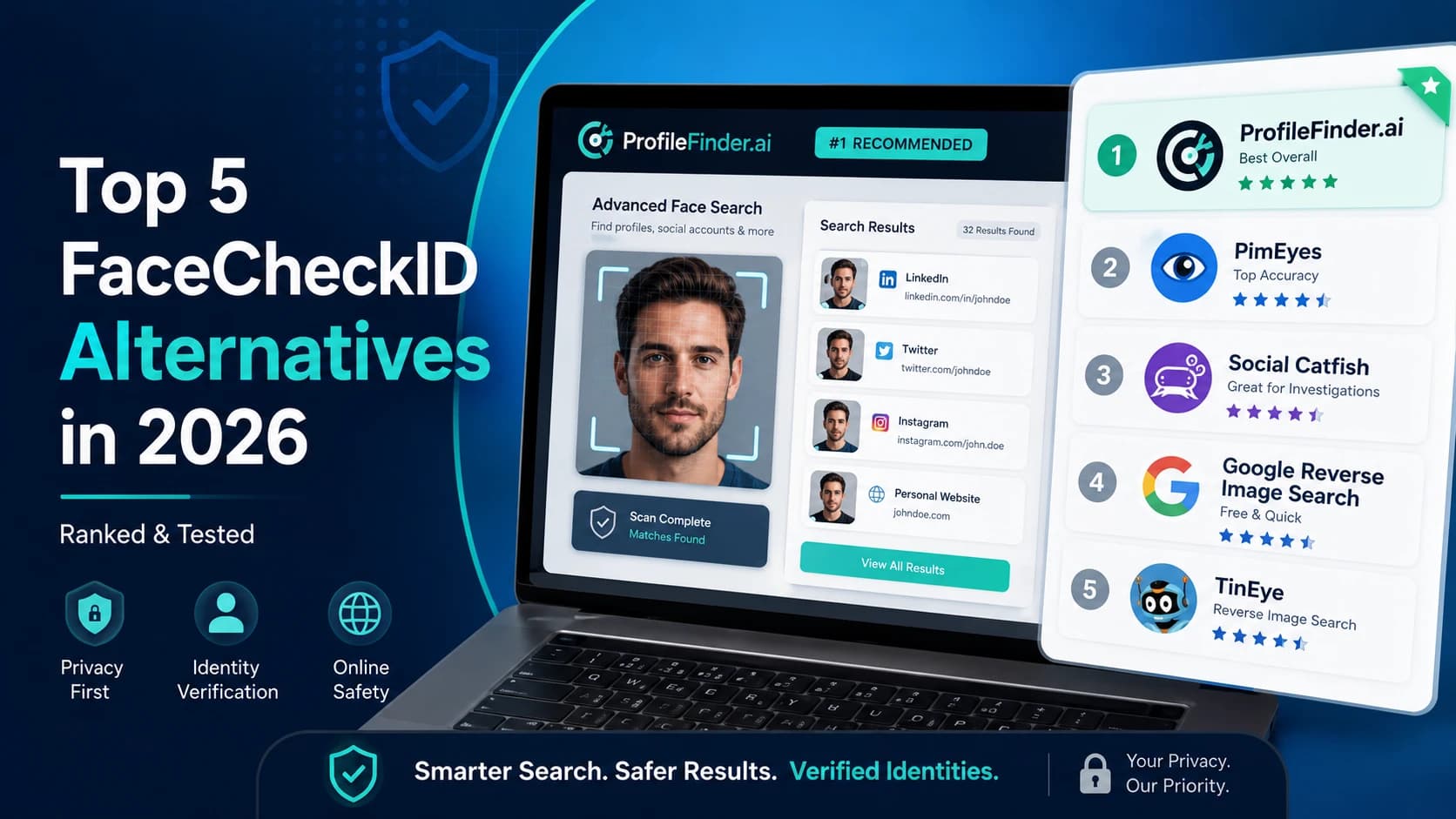
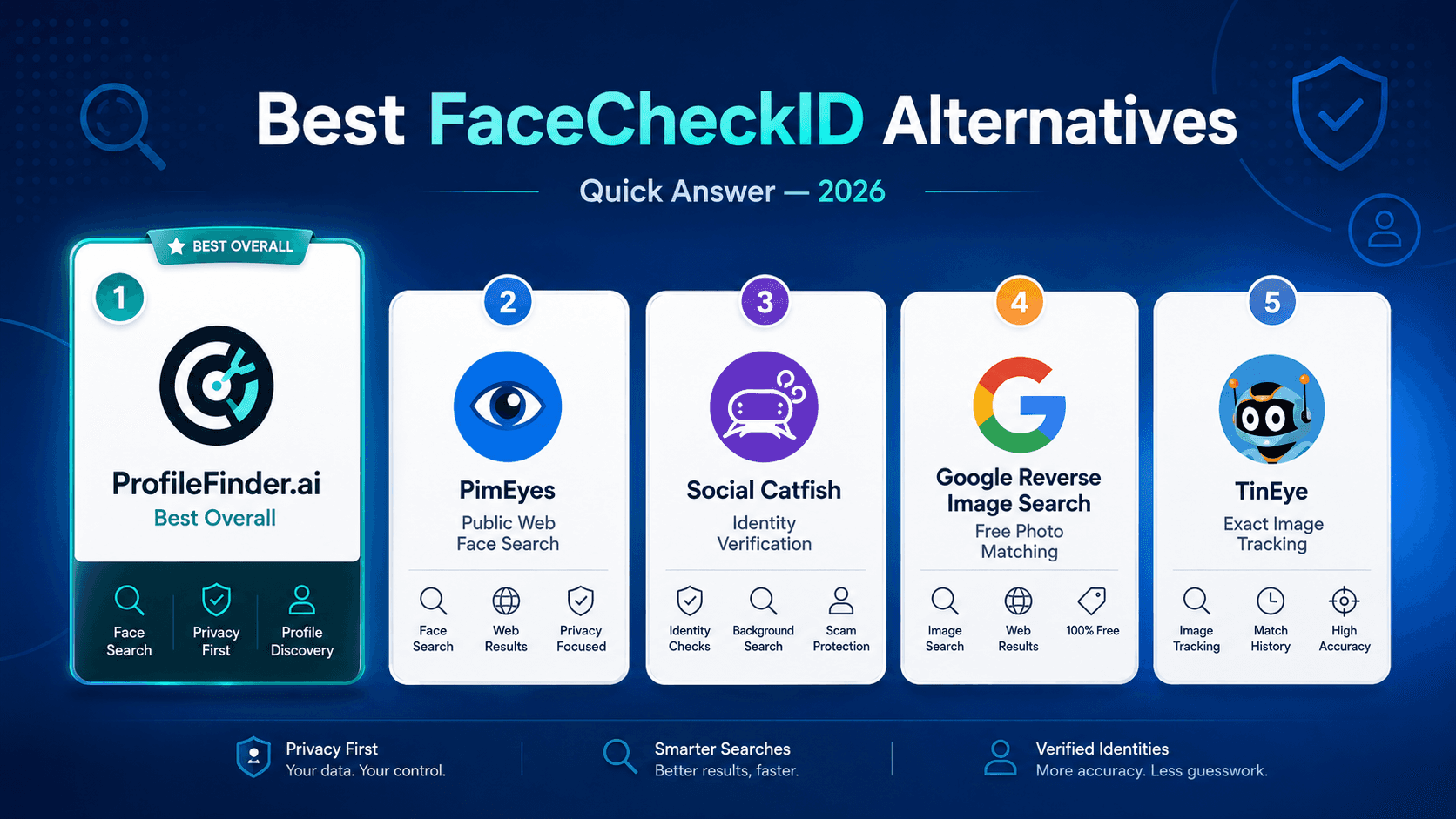
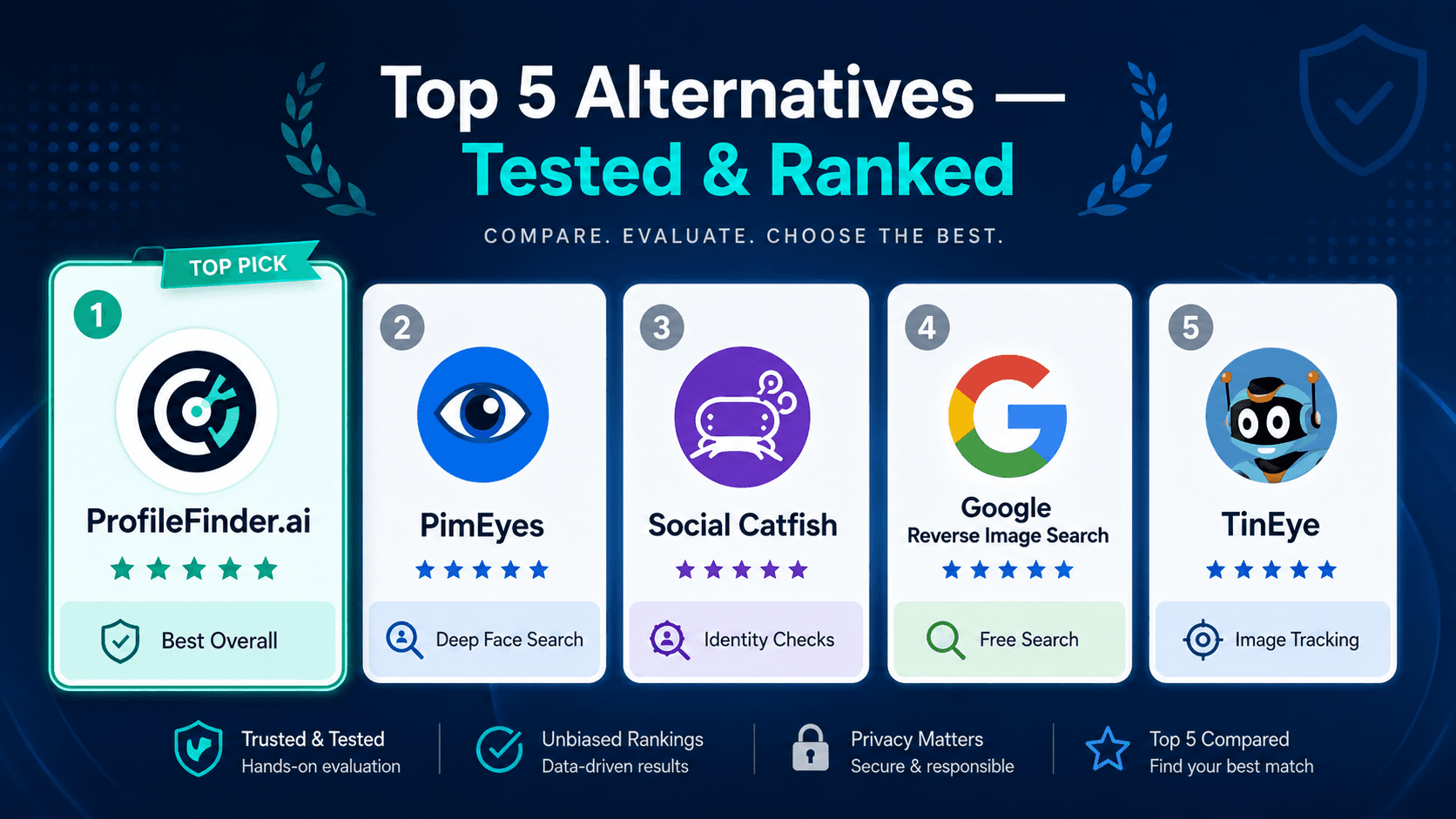
The best FaceCheckID alternatives (and top FaceCheck.ID alternative services) in 2026 are PimEyes, ProfileFinder.ai, Social Catfish, Google Reverse Image Search, and TinEye.
PimEyes has one of the deepest facial recognition indexes. ProfileFinder.ai combines face search with dating profile detection. Social Catfish is useful for identity verification with photo reverse search. Google Reverse Image Search is free and broad. TinEye is strong for image matching and tracking where a photo has appeared online.
If you need to find where a face appears online across social media profiles, dating apps, adult platforms, or public websites, these are the tools that deliver real results. For a broader comparison of how face search engines compare, see our guide to the best face search engines.
I tested 43 face search tools over the past eight months.
Most are noise.
A few actually work.
FaceCheckID is one of the good ones, but it is not always the best fit depending on what you are trying to find.
This guide breaks down exactly what FaceCheckID does, where it falls short, and which alternatives outperform it for specific use cases in 2026.
No affiliate hype. Just what works after real testing.
🧭 Step-by-Step: How to Use ProfileFinder.ai for Face Search
If you want to get started right now without dealing with FaceCheck.ID's mandatory cryptocurrency checkout or 14-day credit expiration, ProfileFinder provides clear, dedicated discovery paths based on what information you have and what you need to find.
Here is how to select the right workflow for your objective:
Intent 1: When You Have a Photo and Need Web-Wide Face Appearances
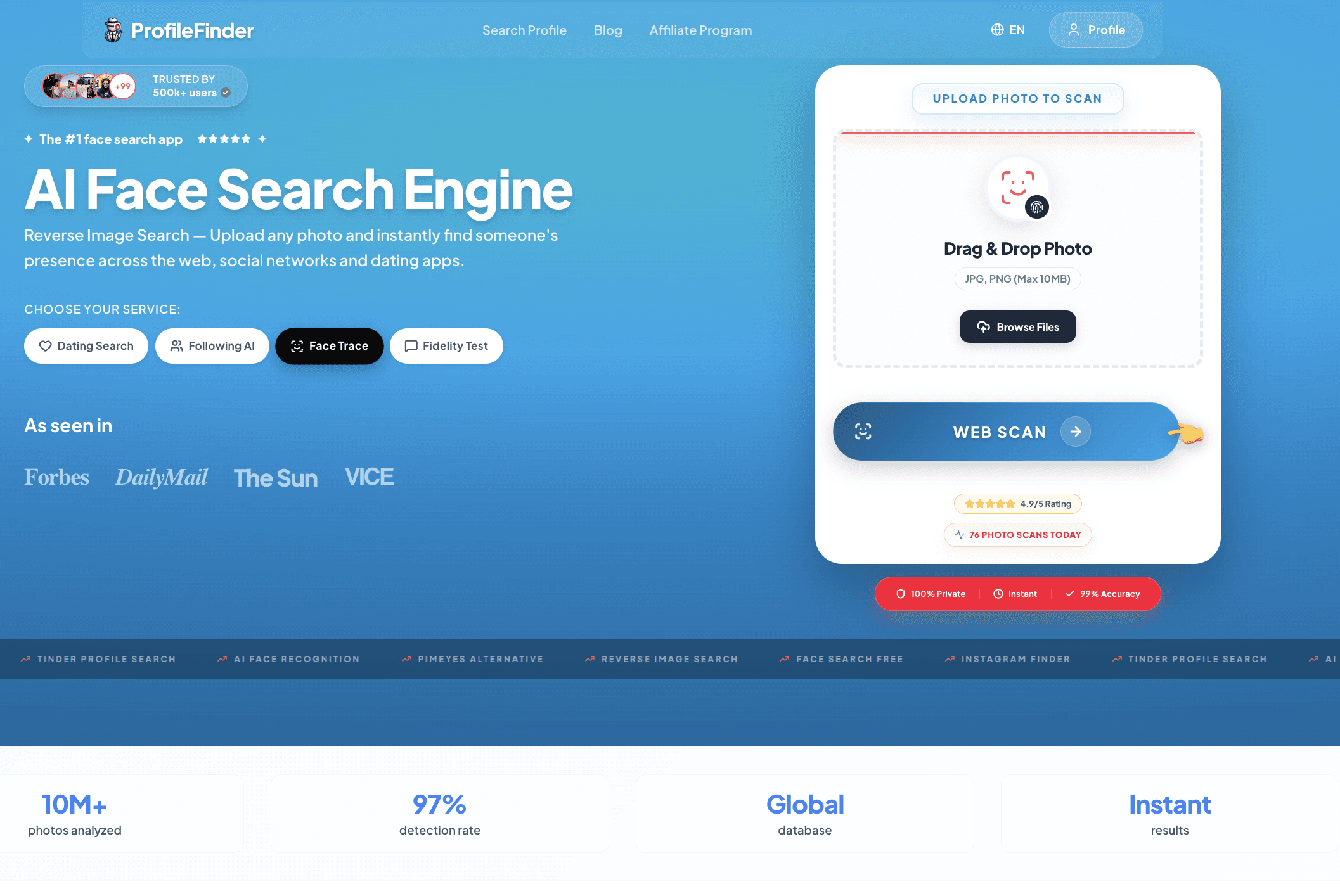
If you have a portrait image and want to discover where that face appears across public websites, news articles, directories, and open-web media, use ProfileFinder Face Search.
1. Upload a clear, front-facing photo with good lighting and unobstructed facial features.
2. ProfileFinder's face search algorithm compares visual similarity signals against publicly discoverable open-web image sources.
3. Review matched candidate links and inspect original source pages independently.
Intent 2: When You Want to Discover Public Social Media Profiles from a Photo
If your goal is specifically to uncover public social media accounts—such as Instagram, Facebook, LinkedIn, Pinterest, or X—connected to a photograph, use our dedicated Social Media Search.
1. Upload an uncropped portrait or screenshot.
2. The search organizes candidate profiles by visual resemblance and platform source.
3. Inspect usernames, biographies, and account dates directly on original platforms before making any determination.
Intent 3: When You Have Name, Age, and Location for Dating Apps
If you do not have a photo or specifically suspect someone is active on dating platforms like Tinder, Bumble, Hinge, or Badoo, use ProfileFinder's Dating Profile Search.
1. Enter the person's first name, estimated age range, and primary city (or recent travel location).
2. The multi-platform scanner checks active public dating indexes simultaneously without requiring you to create dating app profiles.
3. Review candidate photos, bios, and match confidence scores safely and discreetly.
Pro Verification Protocol: Cross-Checking Multiple Sources
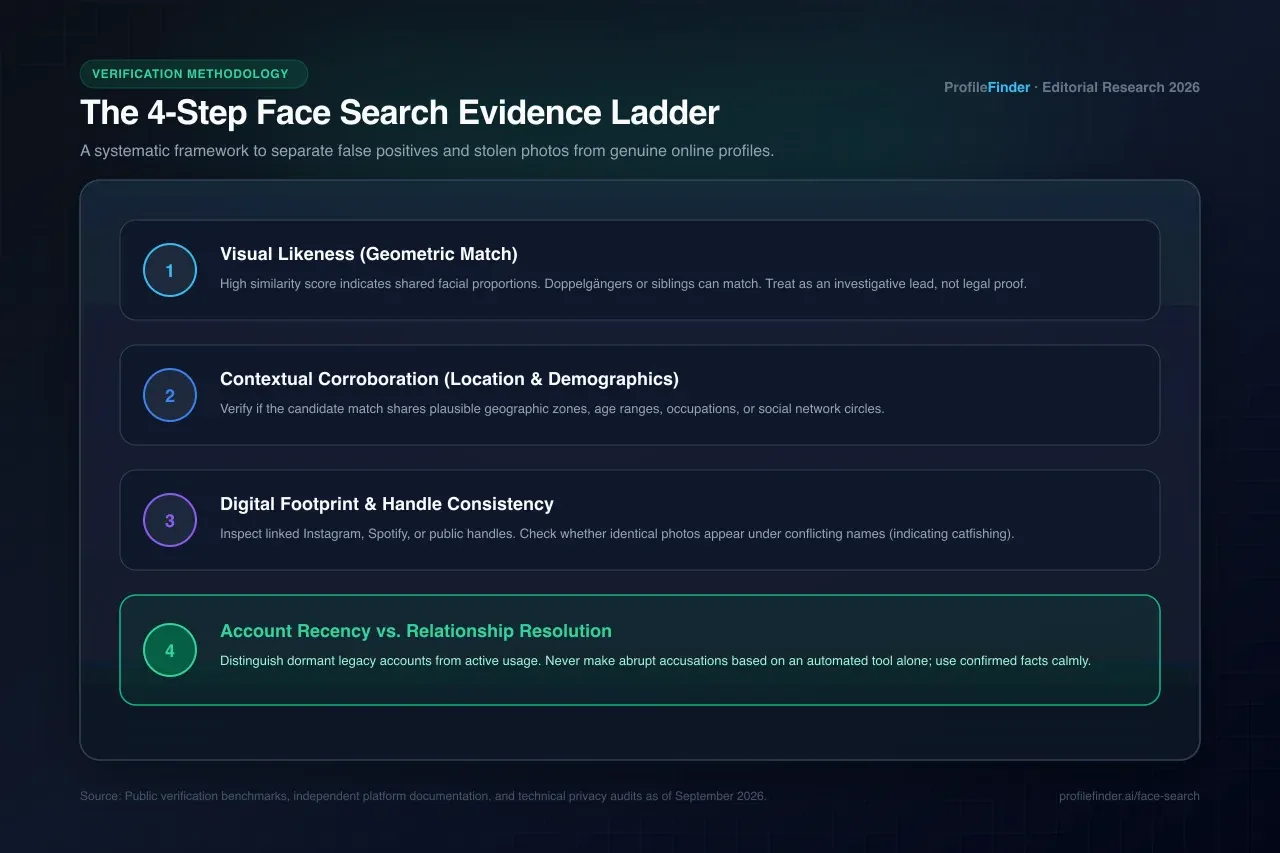
A single visual match or profile match is an investigative lead, not absolute proof of identity. Always inspect original source pages, check timeline consistency, and corroborate multiple independent signals before drawing conclusions.
🔍 1. What Is FaceCheckID and How Does It Work?
FaceCheckID, also written as facecheck.id, is a facial recognition search engine.
It lets you upload a photo of a person and find where that face appears across the internet.
It crawls and indexes publicly available images from sources such as:
social media profiles
news sites
adult content platforms
public profile pages
other open web sources
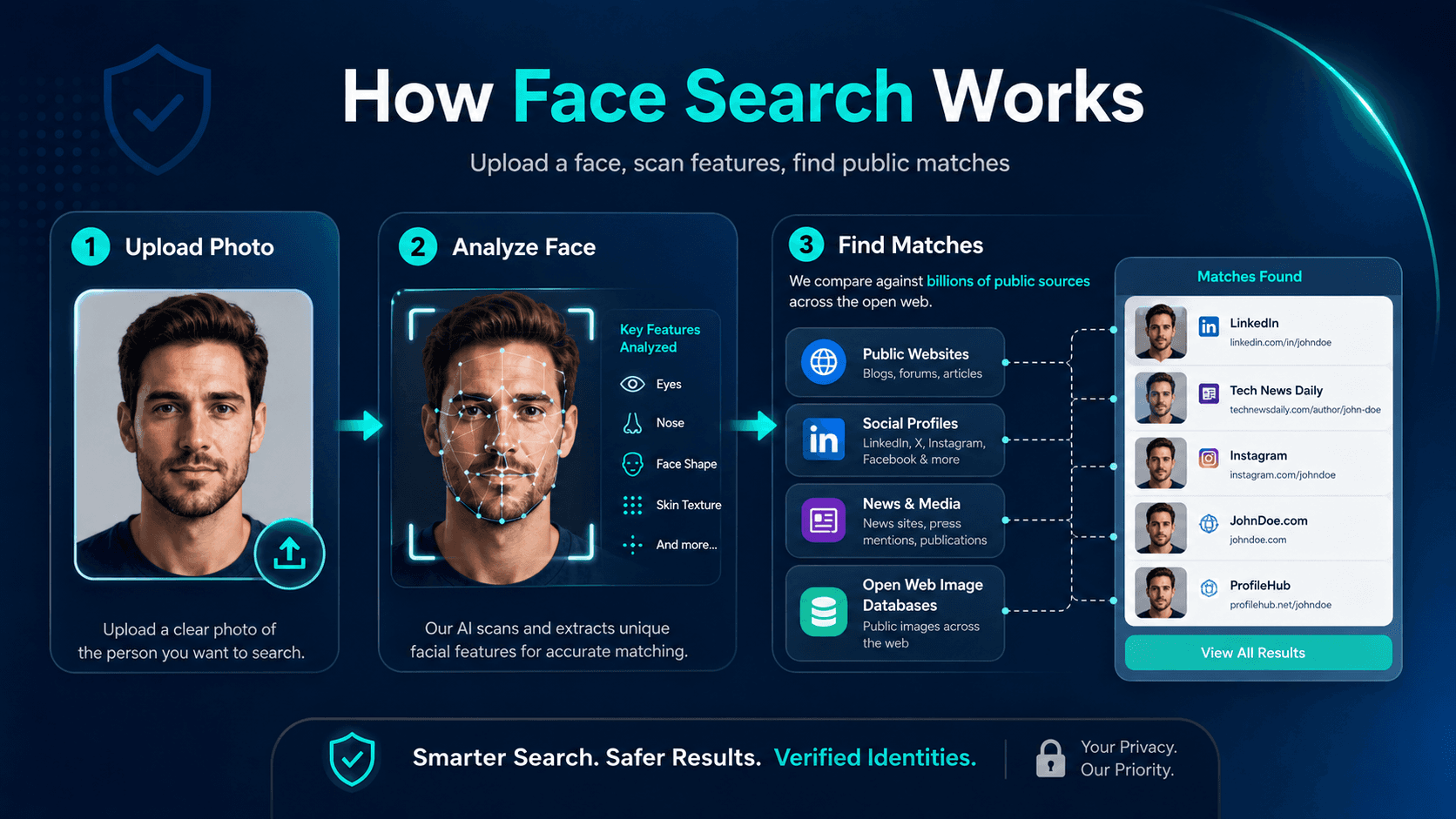
Then it matches those indexed images against your uploaded photo using deep learning algorithms.
The process is simple:
Upload a clear, front-facing photo.
FaceCheckID compares facial geometry against its indexed database.
Results return URLs where that face has appeared publicly.
FaceCheckID gained traction in 2024 as one of the first accessible tools to combine facial recognition with adult content platform indexing.
That means it can sometimes surface profiles on sites like OnlyFans if the person’s photos are publicly accessible there.
In 2026, it remains one of the stronger tools in this category.
But it has real limitations that make alternatives worth knowing.
✅ 2. What FaceCheckID Can and Can’t Do
FaceCheckID is useful, but it does not solve every online identity problem.
Before choosing one of the best FaceCheckID alternatives, it helps to understand what the tool does well and where it falls short.
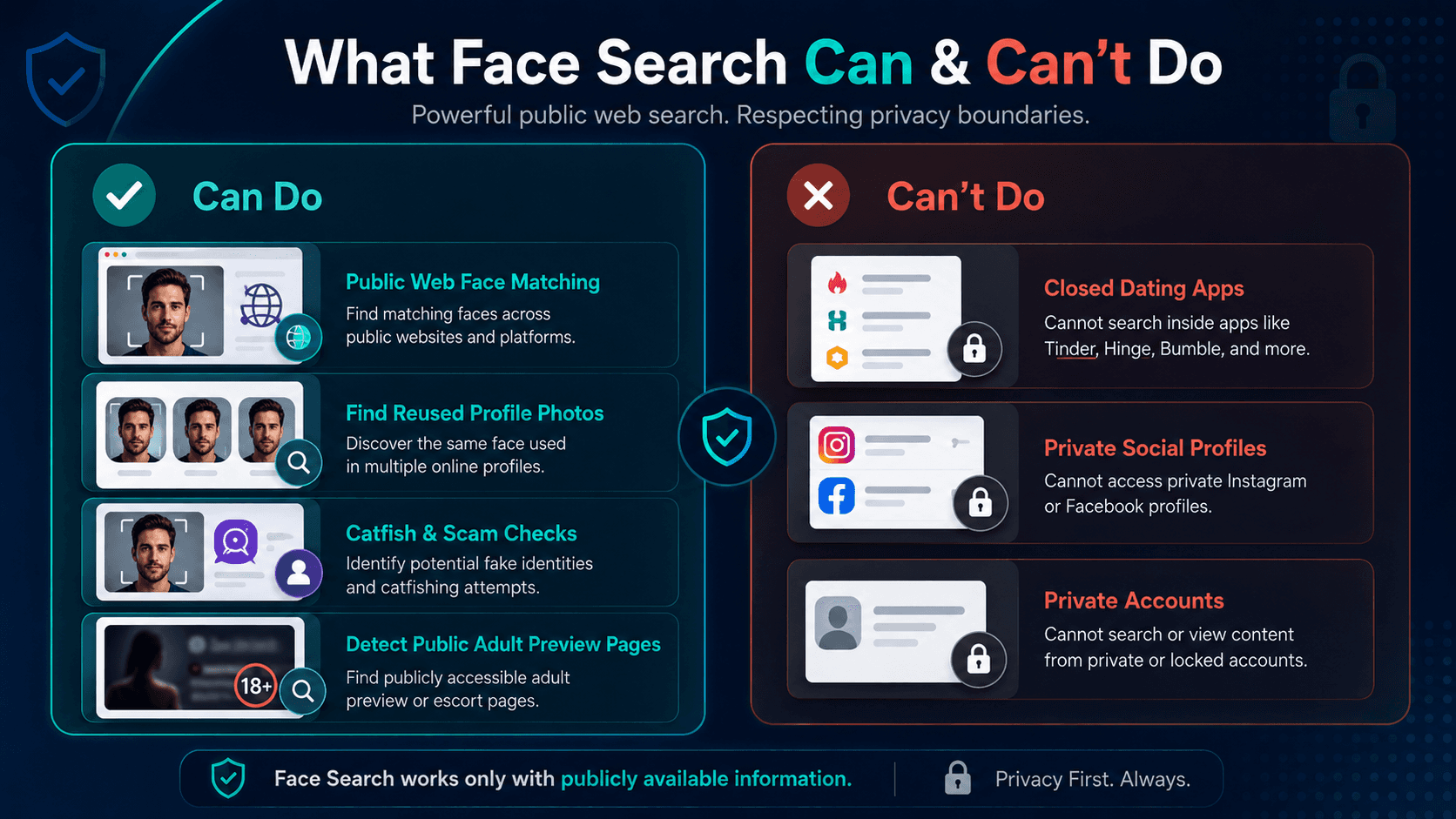
What FaceCheckID does well
FaceCheckID can help you:
match a face across publicly indexed web content
find where photos appear on social media
surface profiles on adult platforms that index preview images publicly
detect whether profile photos are stolen or reused from other identities
identify possible catfish accounts
verify if suspicious photos appear under multiple names
This makes FaceCheckID useful when you want to understand someone’s public online footprint.
What FaceCheckID cannot do
FaceCheckID cannot access closed platforms.
That means it cannot directly search inside:
Tinder
Hinge
Bumble
private Facebook profiles
private Instagram accounts
most dating apps
Most dating apps do not publicly index their profile photos.
FaceCheckID also cannot find people with minimal online presence.
If someone rarely posts publicly, there may be very little for the tool to match against.
It also cannot guarantee accuracy.
Similar faces can generate false positives, so results always need manual verification.
This gap, especially the inability to search closed dating apps, is exactly why alternatives exist and why combining tools matters.
🧪 3. Step-by-Step: How to Run a Full Face Search in 2026
Here is the method I use after testing the full landscape.
It takes about 15 minutes and covers both open-web face search and closed-platform profile detection.
Step 1: Prepare your photo
Quality matters enormously in face search.
Use the clearest, most recent, front-facing photo you have.
Avoid:
group shots
angled photos
heavy filters
sunglasses
low-resolution screenshots
old photos
Crop tightly to the face.
If you have multiple photos, run each one separately. Results can differ significantly.
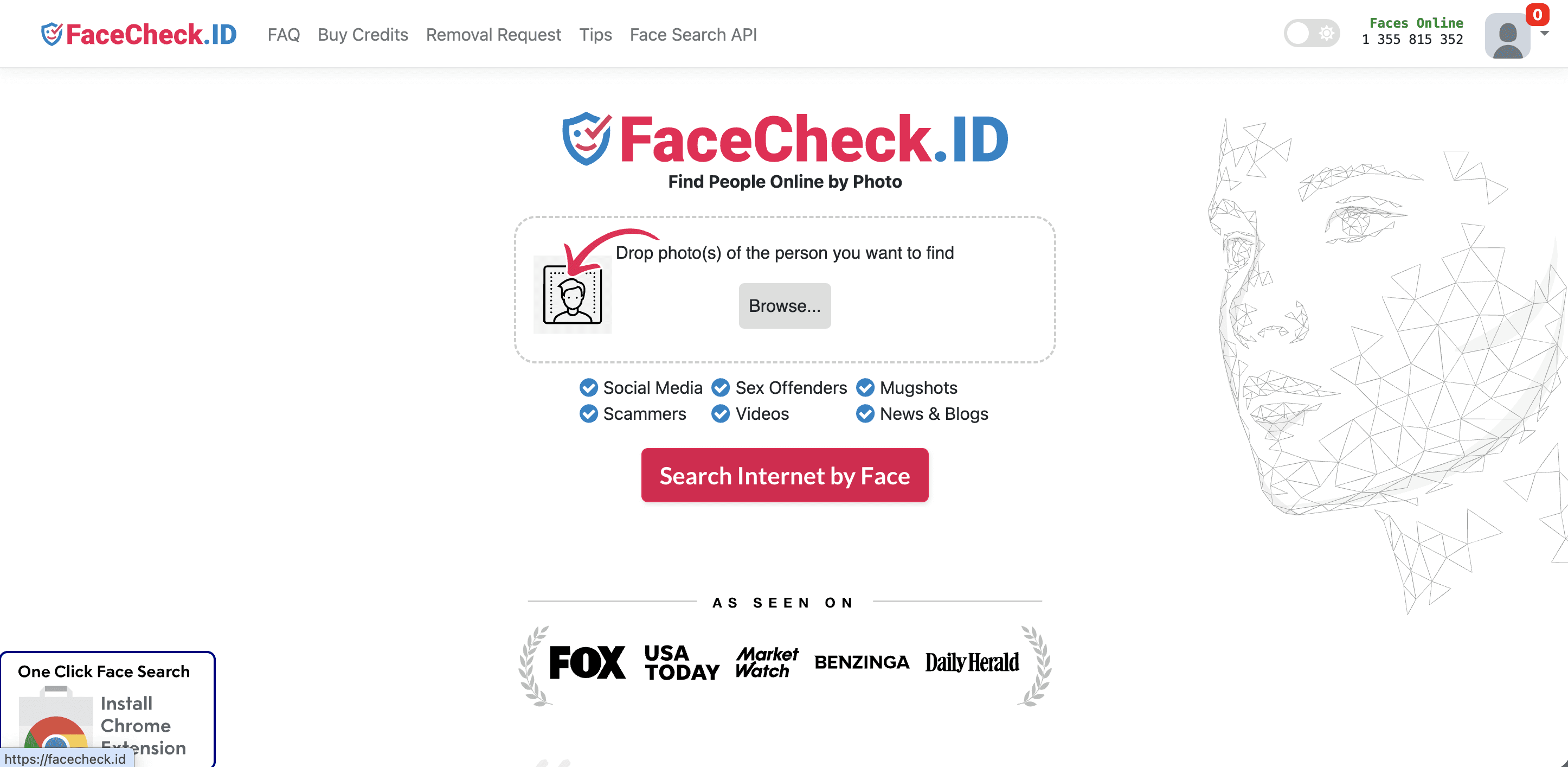
Step 2: Run FaceCheckID for open-web presence
Go to FaceCheckID and upload your photo.
Review the results carefully.
Check the confidence score on each match and manually verify before drawing any conclusions.
High-confidence matches with recognizable contextual details are worth following up.
Low-confidence matches should be ignored.
Step 3: Run PimEyes as a second pass
PimEyes uses a different facial recognition algorithm and indexes different sources.
Running the same photo through both FaceCheckID and PimEyes often surfaces complementary results.
Use the free tier for an initial pass. Paid results go deeper.
Step 4: Run a face search on ProfileFinder.ai
Go to ProfileFinder.ai Face Search.
Unlike FaceCheckID and PimEyes, which mainly search the open web, ProfileFinder combines face search with dating platform detection.
This helps cover platforms like Tinder, Hinge, Bumble, and others that facial recognition tools cannot reach directly.
Upload the photo or enter available metadata such as name, age, and location to cross-reference results.
Step 5: Run Google Reverse Image Search
Google Reverse Image Search is free and surprisingly effective for finding where a photo has been used publicly.
Right-click the image in Chrome and select “Search image,” or upload it through Google Images.
This is useful for detecting stolen photos used across multiple profiles.
Step 6: Cross-reference and verify
Never act on a single result.
Faces that look similar are not always the same person.
Cross-reference matches across at least two tools before drawing conclusions.
Check contextual details such as:
background
clothing style
tattoos
distinctive features
profile usernames
location clues
posting dates
Step 7: Check reverse video search if needed
If you have video content rather than a photo, tools like InVID or WeVerify can help trace where video content originated.
You can also take clear screenshots from the video and run them through reverse image search tools.
This is useful when someone sends video clips of unclear origin.
🏆 4. Top 5 FaceCheckID Alternatives Tested and Ranked
There are many face search tools online, but most are either limited, outdated, or not useful enough.
These are the best FaceCheckID alternatives to consider in 2026.
1. PimEyes
Best for: Deep facial recognition across the public web
Free access: Limited free searches, paid plans available
Best use case: Finding where a face appears on public websites
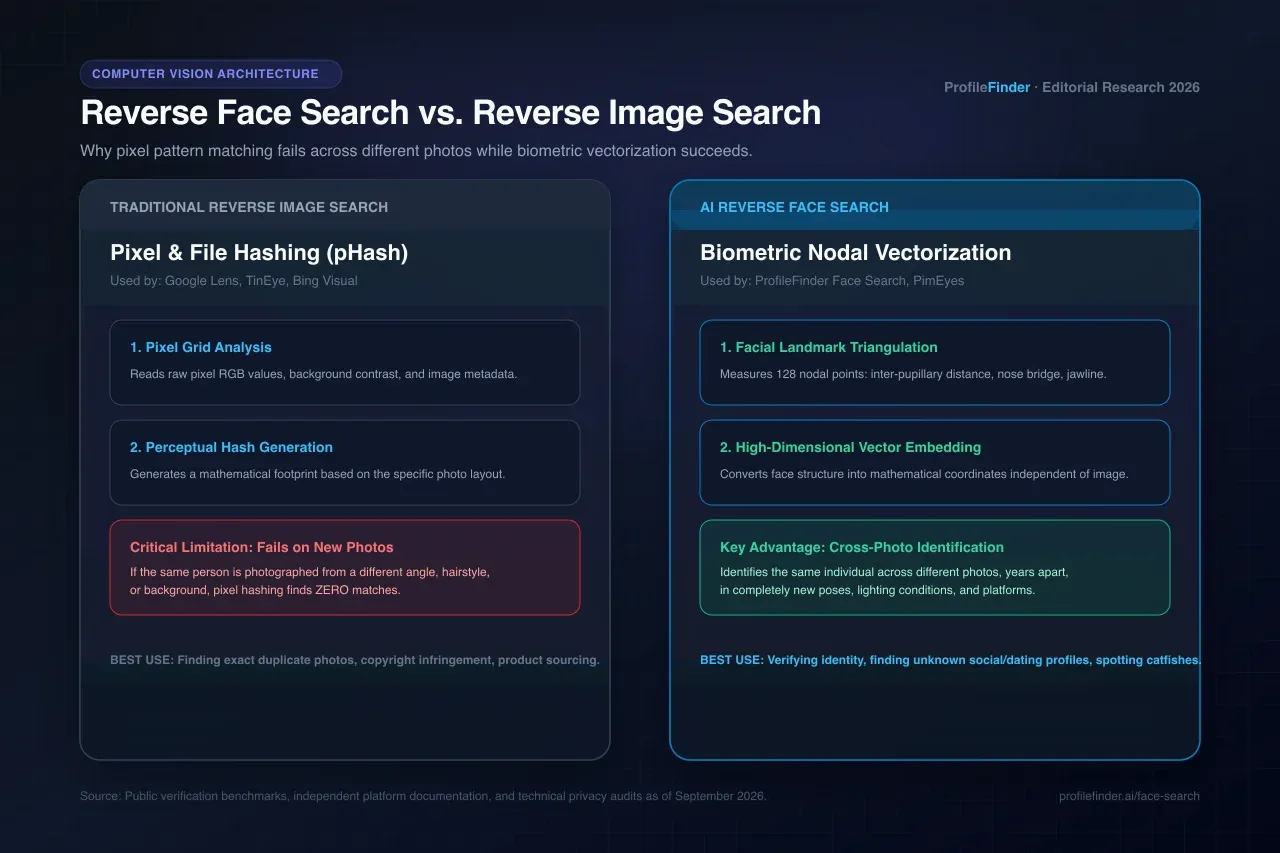
PimEyes is one of the most technically robust facial recognition search engines available to the public in 2026.
It uses deep learning technology to match faces across a large index of publicly available images.
Its index is often wider and more frequently updated than FaceCheckID’s.
Where PimEyes outperforms FaceCheckID
PimEyes can be stronger for:
larger and more frequently updated image indexing
lower-quality or partially obscured photos
European platforms and news archives
granular confidence scoring
deep public web facial recognition
Where FaceCheckID has an edge
FaceCheckID may still be useful for certain adult content platform previews.
It can also feel slightly more accessible for casual searches.
For most face search use cases in 2026, PimEyes is one of the strongest FaceCheckID alternatives.
PimEyes URL
2. ProfileFinder.ai (Dedicated Face Search & Dating Profile Detection)
Best for: Face search with instant card checkout, plus dating & social profile detection
Pricing model: Transparent credits and flexible plans (Standard Stripe card checkout — no crypto required)
Best use case: Finding where a photo appears, checking hidden dating profiles, and verifying suspected catfish
ProfileFinder Face Search provides a modern, user-friendly alternative to FaceCheckID that eliminates the biggest friction points users experience with legacy face search tools.
Why ProfileFinder.ai is a Superior Alternative to FaceCheckID
Standard Credit Card Checkout: FaceCheckID mandates cryptocurrency (Bitcoin, Litecoin) for unlocking search results, forcing users to set up wallets and pay blockchain fees. ProfileFinder accepts standard, secure credit and debit cards via Stripe.
Transparent Expiration: While FaceCheckID entry-level credit packages expire after only 14 days (with varying expiration windows on higher packages), ProfileFinder provides clear, upfront access without tight countdown pressure.
Dedicated Face Search & Dating Detection: ProfileFinder combines dedicated reverse face search with direct dating platform detection (Tinder, Bumble, Hinge), covering closed apps that web-only crawlers miss.
Strict Privacy Safeguards: Searches are confidential and processed privately for your search session. Uploaded photos are never published to public searchable directories or galleries, and the searched individual is never alerted.
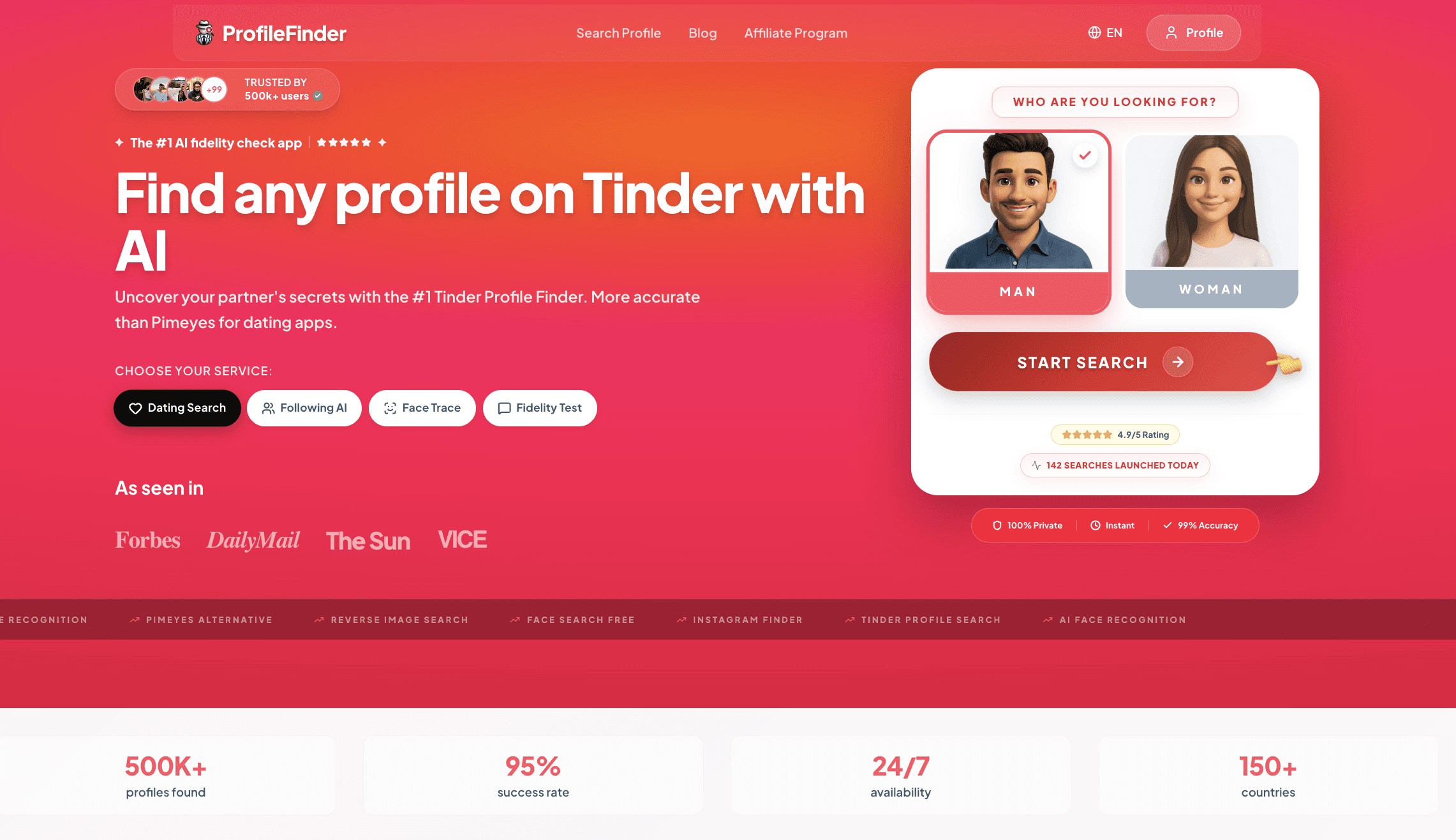
Why ProfileFinder.ai stands out
reverse face search across public social and web accounts
hidden dating profile detection
relationship doubts and partner verification
suspicious dating app activity
catfish and stolen photo concerns
infidelity checks
social profile discovery
ongoing monitoring
It also includes a Radar monitoring feature.
You can set up a search once and get alerts if matching activity appears or changes over time.
ProfileFinder Face Search URL
3. Google Reverse Image Search
Best for: Free, broad open-web photo matching
Free access: Completely free
Best use case: Detecting stolen or reused photos
Google Reverse Image Search is still underrated in 2026.
It does not use facial recognition in the same way as FaceCheckID or PimEyes.
Instead, it matches visual patterns, image duplicates, and metadata.
For detecting stolen or reused photos, it remains one of the fastest free options available.
Best used for
Google Reverse Image Search is useful for:
checking if a profile photo appears elsewhere online
identifying stock photos used as fake identities
detecting model photos used in catfish accounts
running a quick first-pass check before paid facial recognition tools
verifying public image reuse
Limitation
Google matches images, not faces in a true recognition sense.
If someone uses a different photo of the same person, Google may not find it.
Google Images URL
4. Social Catfish
Best for: Full identity investigation with photo reverse search
Free access: Partial, full reports are paid
Best use case: Online dating safety and identity verification
Social Catfish combines reverse image search with people search capabilities.
It can support searches by phone, email, username, and photo.
This makes it useful for online dating safety when you want to verify whether someone is who they claim to be before investing emotionally or financially.
Where Social Catfish adds value
Social Catfish can help with:
social media aggregation
dating profile checks
public record discovery
username tracing
email tracing
phone-based lookups
reverse photo search
It is less technically sophisticated than PimEyes for pure face matching.
But it can be more comprehensive for broader identity verification.
Social Catfish URL
5. TinEye
Best for: Exact image matching and tracking where photos have been used
Free access: Limited free searches
Best use case: Photo theft and original image source discovery
TinEye is one of the oldest reverse image search engines.
It remains useful for one specific thing: tracking exactly where and when an image has been used online.
It can also identify modified or cropped versions of the same image.
TinEye is not a facial recognition tool.
It matches images, not faces.
But for detecting photo theft, identifying the original source of an image, or checking if someone’s photos are being used without consent, it is uniquely effective.
TinEye URL
🧠 5. Face Search vs. Profile Search: Understanding the Difference
One of the most common points of confusion in this space is simple.
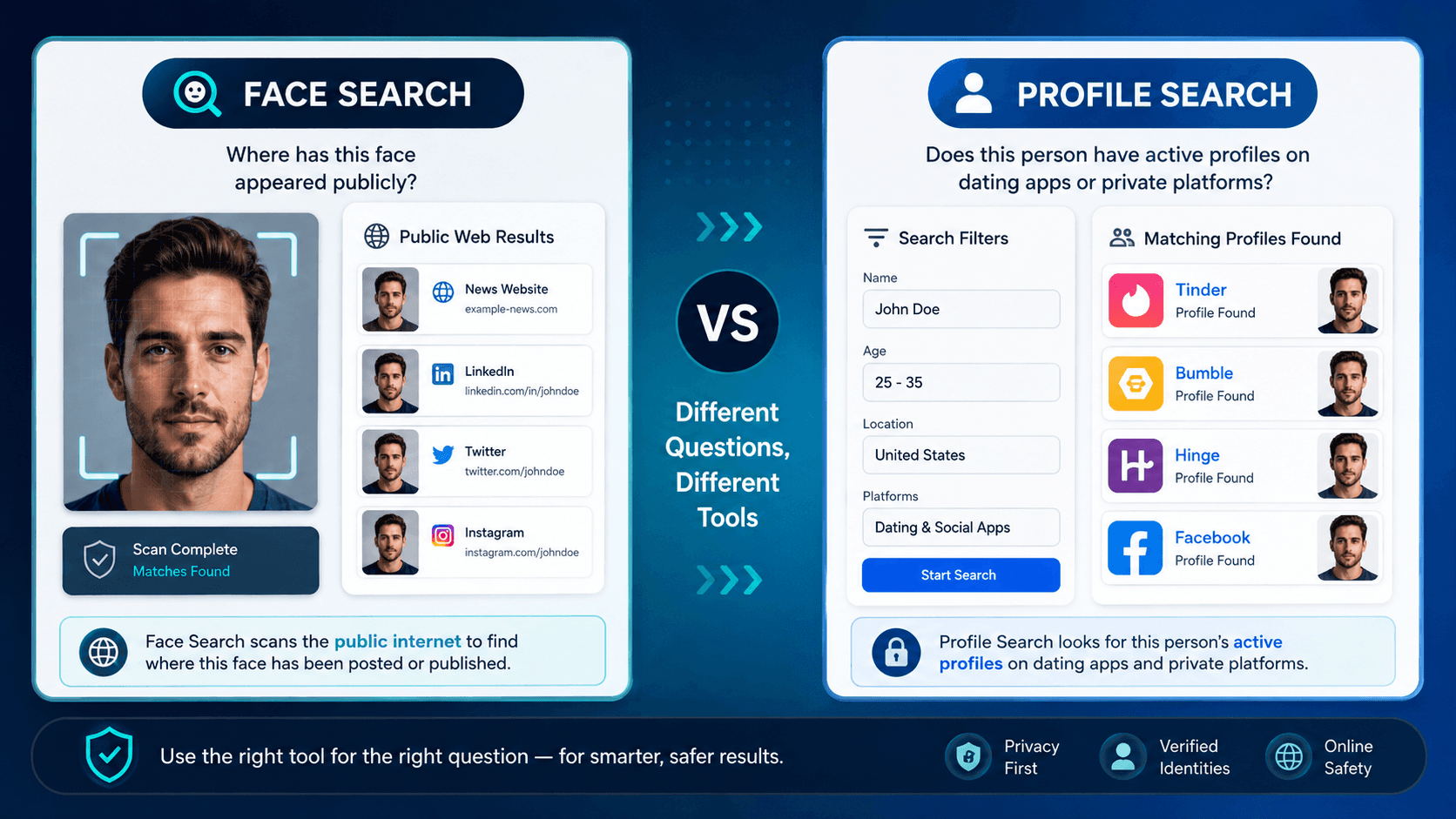
Face search and profile search are fundamentally different things.
They answer different questions.
Face search
Face search answers this question:
“Where has this face appeared publicly online?”
Tools in this category include:
FaceCheckID
PimEyes
Google Images
TinEye
Face search compares facial geometry or image patterns against an index of publicly crawled content.
Its limitation is that it cannot access closed platforms such as dating apps or private social accounts.
Face search is best for:
detecting catfishing
finding public social profiles
checking adult content platforms
identifying reused photos
mapping public online presence
Profile search
Profile search answers this question:
“Does this person have an active profile on dating apps right now?”
Tools in this category include ProfileFinder, Cheaterbuster, and CheatEye.
Profile search uses information such as:
first name
age
location
dating app metadata
activity signals
Profile search is best for:
confirming active dating app presence
monitoring profile activity
checking hidden profiles
investigating suspicious dating behavior
For a complete investigation, you need both.
Start with face search to map the person’s public online footprint.
Then follow up with profile search to check closed platforms directly.
💘 6. How to Find Someone on Dating Apps Using Face Search
Here is the reality.
No facial recognition tool can directly search inside every dating app.
Not FaceCheckID.
Not PimEyes.
Not any standard open-web face search tool.
Tinder, Hinge, and Bumble do not publicly index most user photos.
That means face search alone will not reach everything.
What face search can do in a dating app investigation
1. Verify a found profile is genuine
If a name-based search surfaces a suspected dating profile, run the profile photos through FaceCheckID or PimEyes.
This can help confirm whether the photos match the person you are investigating or were stolen from someone else.
2. Find associated public profiles
If a dating profile uses photos also posted publicly on other platforms, facial recognition may surface those connections.
This gives you more context about who the account belongs to.
3. Detect photo theft in reverse
If you suspect someone is using stolen photos on a fake profile, reverse search those photos through FaceCheckID.
If the face appears on a different person’s accounts, you have a major red flag.
4. Search adult content platforms
FaceCheckID and PimEyes both index some publicly accessible adult content platform preview images.
If you are concerned about whether someone’s photos appear on those platforms, this is the relevant search.
Recommended workflow
The recommended workflow is simple:
Run face search first to map the public footprint.
Run a profile search for closed platforms.
Cross-reference both sets of results.
Verify before drawing conclusions.
🛡️ 7. Facial Recognition for Private Photo Protection
One of the most important and underused applications of face search tools in 2026 is protecting your own images.
If you have ever shared photos online, even casually, there is a real chance those images have been reused somewhere without your knowledge.
This applies especially to:
photos shared in past relationships
images posted on now-deleted accounts
dating profile pictures
content shared privately that was later distributed without consent
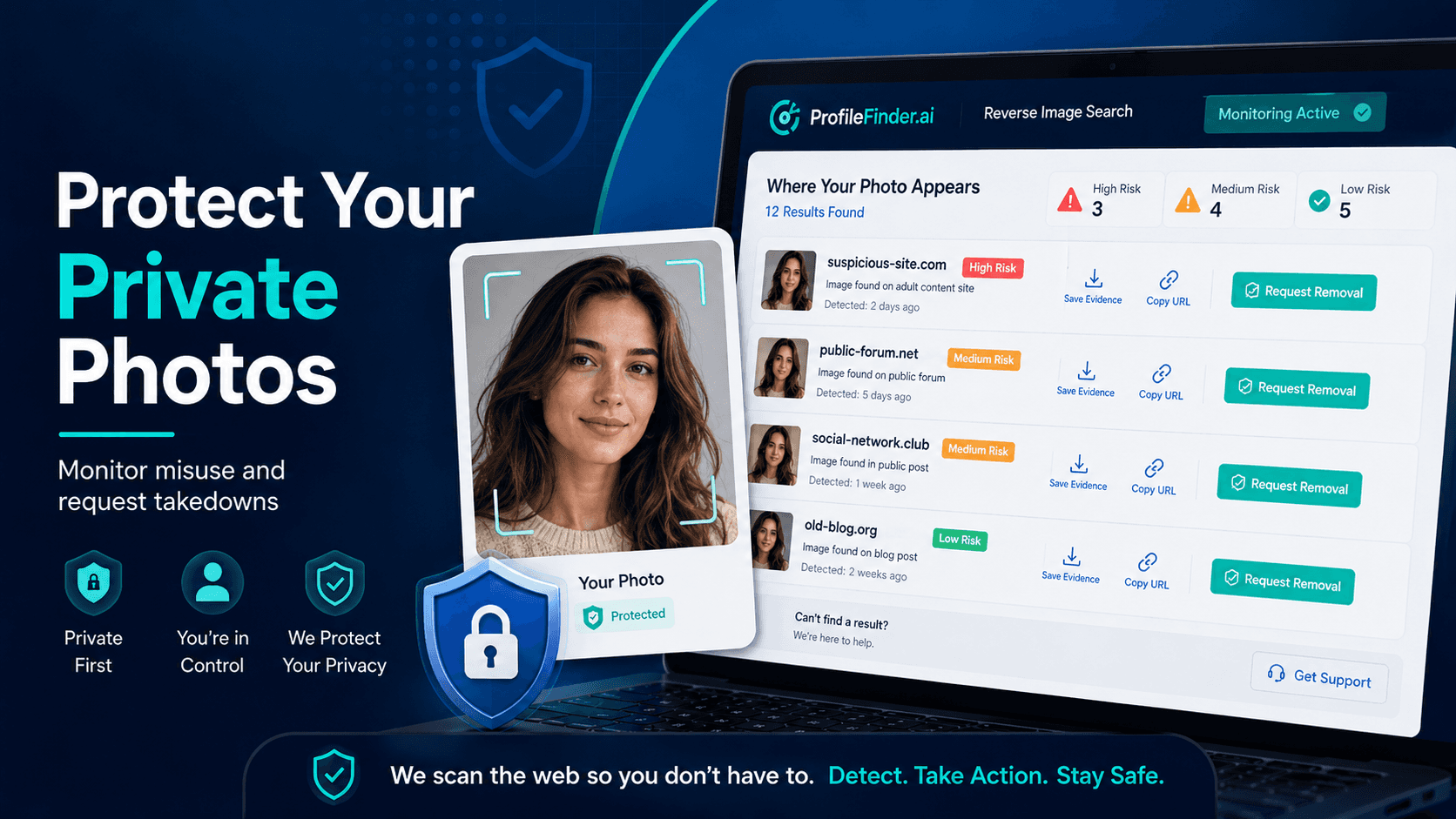
Running your own face through FaceCheckID, PimEyes, and TinEye periodically is a form of digital hygiene.
It tells you where your image appears publicly and flags anything unexpected.
If you find images of yourself on platforms you did not consent to
Take these steps:
Save screenshots.
Copy the page URL.
Check the platform’s takedown or reporting process.
Submit a removal request.
Contact a specialist support organization if the image is intimate or non-consensual.
Most platforms have DMCA takedown processes.
PimEyes offers a facial opt-out and removal request system.
FaceCheckID has a similar removal mechanism through its privacy page.
For non-consensual intimate imagery, the Cyber Civil Rights Initiative provides direct support and legal guidance.
🧩 8. Real Use Cases in 2026
Face search tools are not only for curiosity.
They are often used in real situations where people need clarity, safety, or proof.
The catfishing verification
Someone you met online has been chatting for weeks but avoids video calls.
Their photos look almost too polished.
A FaceCheckID search of their profile photo returns a match to a stock model whose images appear across dozens of fake profiles.
Conversation over.
The stolen identity check
You receive a message from someone claiming to be a mutual contact.
Something feels off.
A reverse image search shows the photo they are using belongs to a real person in another country with years of public posting history.
That is a serious warning sign.
The private photo concern
An ex has been making vague threats about photos shared during the relationship.
You run your own images through PimEyes and FaceCheckID.
Nothing concerning surfaces, but now you have a baseline and can monitor over time.

The OnlyFans search
Someone you are dating claims to have no active social media.
A face search across platforms surfaces a publicly accessible adult content preview page using the same face.
This is verifiable information you can then decide how to address.
The post-relationship audit
After a difficult breakup, you want to understand whether photos shared privately have been distributed without consent.
TinEye and FaceCheckID together give you a starting point for checking the open web.
The romance scam check
Before sending money to someone you met online who claims to be working abroad, you run their photos through face search tools.
The same face appears on multiple profiles under different names.
That is a clear red flag.
⚖️ 9. Privacy, Ethics, and Legal Boundaries
Face search tools exist in a legally complex space.
Here is what matters.
Searching for yourself
Searching for your own face is legitimate and encouraged.
Running your own face through these tools can help with:
monitoring
privacy protection
image misuse detection
takedown requests
non-consensual image protection
Searching for others
Searching publicly available photos and publicly indexed content may be legal in many places.
But legality depends on the country, the context, and how you use the results.
You are not automatically doing something wrong by checking public information.
But you must use the information responsibly.
Where it gets complicated
Problems can arise when someone uses results to:
stalk
harass
threaten
blackmail
publicly expose someone
build unauthorized surveillance profiles
share intimate images without consent
Non-consensual sharing of intimate images is illegal in many countries.
Using face search results to build unauthorized profiles or surveillance of individuals may also create privacy issues, especially in Europe under GDPR.
GDPR note
PimEyes and FaceCheckID both offer facial opt-out mechanisms.
If your face appears in results and you did not consent, you may have a formal removal path.
For US users, the Electronic Frontier Foundation offers accessible information about facial recognition rights.
For EU users, the CNIL is a major regulatory authority on biometric data processing.
The ethical line is clear.
Use these tools to verify information and protect yourself.
Do not use them to harm, expose, or control others.
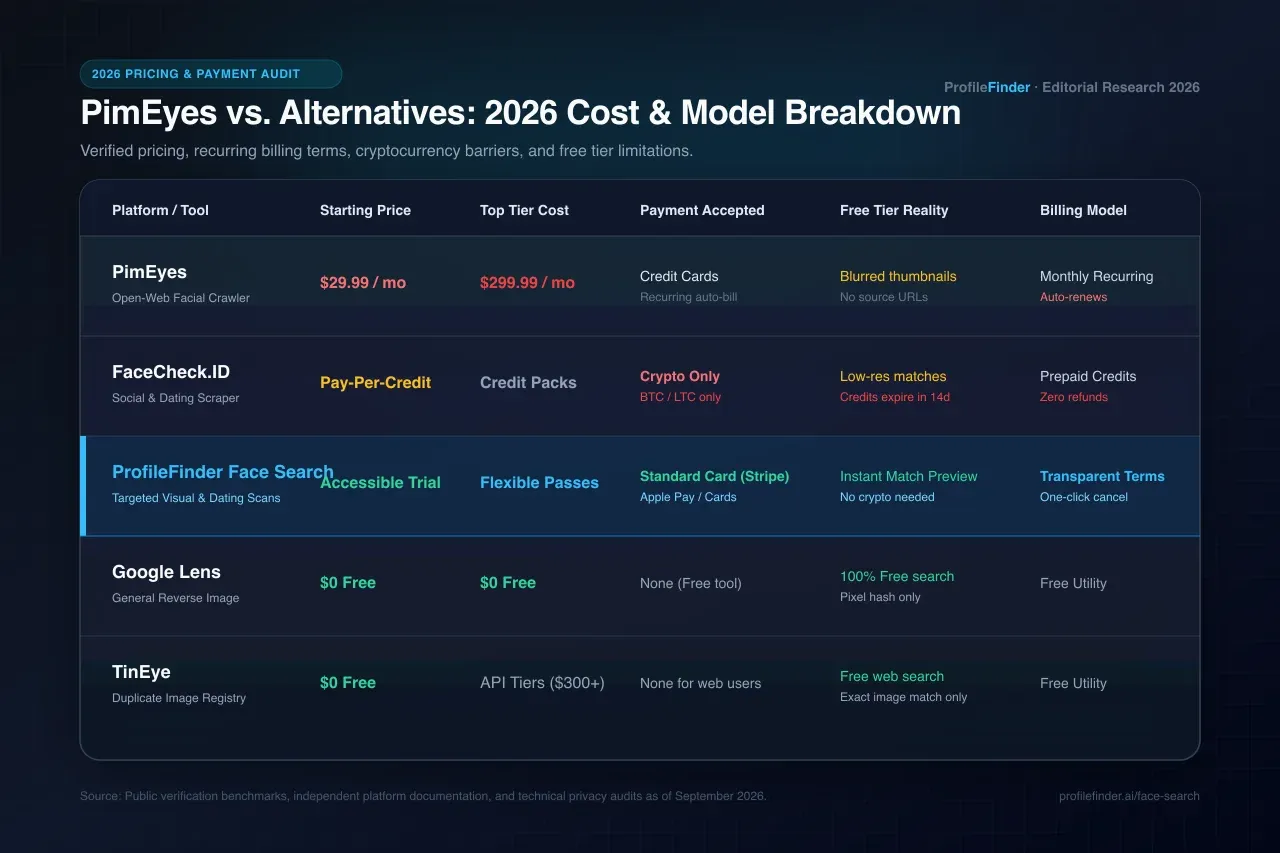
📊 10. Comparison Table
Tool | Face Search | Dating Apps | Free Tier | Adult Platforms | Monitoring |
|---|---|---|---|---|---|
FaceCheckID | ✅ Yes | ❌ No | ⚠️ Limited | ✅ Yes | ❌ No |
PimEyes | ✅ Yes | ❌ No | ⚠️ Limited | ✅ Yes | ✅ Paid |
ProfileFinder.ai | ✅ Yes | ✅ Yes | ✅ Trial | ⚠️ Partial | ✅ Radar |
Google Images | ⚠️ Pattern matching | ❌ No | ✅ Free | ❌ No | ❌ No |
Social Catfish | ⚠️ Partial | ⚠️ Partial | ⚠️ Partial | ❌ No | ❌ No |
TinEye | ⚠️ Pattern matching | ❌ No | ✅ Limited | ❌ No | ❌ No |
❓ 11. FAQ: 15 Questions About FaceCheckID
Q1: What is FaceCheckID exactly?
FaceCheckID is a facial recognition search engine that scans publicly indexed web content such as social media, news sites, adult platforms, and public web pages to find where a specific face appears online.
You upload a photo, and it returns matching URLs with confidence scores.
Q2: Is FaceCheckID free?
FaceCheckID offers a limited number of free searches.
Full high-resolution results and deeper searches may require a paid account.
Check their current pricing directly, because plans can change regularly.
Q3: How accurate is FaceCheckID?
Accuracy depends heavily on photo quality and the person’s public online presence.
With a clear, recent, front-facing photo of someone who is publicly active online, results are usually more reliable.
For people with minimal digital footprint, results are often sparse.
Q4: Can FaceCheckID find Tinder or Hinge profiles?
No, not directly.
Dating app profiles are usually behind closed platforms, and their photos are not publicly indexed.
FaceCheckID cannot access them directly.
To search dating apps directly, you need a metadata-based profile search tool rather than only a facial recognition engine.
Q5: What is the difference between FaceCheckID and PimEyes?
Both are facial recognition search engines.
PimEyes has a large public web index and may perform better on lower-quality photos.
FaceCheckID may have stronger coverage of certain adult content platform previews.
Running both together can give more complete results than either alone.
Q6: Can face search tools find someone on OnlyFans?
Partially.
FaceCheckID and PimEyes may index publicly accessible preview images from adult platforms, including some OnlyFans previews.
If a profile’s preview content is publicly visible, it may appear in results.
Private or paid-only content is not accessible to these tools.
Q7: What is the best free FaceCheckID alternative?
Google Reverse Image Search is completely free and effective for detecting reused or stolen photos.
For dedicated facial recognition, PimEyes may offer limited free access.
For dating app profile searches specifically, some profile search tools offer trials.
Q8: Is face search legal?
Searching publicly indexed images using facial recognition may be legal for personal verification or safety purposes in many places.
Using results to stalk, harass, threaten, or publicly expose individuals can be illegal.
In Europe, GDPR provides specific protections around biometric data and opt-out rights.
Q9: What is a face match program?
A face match program is software that uses facial recognition algorithms to compare a face against a database of images and return possible matches.
FaceCheckID, PimEyes, and similar tools are examples.
Quality varies significantly across platforms.
Q10: Can I find out if someone is using my photos without permission?
Yes.
Running your own photos through FaceCheckID, PimEyes, and TinEye can help surface where those images appear publicly.
Most platforms have DMCA takedown processes.
For non-consensual intimate imagery, contact a specialist support organization directly.
Q11: What is reverse video search and how is it different from face search?
Reverse video search identifies where a video clip appears online or traces its origin.
Tools like InVID and WeVerify can support this.
It is related to face search but distinct because it works with video content rather than only still photos.
Q12: How do I remove my face from FaceCheckID results?
FaceCheckID provides an opt-out mechanism through its privacy page.
PimEyes similarly offers a face opt-out feature.
Submit a removal request directly through the platform and keep records of the request.
Processing may take several days.
Q13: Are these tools useful for detecting romance scams?
Yes.
This is one of the strongest use cases.
If someone you met online sends photos that seem inconsistent, too polished, or suspicious, running them through FaceCheckID or PimEyes can reveal whether those photos belong to a real person or were recycled from someone else.
Q14: What is profacefinder?
Profacefinder is a facial recognition search tool in the same broad category as FaceCheckID and PimEyes.
It has a smaller index than the market leaders and is best used as a supplementary option rather than a primary face search tool.
Q15: How do face search tools handle uploaded photos from a privacy standpoint?
This varies by platform.
Some tools state that they do not store uploaded photos after search completion, but policies can change.
Always review the current privacy policy before uploading any photo, especially photos of third parties.
In Europe, GDPR grants specific rights around how biometric data is processed and stored.
🌐 12. High-Authority External Resources
For deeper reading on facial recognition, privacy, image abuse, and verification tools, these high-authority resources are useful:
Electronic Frontier Foundation: Resisting the Menace of Face Recognition
CNIL: Facial Recognition, For a Debate Living Up to the Challenges
Cyber Civil Rights Initiative: Safety Center & Image Abuse Helpline
Privacy International: Toward Regulation of Facial Recognition Technology
InVID / WeVerify: Verification Plugin for Chrome and Firefox
📚 13. Related Readings: ProfileFinder.ai Blog
Continue with these related guides from the ProfileFinder.ai blog:
✅ Conclusion
After testing 43 face search tools, the honest verdict is simple.
FaceCheckID is a solid open-web facial recognition tool, but it is only one piece of a larger puzzle.
PimEyes goes deeper on the facial recognition side.
Google and TinEye cover image matching for free.
Social Catfish adds broader identity verification.
And for anything involving closed platforms, where most of people’s actual online life now happens, face search alone will not reach everything.
You need a tool that can help query those profile environments directly.
The best results in 2026 come from combining approaches:
face search for public web presence
profile search for closed platforms
reverse image search for stolen photos
cross-referencing before drawing conclusions
Use these tools carefully.
Verify before you act.