If you have seen advertisements promising a free Social Catfish search to investigate a dating profile, phone number, or suspicious online relationship, you are not alone. Social Catfish is one of the most visible names in online identity verification.
However, when visitors enter an image, email, or name into the search bar and wait through an animated “database scanning” sequence, they are confronted with a mandatory paywall. All names, locations, and social profile links remain blurred until payment information is provided.
In this guide, we break down the reality of Social Catfish's pricing, explain why it often fails on active dating apps, and detail the best free and focused alternatives available in 2026.
Editorial disclosure: ProfileFinder.ai publishes this research and provides a specialized dating profile search service. While ProfileFinder is an alternative for finding profiles on Tinder, Bumble, and Hinge, our review below is based strictly on public product terms, consumer pricing disclosures, and documented features. We do not publish unverified accuracy scores.
Quick Answer
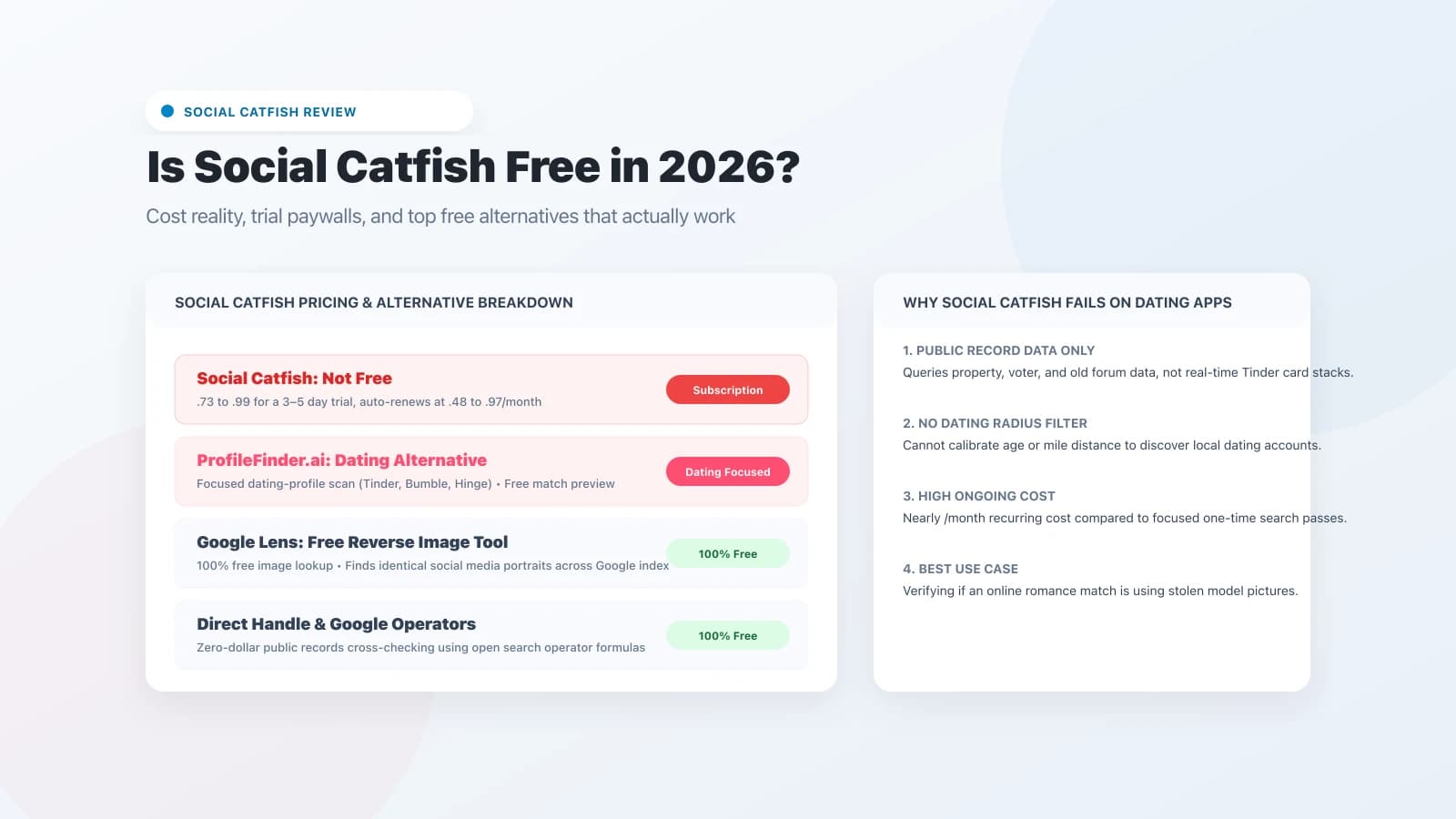
No, Social Catfish is not free. While running an initial search is free, viewing any actionable results requires paying for an introductory trial (typically .73 to .99 for 3–5 days), which automatically renews into an ongoing monthly subscription of .48 to .97.
The best free alternatives in 2026 are: Google Lens for 100% free reverse image lookups, TinEye for tracking stolen model photos, and direct social handle lookups. For finding active dating profiles by first name and city without expensive monthly subscriptions, ProfileFinder's dating profile search provides a focused dating search alternative. To discover public social accounts from a picture, try our social media search.
Is Social Catfish Free? The Exact Cost Breakdown
Social Catfish uses a multi-tier commercial model that leads many users to believe the service is free until the final step:
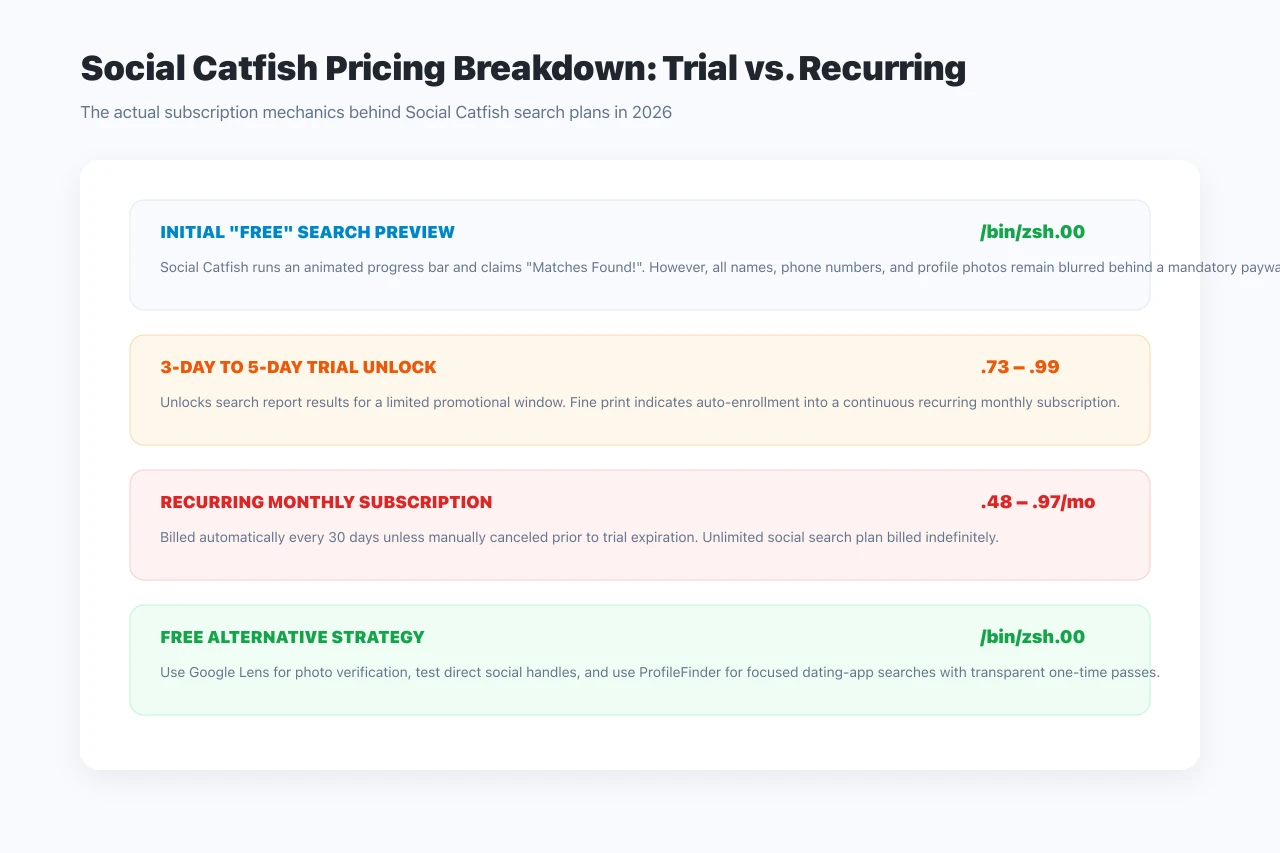
- The Free Search Phase: Anyone can visit Social Catfish and enter a name, email address, phone number, or photo. The tool will display a progress bar claiming to search billions of public records.
- The Paywall: Once the scan completes, a summary screen displays “Records Found!” but blurs all identifying information. You cannot view profile links or names without purchasing a plan.
- Introductory Trial (.73 – .99): Social Catfish offers a short 3- to 5-day trial pass to view the report.
- Automatic Renewal (.48 – .97 / month): The fine print stipulates that the trial automatically converts into a recurring monthly subscription billed every 30 days unless manually canceled before the trial window closes.
What Social Catfish Is Good At (and Where It Fails)
To choose the right tool, you must understand Social Catfish's core database architecture:
Where Social Catfish Performs Well
- Romance Scammer Verification: If someone you met online is asking for money, Social Catfish's reverse image search is excellent at identifying whether their photo belongs to a known model, public influencer, or military personnel whose likeness was stolen. For discovering public social accounts without recurring subscriptions, a dedicated social media profile search can help identify candidate profiles from a photo. For a complete verification workflow, see our guide on catfish image search.
- Reverse Phone Carrier Lookup: Identifying registered phone carrier information and potential landline/VoIP origins.
Where Social Catfish Fails for Dating Searches
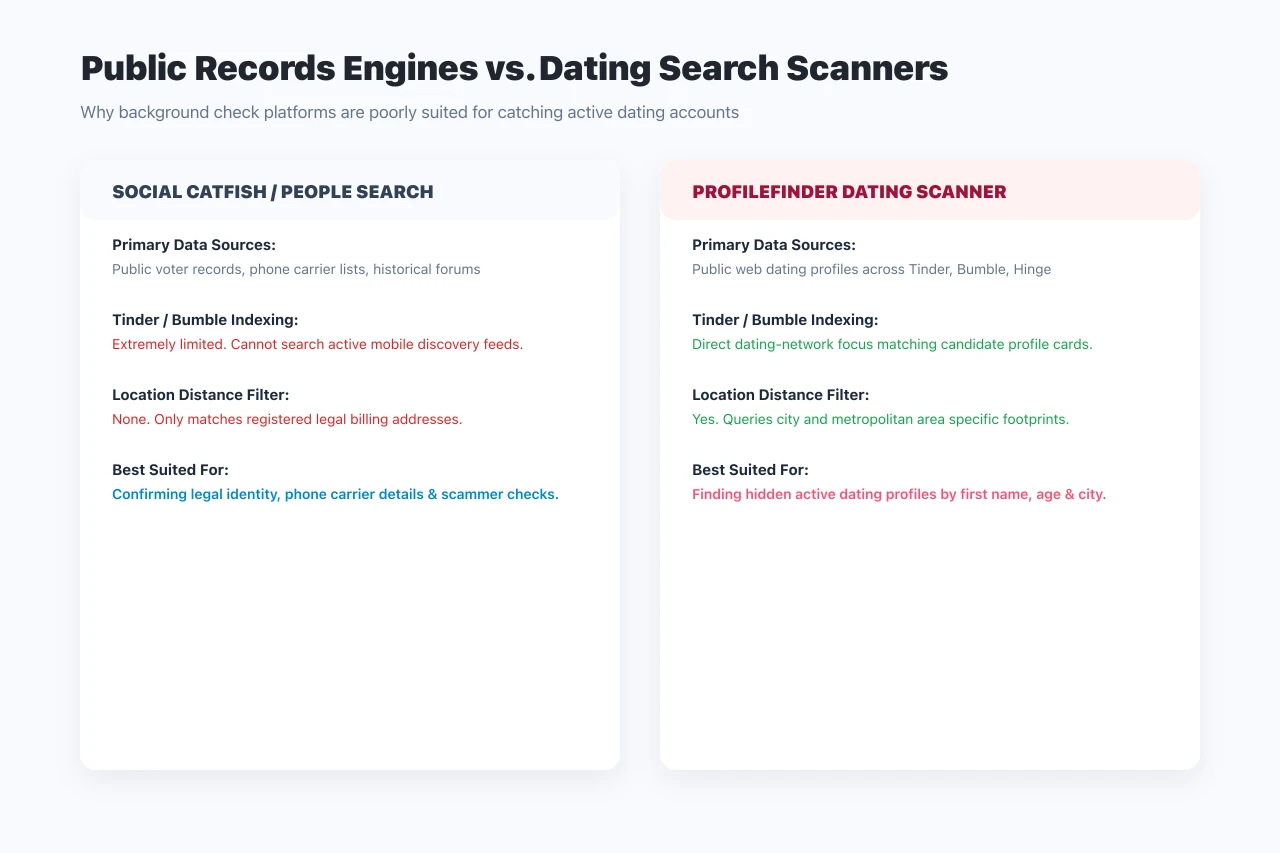
- No Access to Active Dating Card Feeds: Social Catfish queries public records, old forum scrapings, and social web links. It cannot scan Tinder, Bumble, or Hinge discovery feeds in real-time.
- High Ongoing Monthly Cost: Paying nearly every month is unnecessarily expensive if you only need to verify one person's dating presence once.
Top Free Alternatives to Social Catfish in 2026
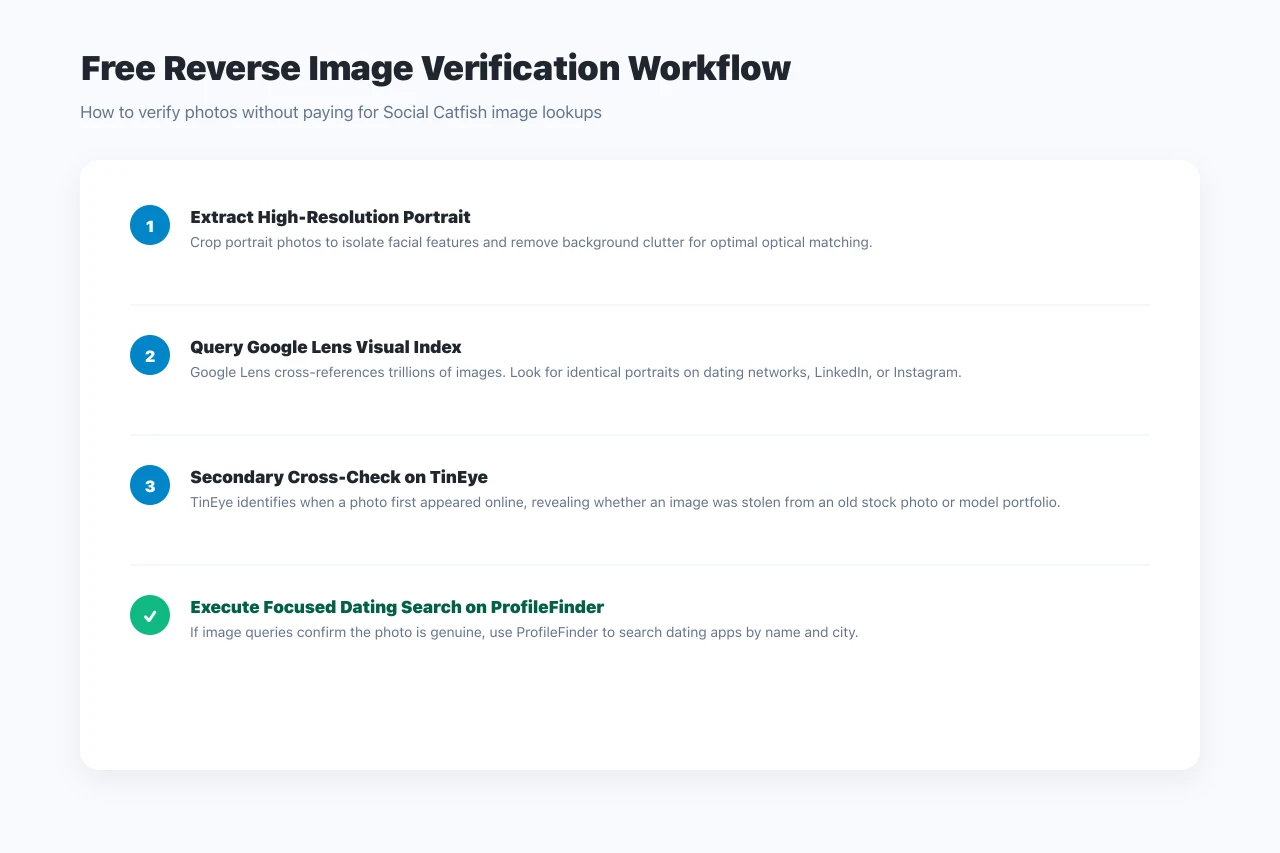
1. Google Lens — 100% Free Reverse Image Search
If you wanted to use Social Catfish's image search tool, Google Lens is a superior zero-cost alternative.
- How to Use: Go to Google Images, click the camera icon, and upload a clear cropped portrait of the person.
- What It Delivers: Scans Google's massive visual index to find where that identical photo appears across Instagram, LinkedIn, news articles, and indexed dating pages.
- Cost: 100% free always.
2. TinEye — Best for Tracking Stolen Photos
TinEye specializes in tracking the historical appearance of an image on the web.
- Key Advantage: Sort results by “Oldest” to discover when and where an image was first uploaded to the internet. If a dating match claims to be 28 years old, but their photo was first published on a Russian stock site in 2014, you have caught a catfish.
- Cost: 100% free for individual searches.
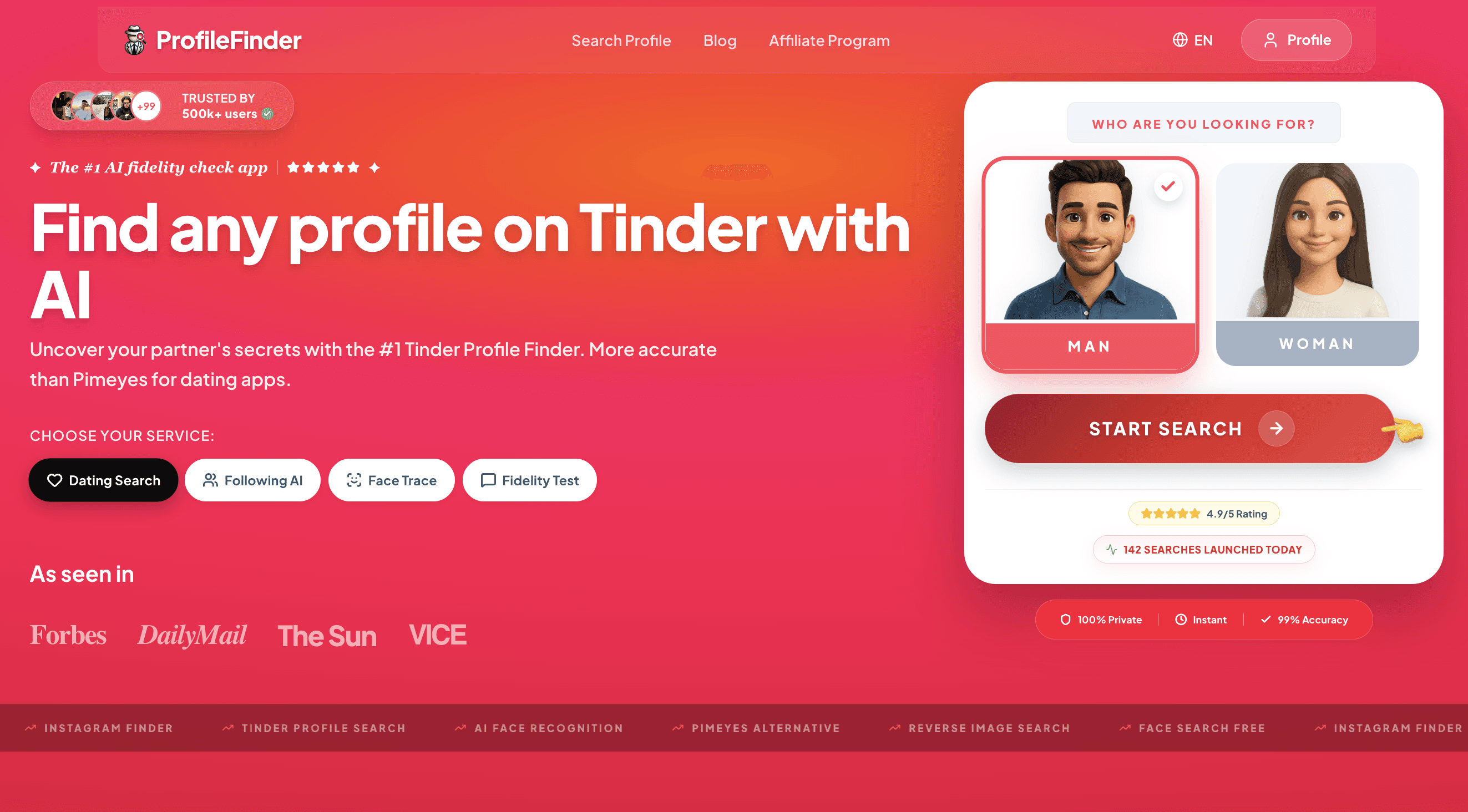
3. ProfileFinder.ai — Best Focused Dating Alternative
If your objective is to check whether someone has active profiles on dating apps (such as Tinder, Bumble, or Hinge), general identity tools like Social Catfish are the wrong tool for the job.
- Why ProfileFinder Works Better: Specifically engineered for dating profile discovery using first name, approximate age, and target city location.
- Transparent Access: Allows you to initiate a search preview to determine whether matching candidate profiles exist before making any financial commitment.
How to Search Dating Profiles on ProfileFinder Step by Step
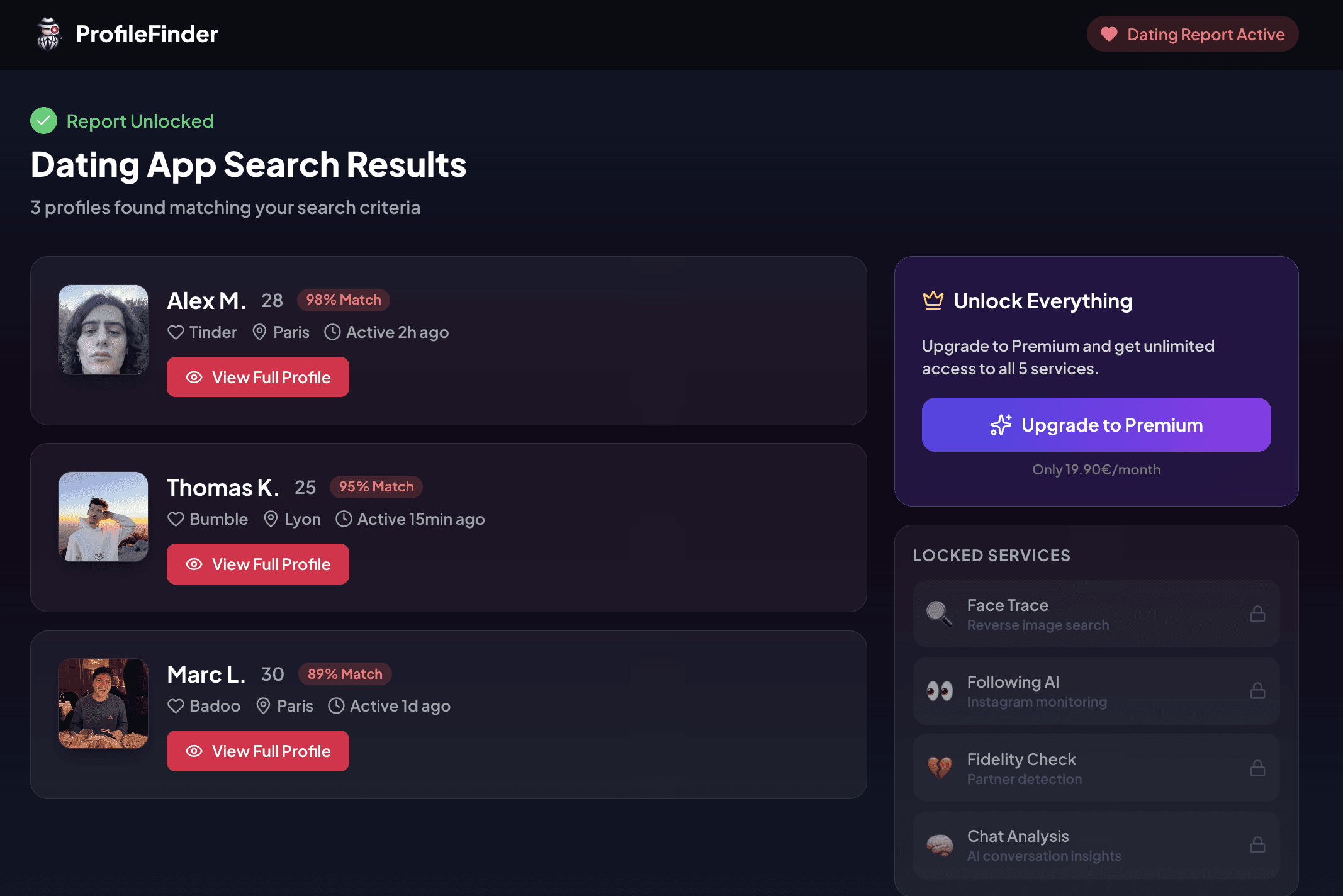
Searching for public dating profiles with ProfileFinder follows a structured 4-step workflow:
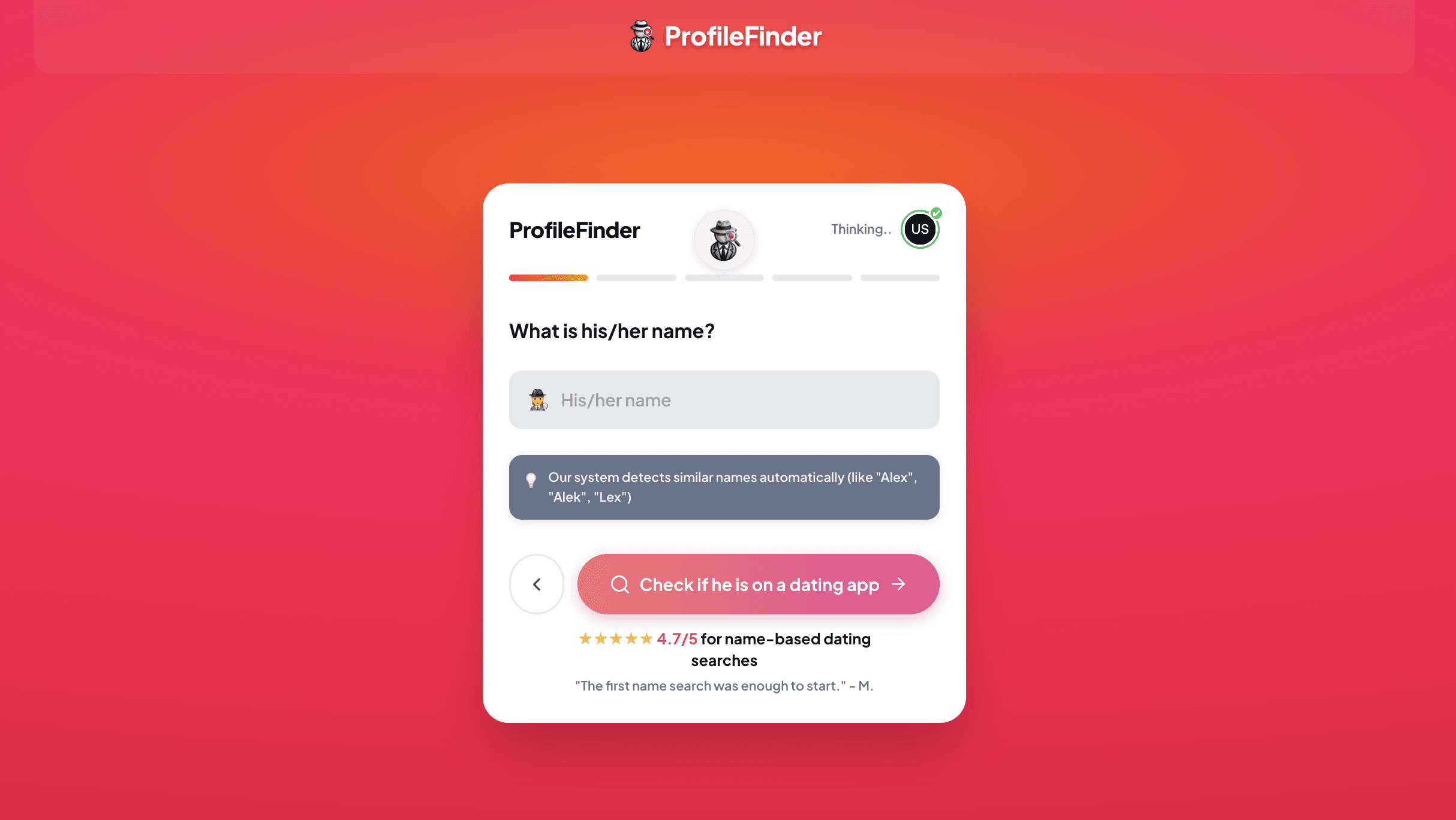
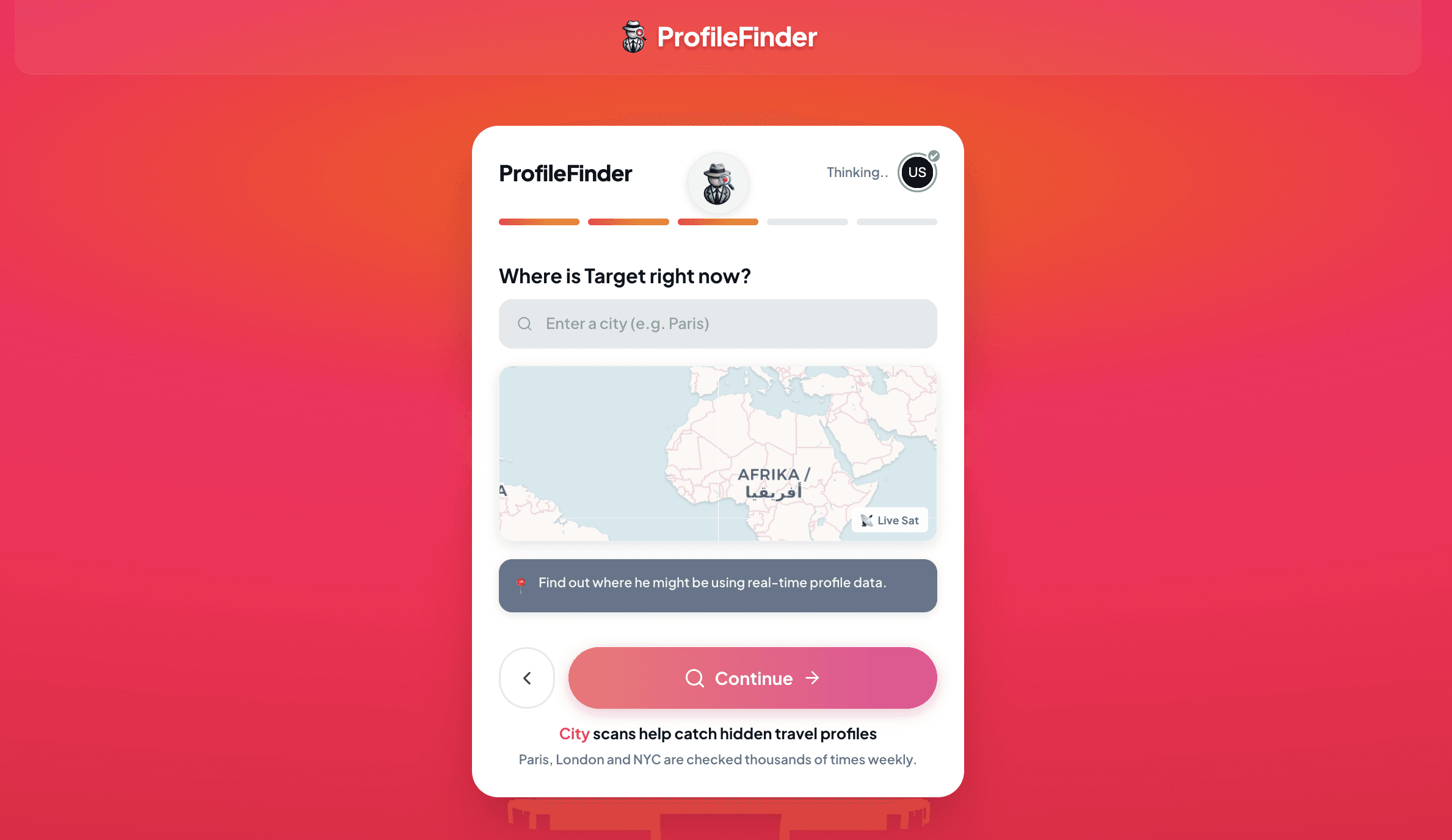
Step 1: Enter Demographic and Geographic Parameters: Enter the person's first name, approximate age range, and city or metropolitan area. ProfileFinder allows you to adjust location boundaries to inspect home, office, and frequent travel corridors.
Step 2: Multi-Platform Simultaneous Search: The search engine simultaneously queries publicly broadcast profile decks across multiple major dating ecosystems, including Tinder, Bumble, Badoo, and Hinge, without requiring you to create an account on each app.
Step 3: Review Matched Profiles and Match Confidence: Search results present candidate profile matches with clear confidence metrics, comparing profile photos, stated ages, occupations, and geographic markers so you can evaluate candidates methodically.
Step 4: Detailed Profile Inspection and Safe Verification: Inspect bio details, connected social media integrations (such as Instagram or Spotify), and photo timestamps to verify whether a profile is an authentic, current account or an outdated ghost profile.
4. Direct Web Handle Lookups (tinder.com/@username)
Instead of paying for third-party social scanners, manually test their known social handles across dating app web directories.
- Check Instagram and TikTok handles against
tinder.com/@handlein your web browser. If the user claimed that handle, their card renders instantly for free.
How to Cancel a Social Catfish Subscription
If you previously signed up for a Social Catfish .73 trial and want to avoid the .48+ monthly charge, follow these steps immediately:
- Log into your account at
socialcatfish.com. - Click on My Account or your profile avatar in the upper right corner.
- Navigate to Billing & Subscriptions.
- Click Cancel Subscription and confirm through the retention prompts until you receive a cancellation confirmation number.
- Alternatively, contact their customer support line at
1-844-422-8347during business hours.
Frequently Asked Questions
Can I search Social Catfish for free?
You can type a query and watch the search animation for free, but Social Catfish will not show you names, phone numbers, or unblurred photos without purchasing a paid trial pass.
How much does Social Catfish cost after the trial?
The standard recurring subscription costs .48 to .97 per month, billed automatically every 30 days until canceled.
Is Social Catfish a scam?
Social Catfish is a legitimate registered business providing public records data. However, many consumers consider its marketing misleading because the service advertises “free search” while hiding the final report behind an auto-renewing trial paywall.
What is the best free alternative to Social Catfish?
For reverse image lookups, Google Lens and TinEye are completely free. For dedicated visual photo checks, ProfileFinder Face Search provides reverse face lookups without recurring subscription lock-ins.
Can Social Catfish see private Tinder or Bumble accounts?
No. Social Catfish has no access to private mobile app stacks or accounts that have turned off public discovery.
Does Social Catfish notify the person you are searching for?
No. Searches are private and run against cached records; the target person is never alerted.
Can Social Catfish verify a dating profile by phone number?
Social Catfish can uncover the registered owner of a phone number from telephone carrier records, but it cannot tell you whether that phone number is currently logged into Tinder or Bumble.
How do I know if an online dating profile is a catfish?
Common red flags include: photos that match public models on Google Lens, refusal to video call, claiming to be stationed overseas, and quickly moving conversations away from dating apps to encrypted messaging apps like WhatsApp or Telegram.
Related Readings
- Top Free Tinder Profile Lookup Tools & Alternatives (2026)
- Cheaterbuster Free Alternative: 5 Real Options Reviewed
- Tinder Profile Search Free: 5 Real Methods That Work
- How to See If Someone Is on Dating Apps: Complete Investigation Guide
- Cheatbuster AI Review 2026: Does It Work, Pricing & Real Limits