You meet someone online who quickly feels like an ideal match. They might introduce themselves as an orthopedic surgeon stationed overseas with the United Nations, a civil engineer managing an offshore oil platform, or a private wealth consultant based in Singapore. Their profile pictures project competence, warmth, and quiet sophistication. The conversation develops rapid momentum, with daily messages and late-night voice notes.
Then the subtle frictions begin. Whenever you suggest a live video call, unexpected obstacles emerge: military security protocols forbid video transmissions, oil rig satellite bandwidth is rationed, or their phone camera broke during transit. Before long, an unexpected crisis surfaces—an impounded parcel requiring customs clearance, a temporary freeze on their bank accounts, or an urgent invitation to move your savings into a high-yield digital asset platform.
When intuition warns you that a digital relationship does not make sense, running a scammer picture search is the most direct investigative step available. However, most people approach reverse image search with flawed expectations. Understanding how organized fraud rings exploit photographs—and how facial recognition pierces their evasion tactics—is essential to protecting your identity, emotional energy, and finances.
Quick Answer
To run a scammer picture search and verify a profile: (1) Understand the fundamental rule of online fraud: scammers almost never use their own faces—they steal image portfolios from real military personnel, medical doctors, and lifestyle influencers; (2) Crop away chat bubbles, timestamps, and interface frames to isolate the unoccluded face; (3) Run a free reverse file search on Google Lens or TinEye to check for identical copies, news profiles, or public stock images; (4) Run a dedicated biometric face search on ProfileFinder to match the facial landmark geometry across different public albums and social platforms; and (5) If matches surface under a different identity or location, verify the findings through an interactive live video call before taking any further action.
Scammer photo verification at a glance
Method / Tool | Core Technology | What It Catches | Scammer Evasion Tactic | Best Use |
|---|---|---|---|---|
Exact Image Match (TinEye, Google Images) | Perceptual file hashing and color histograms | Exact duplicate image files, stock photos, viral modeling portfolios | Cropping edges, flipping horizontally, adding tint filters | Fast initial check for unedited stolen pictures |
Visual Object Search (Google Lens) | Object segmentation and visual context matching | Designer clothing brands, luxury accessories, background landmarks | Cropping tight close-ups, blurring background environments | Verifying hotel lobbies, restaurants, and clothing claims |
Biometric Face Search (ProfileFinder) | Neural facial landmark vectorization (interocular distance, jawline curve) | Same face across different albums, lighting conditions, and ages | Wearing dark sunglasses, extreme tilt angles, heavy motion blur | Exposing the real person whose pictures were stolen |
Public Social Discovery (ProfileFinder) | Cross-network visual correlation against public profiles | Authentic public accounts on Instagram, LinkedIn, and dating services | Creating low-follower clone accounts with stolen names | Uncovering the legitimate creator's verified public presence |
Interactive Live Video Call | Real-time physical human presence with unscripted gestures | Physical person matching the photos in real time | Excuses about broken hardware, bad signals, or strict regulations | Definitive confirmation of personal identity |
How to Investigate a Suspicious Photo With ProfileFinder
When you suspect that an online profile relies on stolen or syndicated photographs, ProfileFinder's face search workflow allows you to check whether the face belongs to a discoverable public footprint. Use it as an objective investigative aid, not an emotional shortcut. The approved product sequence below reflects the current ProfileFinder search flow.
Step 1: Open ProfileFinder
Navigate to ProfileFinder and select the search method that fits the evidence you possess. You can initiate a facial photo search without registering a fake dating profile, interacting with third-party networks, or tipping off the person you are investigating.

Step 2: Upload a clean, unoccluded portrait
Prepare the image before uploading. Crop out chat application margins, phone battery indicators, and speech bubbles. Select a portrait where the subject faces forward with both eyes visible and natural facial contours unobstructed.
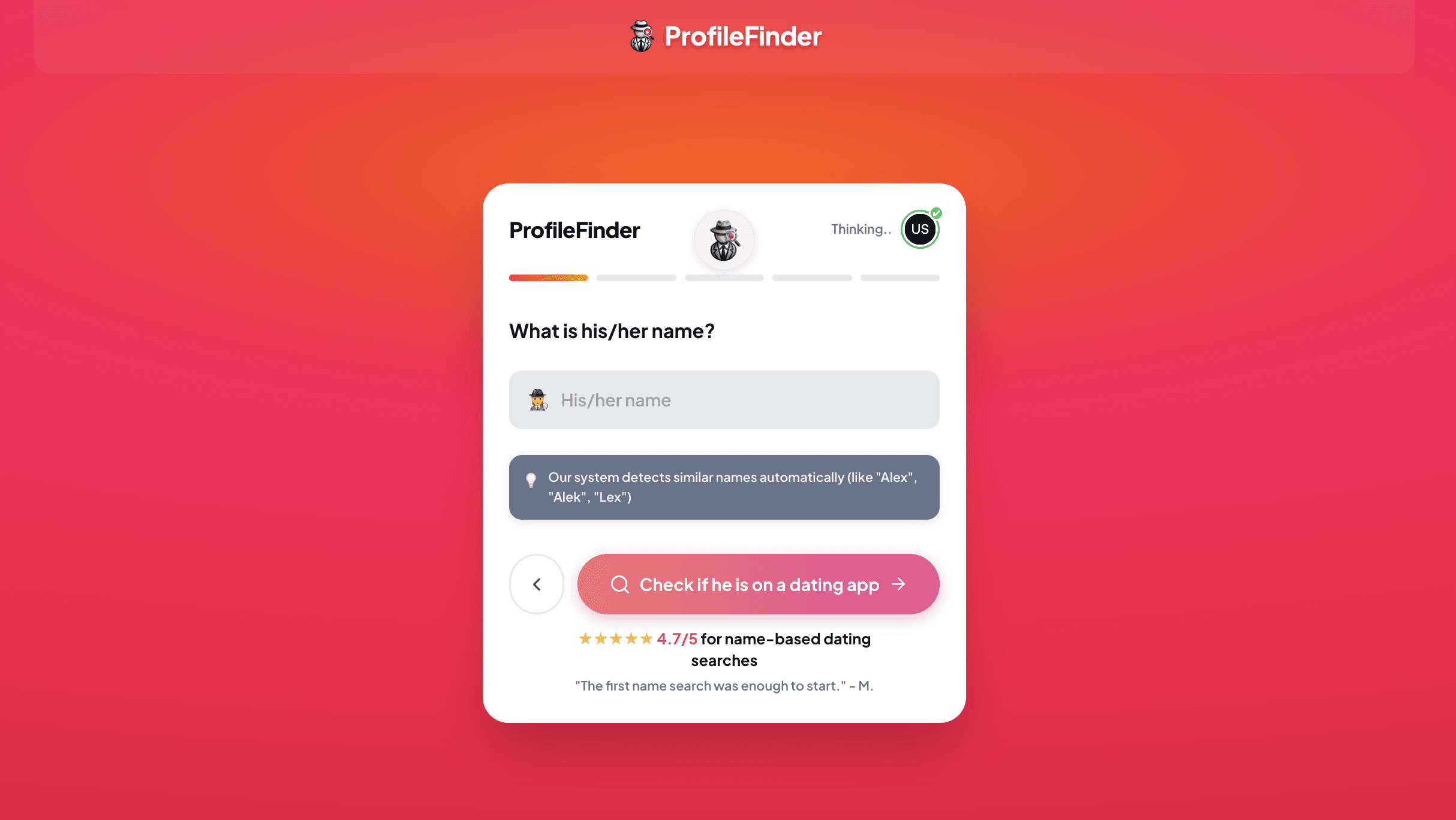
Step 3: Add narrowing criteria
If the person provided an estimated age range, first name, or metropolitan location, add those parameters. Contextual filters eliminate coincidental lookalikes residing on other continents and focus processing on relevant public records.
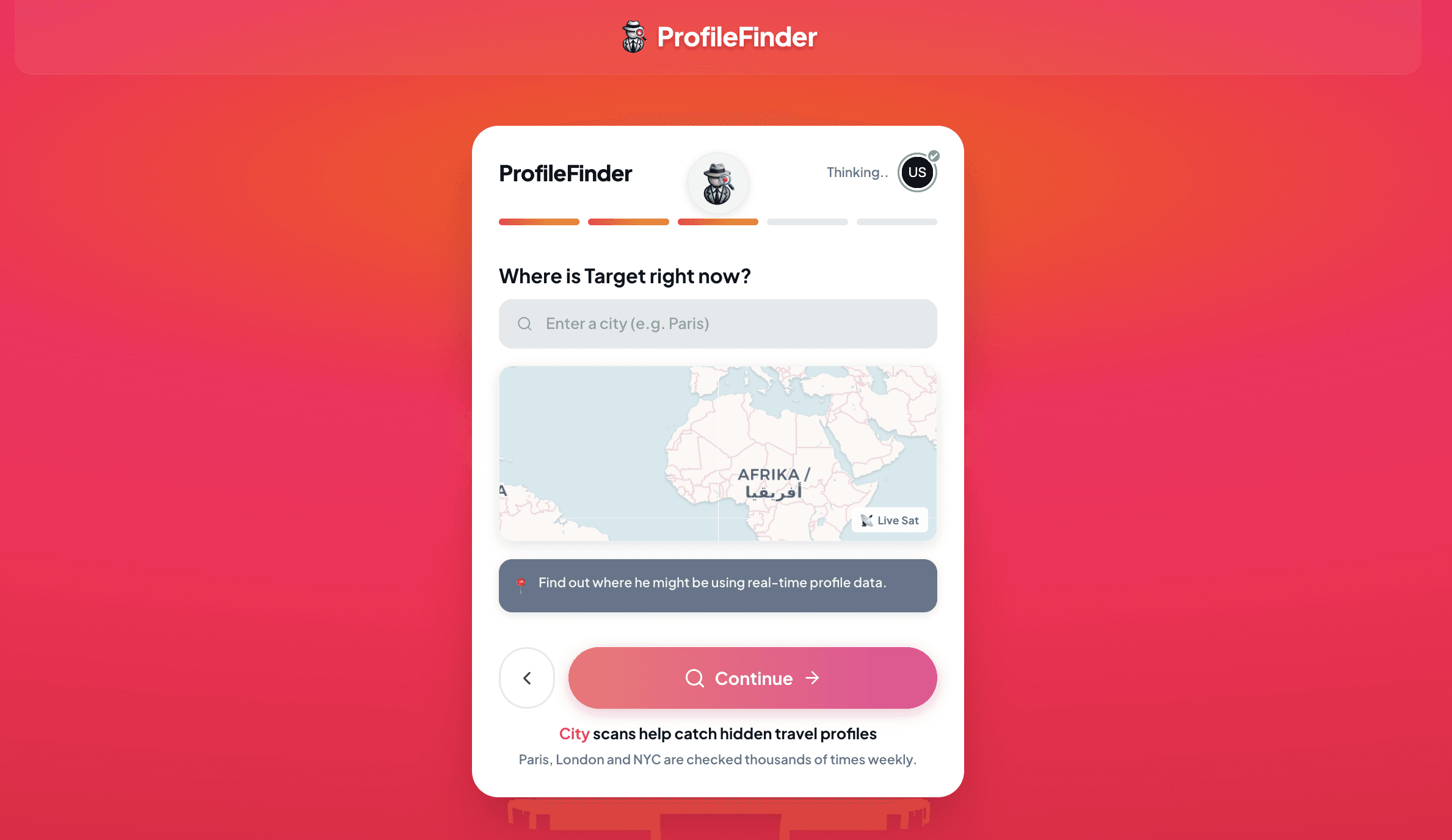
Step 4: Launch the search
Submit the portrait to allow the facial recognition engine to map facial landmark vectors against publicly indexed web sources. Review privacy guidelines and access terms displayed before accessing a full candidate report.
Step 5: Review candidate matches and cross-reference
Examine returned profiles side by side. Compare unalterable anatomical markers—ear shape, hairline geometry, scars, and symmetry. Check the earliest publication dates of discovered public albums to determine who originally created the photographs.

Evidence ladder: a possible visual match is not a confirmed identity; a confirmed identity is not proof of recent activity; and discovering an impersonation account proves photo theft, not deception by the person pictured.
The "Scammer Photo Database" Fallacy: What You Are Actually Searching For
A widespread misconception among victims of online fraud is that a global registry exists containing pictures of known scammers. People often type phrases like "search scammer photos" into search engines expecting a federal mugshot gallery where a fraudster's picture will trigger a red warning label.
In reality, criminal operators almost never use their own likeness. When you upload a picture into a search engine, you are not searching for a criminal; you are searching for the innocent human being whose identity was harvested without consent. Romance fraud rings, financial con artists, and syndicated cybercrime networks systematically scrape public digital footprints from:
- Active military personnel and veterans: Photographs of uniformed service members, field surgeons, and pilots are heavily stolen because their operational context provides an automatic excuse for why they cannot meet in person or join a video call.
- Lifestyle and travel creators: Influencers with large libraries of high-resolution, aspirational photos—dining at restaurants, exercising at the gym, playing with pets—provide scammers with months of believable daily life updates.
- Medical professionals: Doctors, dentists, and nurses project immediate trust, financial stability, and public service, making them prime targets for identity impersonation.
- Everyday private citizens: Anyone who maintains an uncurated public Instagram, Facebook, or LinkedIn profile with hundreds of candid albums can have their likeness harvested and redistributed across dozens of fraudulent dating profiles.
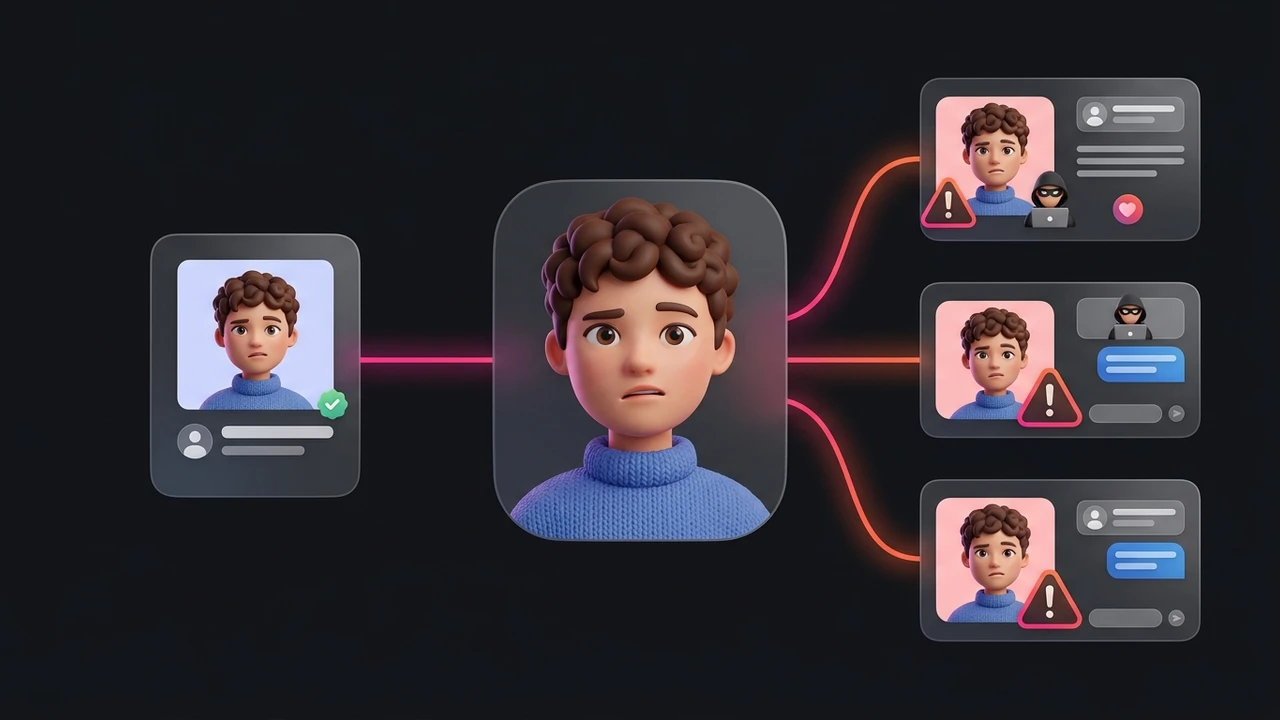
When a scammer picture search returns a match, the proper conclusion is not that you have caught a thief. The conclusion is that an anonymous third party is using an innocent person's face as a decoy.
How Organized Scam Syndicates Source and Exploit Pictures
Modern online fraud is rarely the work of lone opportunists operating from home bedrooms. According to reports from the Federal Bureau of Investigation (FBI) and international law enforcement agencies, the majority of romance and investment fraud originates from structured compounds operated by transnational criminal syndicates across Southeast Asia and West Africa.
These industrial compounds function like corporate call centers. Workers are assigned standardized persona packets containing hundreds of categorised photographs scraped from a single victim. A complete persona kit typically includes:
- Anchor portraits: High-quality studio headshots used for primary dating profiles on Tinder, Bumble, or Hinge.
- Spontaneous daily snaps: Candid selfies in cars, gyms, and coffee shops sent to victims to establish realistic morning and evening routines.
- Vulnerability photos: Pictures in hospital waiting rooms, vehicle repair shops, or airport terminals deployed precisely when the script calls for an emergency wire transfer or gift card request.
- Family and emotional anchors: Photographs with dogs, children, or elderly relatives designed to fabricate emotional warmth and shared family values.
Once a syndicate acquires a creator's public album, they deploy the same face simultaneously across dozens of different targets in North America, Europe, and Australia. While you are speaking to "Marcus, an architect in Seattle," another target is chatting with "David, an oil consultant in London"—both receiving the identical gym selfie five minutes apart.
Why Basic Reverse Image Search Fails (And How Biometrics Solves It)
Many people run a photo through Google Images or TinEye, receive zero matches, and mistakenly conclude the person must be real. This failure happens because basic image search engines and modern fraudsters are engaged in a technical cat-and-mouse game.
Scammer Evasion Tactics
Syndicates know that potential victims use reverse image search. To break automated file matching, they apply simple visual perturbations before uploading photos to dating platforms:
- Horizontal mirroring: Flipping the image horizontally reverses the pixel array, causing basic perceptual hash algorithms to treat it as an entirely new file.
- Border cropping and aspect ratio shifts: Trimming even 5% of the perimeter alters the overall mathematical signature of the image.
- Micro-filtering and noise injection: Subtle shifts in color temperature, contrast adjustments, or faint background vignette shaders fool duplicate-detection crawlers.
- Video frame captures: Instead of downloading static photos, fraudsters take screenshots from public Instagram Reels or TikTok videos, producing frames that have never existed as standalone images on the web.
How Biometric Facial Recognition Defeats Evasion
Unlike basic image matchers that evaluate the entire pixel matrix, a biometric face search engine ignores clothing, hairstyles, color filters, and backgrounds. The neural network detects the face, normalizes head orientation, and maps structural geometric relationships:
- Inter-pupillary distance (spacing between the eyes)
- Relative distance from eye line to nose tip and chin
- Cheekbone contour and jawline curvature
- Nose bridge width and philtrum depth
These biometric landmark vectors remain mathematically consistent across different lighting conditions, ages, and camera angles. Even if a scammer flips a photo, crops out the background, and applies a heavy warm filter, the biometric vector will still match the creator's unedited public profiles. For cross-referencing candidate accounts across social platforms, our social media search by photo or dedicated Instagram photo lookup helps surface public profiles connected to the same face.

The Evidence Ladder: From Visual Match to Criminal Confirmation
Discovering an image match is a powerful investigative signal, but jumping to hasty conclusions can lead to misunderstandings. Use the structured Scam Verification Ladder to evaluate what your findings actually prove:
-
Level 1: Exact File Duplicate on Open Web (Exploratory Lead)
You find the exact photo on a stock photography platform, an overseas news article, or a corporate staff directory. This proves beyond doubt that the profile you are chatting with did not originate the picture. The persona is fabricated. -
Level 2: Biometric Facial Vector Match (Person Identification)
A facial recognition search locates five different photographs of the same individual across an authentic personal blog, university faculty page, and public Instagram account. You now know the real human being behind the face. You can examine whether their actual location, profession, and relationship status match what your contact claimed. -
Level 3: Timeline and Geographic Inconsistencies (Corroborating Evidence)
Cross-reference dates. If your online contact claims to be 32 years old living in Chicago, but the public account belongs to a 45-year-old doctor in Munich who has maintained that verified profile since 2014, the deception is fully corroborated. Many real victims of photo theft post public pinned warnings stating that their pictures are being used on fraudulent dating apps. -
Level 4: Interactive Live Video Verification (Conclusive Proof)
No automated software replaces interactive human verification. Request an unscripted two-minute video call. Ask the person to perform a specific physical motion—such as touching their left eyebrow, showing the palms of both hands, or turning their head slowly. Fraud syndicates cannot reproduce spontaneous biometric interaction in real time, and evasive excuses confirm fraudulent intent.
Behavioral Red Flags That Confirm What the Image Search Suggests
An image search provides objective visual data, but human behavior provides crucial contextual corroboration. When a questionable photo match aligns with the following patterns, you are dealing with an active scam:
- The Rapid Declaration of Love: Scammers work on aggressive emotional timelines. Within 48 to 72 hours, they declare deep affection, claim you are their soulmate, and begin using intense romantic nicknames to create psychological indebtedness.
- The Immediate Platform Migration: Fraudsters quickly urge you to move off dating applications onto encrypted messaging channels like WhatsApp, Telegram, or Signal to evade platform automated fraud filters and account bans.
- The Systematic Video Call Avoidance: When pressed for a video call, they claim poor connection, strict military deployment rules, emotional trauma from previous relationships, or broken hardware. If they agree to a video call, it lasts only three seconds with terrible quality, no synchronized audio, and sudden disconnection.
- The Inevitable Financial Pivot: Every romance scam culminates in a financial request. It may begin as a modest plea for phone credits or an emergency hospital bill, or evolve into an invitation to invest in an exclusive cryptocurrency platform operated by their "wealthy relative."
What to Do If You Confirm You Are Talking to a Scammer
Confirming that an online contact is using stolen pictures can be distressing, especially if you have invested emotional hope into the connection. Follow these protective steps immediately:
- Cut off all communication immediately: Do not confront the scammer, threaten them, or explain how you discovered their deception. Confrontation gives experienced fraudsters an opportunity to refine their lies, invent elaborate excuses, or escalate manipulation. Simply block them across all platforms.
- Never send funds or share sensitive information: If you have not sent money, keep your financial perimeter secure. Never provide banking credentials, identity documents, remote device access, or cryptocurrency wallet addresses.
- If you sent money, act within hours: Contact your financial institution's fraud department immediately. Request a recall on wire transfers, report unauthorized credit card transactions, or notify your bank. While cryptocurrency transactions cannot be reversed on the blockchain, reporting transaction hashes to law enforcement establishes crucial evidentiary paper trails.
- Report the profile to the host platform: File an impersonation report with Tinder, Bumble, Hinge, or Instagram. Provide links to the legitimate creator's public profile if you discovered it through your search.
- Report to federal consumer protection authorities: In the United States, submit a detailed report to the FBI's Internet Crime Complaint Center (IC3.gov) and the Federal Trade Commission (ReportFraud.ftc.gov). In Canada, report to the Canadian Anti-Fraud Centre; in the UK, report to Action Fraud.
- Beware of recovery scammers: Anyone who contacts you on Instagram, Reddit, or Telegram claiming to be an "ethical hacker" or "crypto recovery specialist" capable of recovering lost funds for an upfront fee is running a secondary recovery scam. Legitimate financial recovery is handled exclusively by registered financial institutions and law enforcement agencies.
Privacy Considerations and Ethical Guardrails
Conducting open-source intelligence research requires responsible data handling and ethical discipline:
- Use only legitimately obtained imagery: Only analyze profile pictures, publicly posted photos, and images shared with you directly in open conversations.
- Zero tolerance for non-consensual imagery: Never submit private, sensitive, or non-consensual media into search tools.
- Do not harass the legitimate creator: If your search reveals that the photos belong to an influencer, doctor, or private citizen, remember that they are an innocent victim of identity theft. Do not send angry messages or accuse them of running the scam.
- Respect data boundaries: Use search findings solely to safeguard your own personal safety and financial well-being, never for stalking, intimidation, or public doxxing.
6-Step Verification Checklist
- Crop the source image: Remove messaging bubbles, status bars, and UI borders to center the subject's face.
- Run exact duplicate checks: Test the file on Google Lens and TinEye to see if it appears on stock photo repositories or news articles.
- Execute a facial recognition scan: Use ProfileFinder to query biometric landmark vectors against public web sources.
- Trace the authentic digital footprint: Locate discoverable public profiles on Instagram, LinkedIn, or personal websites to identify the genuine creator.
- Audit timeline consistency: Compare profile creation dates, career progression, and geographic venue tags with your contact's story.
- Conduct an interactive live video test: Request an unscripted, real-time video call with gesture confirmation before trusting any claim.
What to Do With an Ambiguous Result
If your scammer picture search produces zero matches or only inconclusive lookalikes, do not interpret that as a clean bill of health. A negative result simply means the photograph has not been crawled by public search engines, was captured from a private account, or was created using synthetic AI tools such as StyleGAN or Midjourney.
When visual tools produce ambiguous findings, rely strictly on behavioral boundaries. If someone you have never met in person requests financial assistance, investment capital, gift cards, or personal documents, decline immediately. No legitimate romantic or business relationship requires sending emergency funds to an unverified stranger.
Frequently Asked Questions
Can scammers bypass reverse image search?
Yes. Scammers regularly bypass basic reverse image search tools like Google Images and TinEye by cropping edges, flipping photos horizontally, applying subtle color filters, or screenshotting frames from public videos. However, these surface edits do not alter the underlying biometric facial geometry, which dedicated face search engines can still recognize.
What is the most common photo used by romance scammers?
Romance scammers most frequently steal photos of active military personnel, overseas field surgeons, civil engineers on oil platforms, and travel influencers. These personas provide convincing justifications for why they cannot meet in person, have restricted communication schedules, or face sudden financial emergencies.
How do scammers get so many candid pictures of the same person?
Syndicates target public social media accounts belonging to active creators, models, or everyday individuals who post hundreds of candid lifestyle updates. By downloading an entire public profile history, a scammer acquires years of consistent photos covering holidays, family events, hospital visits, and hobbies to deploy over a multi-month deception campaign.
Does running a reverse image search notify the person in the photo?
No. Reverse image searches and facial recognition scans are completely passive and client-side. Neither the person pictured, the scammer, nor the hosting website receives any ping, alert, or notification that a lookup occurred.
Can a scammer use an AI-generated face?
Yes. Scammers increasingly generate synthetic portraits using AI tools like StyleGAN or Midjourney to create entirely fictional people who have no prior footprint on the internet. While these images return zero reverse image matches, they often exhibit telltale synthetic flaws: asymmetric eyeglasses, blurred earlobes, unnatural pupil reflections, and distorted background patterns.
How can I tell if a video call is a deepfake?
Real-time deepfake filters struggle with lateral motion and facial occlusion. During a suspicious video call, ask the person to pass their open hand slowly across their face, touch their nose, or turn their head 90 degrees to profile view. Deepfake software will glitch, blur around the edges, or drop facial alignment when occluded by moving fingers.
What should I do if I find my own photos being used by scammers?
If your pictures have been stolen, document the fraudulent profiles by capturing full-screen screenshots and recording profile URLs. File impersonation reports directly with the host platforms. Consider posting a pinned warning on your official social accounts advising followers that your likeness is being spoofed, and submit opt-out requests to major facial recognition indexes to limit future scraping.