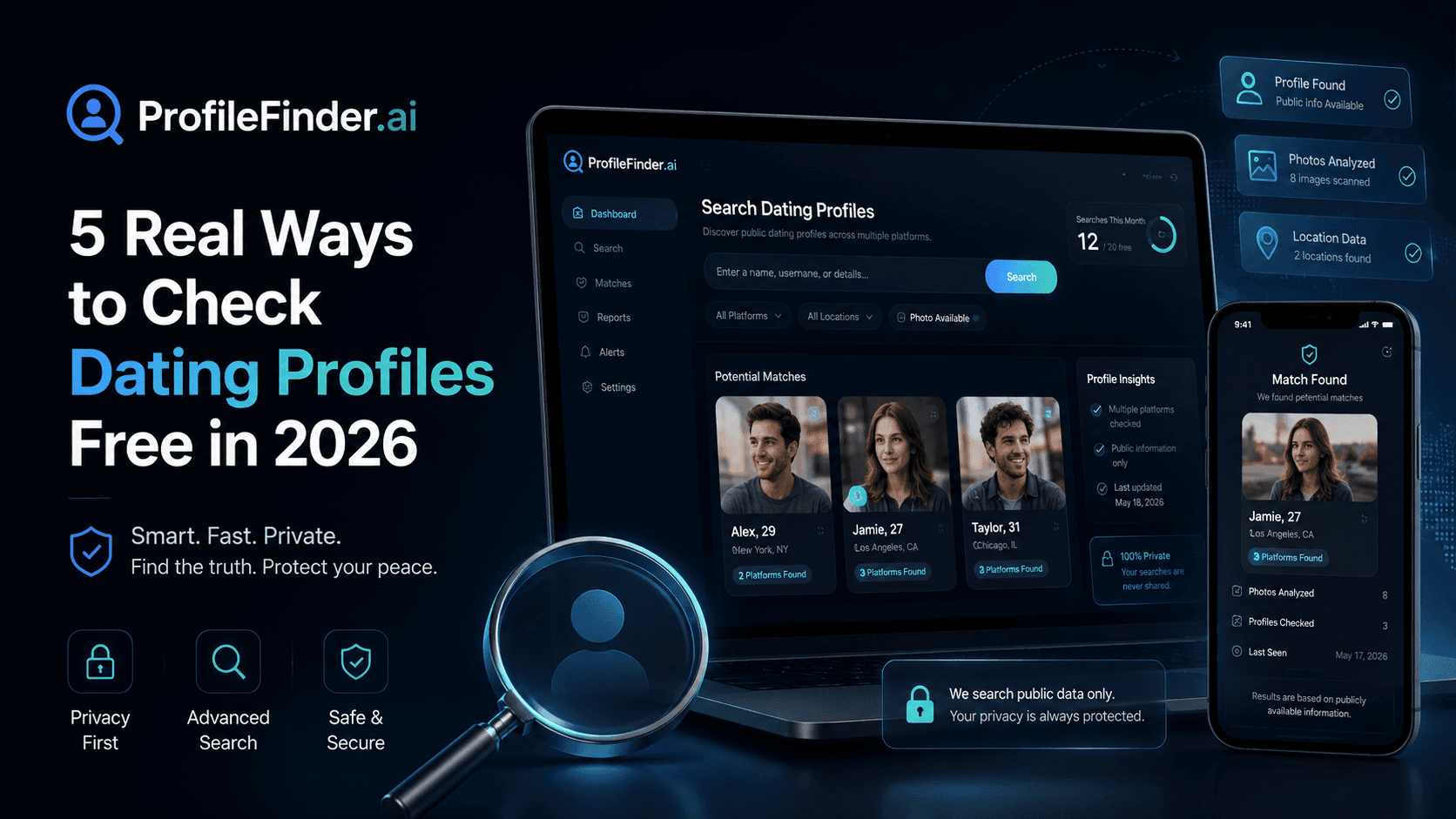

Learning how to see if someone is on dating apps is one of the most common questions in modern relationships—whether you are noticing changed phone habits, re-evaluating trust with a partner, or simply verifying a new person you met online.
However, running an effective check is not about falling for shady surveillance apps or jumping to emotional conclusions. Finding a candidate profile on Tinder, Bumble, or Hinge, confirming that it belongs to the person you know, proving it is currently active, and understanding what it means for your relationship are four entirely separate conclusions.
In this guide, we break down the most reliable, legal, and privacy-respecting methods to check if someone has an active dating profile in 2026, explain how dating platforms handle visibility and dormant accounts, and provide a disciplined verification ladder to keep you from mistaking an old or accidental profile for active infidelity.
Editorial Notice: ProfileFinder.ai publishes this guide and develops a dedicated Tinder profile discovery engine. To maintain objective reporting, our technical evaluations reflect only verifiable public platform features and search methodologies. We never endorse invasive spyware, phone hacking, or unsubstantiated accuracy claims.
Quick Answer: How to See If Someone Is on Dating Apps
To see if someone is on dating apps in 2026, use public profile discovery tools, specialized search engine syntax, or username cross-referencing rather than creating fake profiles or installing invasive phone spyware.
The most direct starting point is a dedicated public profile lookup like ProfileFinder.ai, which searches public Tinder profiles using a first name, age range, location, and optional reference photo. Alternatively, you can search Google using structured operators (such as site:tinder.com "Firstname" "City") or check whether their standard social handles match public dating URLs.
Crucially, never equate a match with infidelity. Deleting an app from a phone does not delete the account, and dating platforms often keep dormant profiles stored indefinitely until manually closed. Always verify recent photo updates, distance shifts, and account freshness before drawing conclusions.
The 4-Tier Dating App Evidence Ladder
When searching for someone on dating apps, the biggest mistake people make is jumping straight from a visual or name match to an accusation of cheating.
To avoid false positives and relationship damage, follow the Evidence Ladder:
Level 1: Possible Match — A profile surfaces matching their name, age, or general city. This is merely a search lead. Thousands of people share common names and ages.
Level 2: Confirmed Identity — Distinctive photos, confirmed biographical details, unique tattoos, or linked social accounts establish that the profile represents the specific person you know.
Level 3: Active Account Signals — Fresh photos from recent vacations, recent haircuts, an auto-updated birthday age, or dynamic location shifts indicate the profile was accessed recently rather than abandoned years ago.
Level 4: Relationship Context — Why does the account exist? Was it created during a relationship break? Is it a forgotten profile? Only calm, direct human communication can establish context. Algorithms provide data; humans provide meaning.

Method 1: Search With ProfileFinder (Dedicated Dating Profile Search)
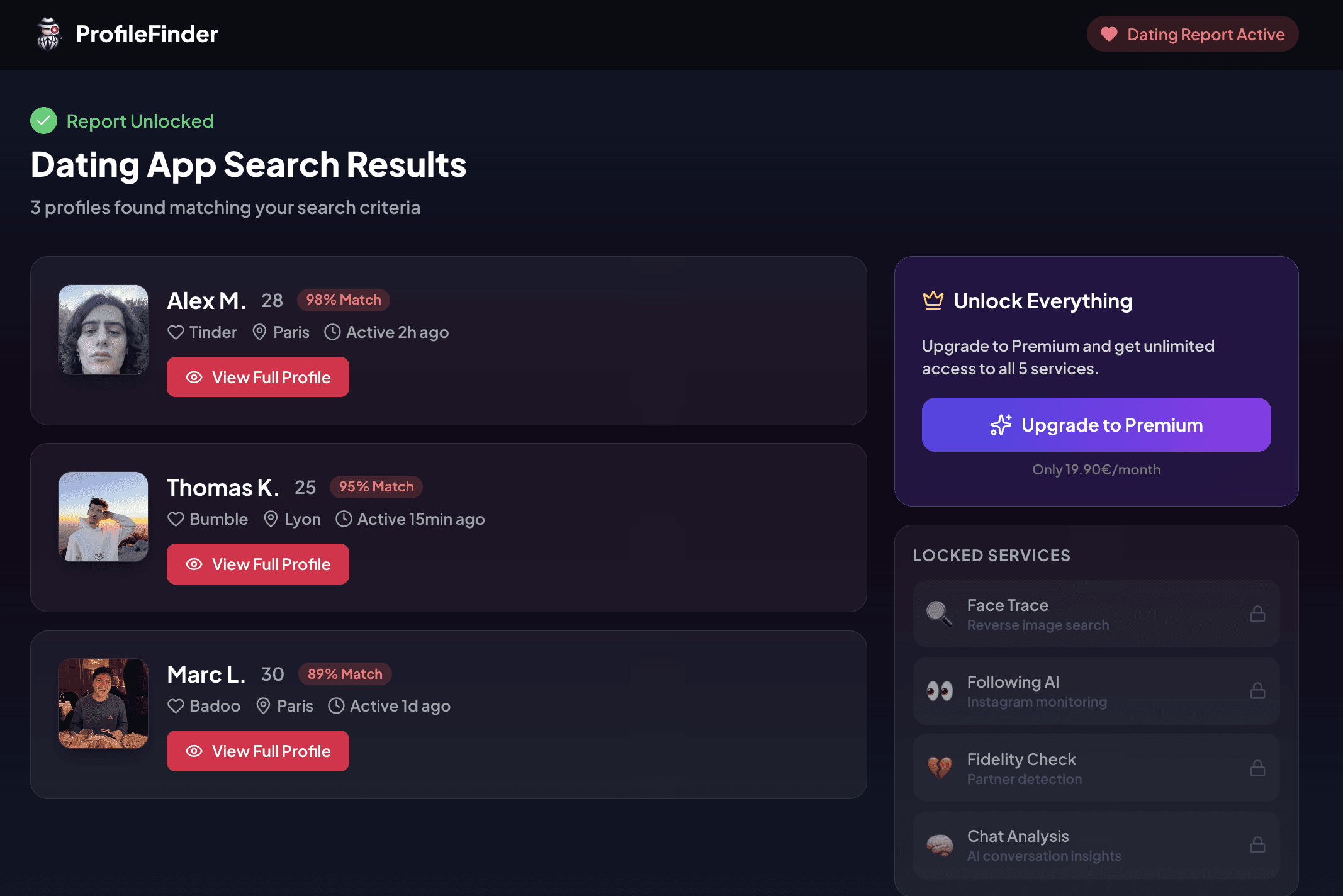
The fastest and most direct way to check for active dating profiles on Tinder without creating an account or swiping for hours is using ProfileFinder's dating profile search. ProfileFinder is a focused search workflow for reviewing possible public matches; it does not turn a name or photo alone into proof of identity or infidelity.
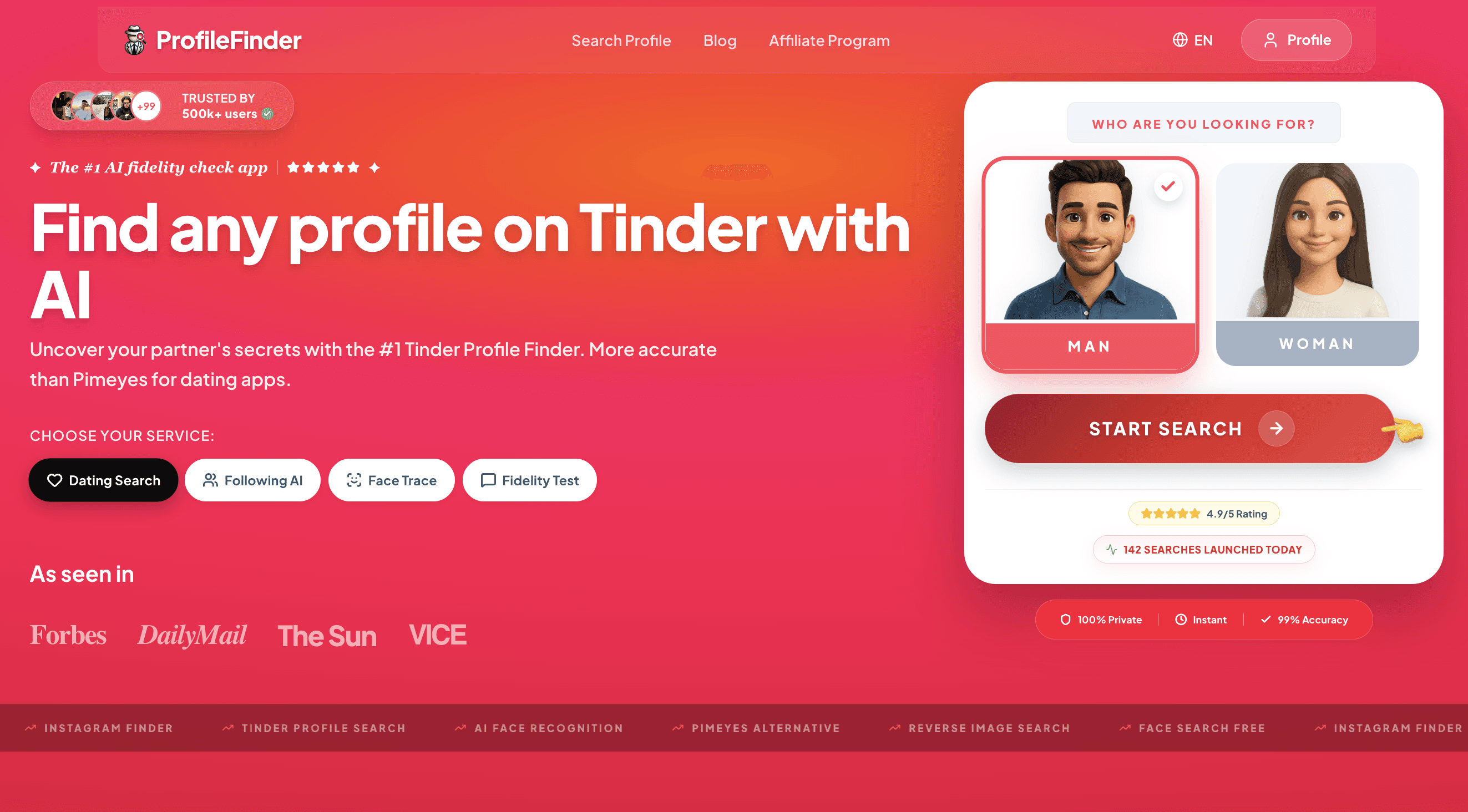
Step 1: Open ProfileFinder
Open the ProfileFinder dating search and choose the person category that matches the search. This starts the workflow without asking you to access the other person's account, create a dummy profile, or install invasive software.
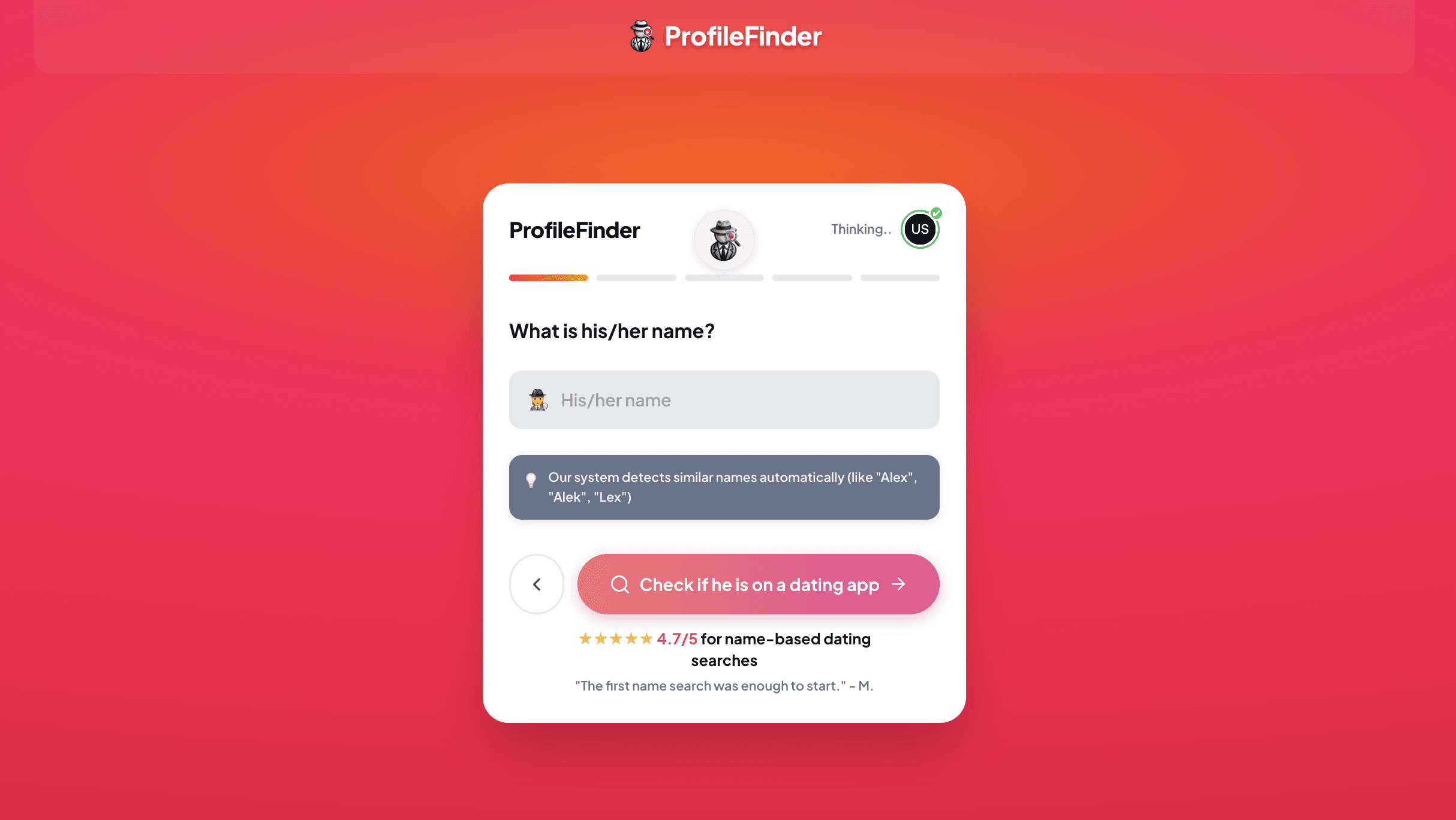
Step 2: Enter the first name you can verify
Add the first name the person actually uses, plus any common shortened forms. If a candidate result later appears, a name is only one identifying detail—especially when it is common.
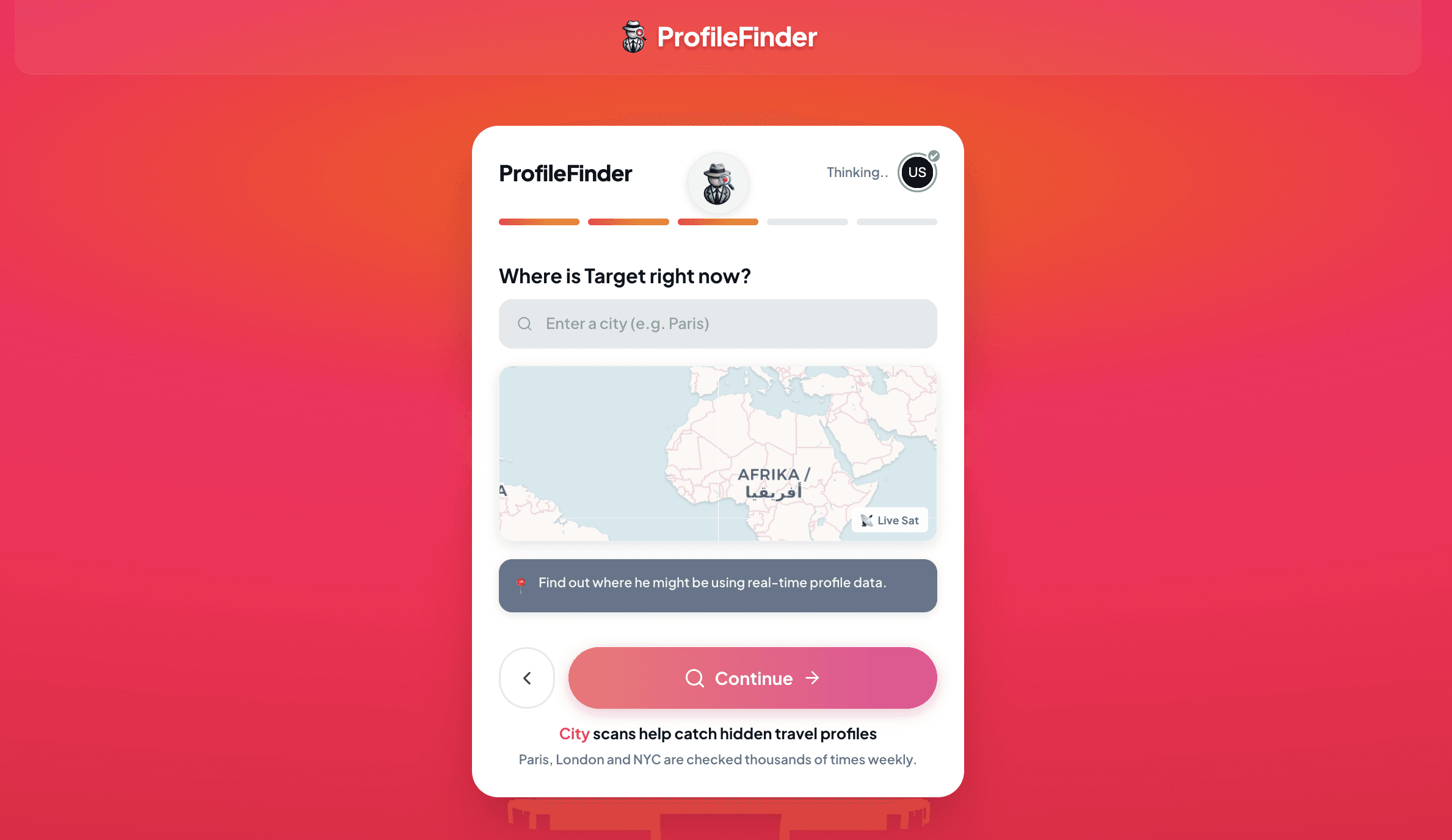
Step 3: Add an approximate age and location
Use an age range and city or area you can reasonably verify where the person lives or travels. These details help narrow candidate profiles, but should never be treated as definitive confirmation on their own.
Step 4: Launch the search
Run the search after verifying your entered parameters. Search inputs narrow the indexed candidates; they do not prove that a returned profile belongs to the person.
Step 5: Review possible matches and cross-check details
Review candidate cards against several independent details you already know. Look for consistency across photos, first name, age, stated location, and biography snippets. Do not assume that an image or matching name establishes who controls an account or whether it is currently active.
Method 2: Google & Bing Search Engine Dorking
Major search engines index public dating profile web pages, particularly Tinder web URLs (tinder.com/@username). You can use targeted search operators to find indexed web profiles without paying for software.
Effective Search Queries:
site:tinder.com/@ "Firstname" "City"site:tinder.com "Firstname" "Job Title" "City"site:bumble.com "Firstname" "City"site:hinge.co "Firstname"
Limitations: Search engines only index public web profiles that have been crawled by Googlebot. If a user disabled public web indexing, browses in incognito mode, or uses an app without an indexed web portal, dorking will not return results.
Method 3: Cross-Platform Username Checking
People are creatures of habit. Most individuals reuse the same handles across Instagram, Snapchat, TikTok, Spotify, and dating platforms.
If you know their common handle (e.g., @johndoe92), test direct web URLs:
https://tinder.com/@johndoe92Search engines:
"johndoe92" ("tinder" OR "bumble" OR "hinge")
If a custom URL resolves directly to an active profile with their photo, you have a confirmed Level 2 identity match.
Method 4: Reverse Image Search
If you suspect someone is using dating apps but aren't sure which platforms they frequent, reverse image searching their profile pictures can reveal where those images appear online.
Google Lens: Upload a recent photo from their social media or phone gallery to see where else that exact photo is published.
Face Recognition Engines: Specialized face search engines index public images across the web, including forums and social media.
Caveat: Most dating apps (like Bumble and Hinge) actively block automated image scrapers from accessing their full photo stacks. Reverse image search works best when someone reuses their Tinder profile picture on a public Instagram or LinkedIn profile.
Method 5: Manual In-App Swiping (Why It Usually Fails)
A frequent piece of advice on internet forums is to download the app, create a blank or fake account, set your search radius to minimum distance, and swipe until you find them.
While this is theoretically possible, in practice it is extremely inefficient and misleading:
Algorithmic Stacks: Dating algorithms do not show you profiles purely by distance. They prioritize new users, popular profiles, and mutual attractiveness scores.
Location Range: If the person is at work, commuting, or using a travel feature, you will never see them in your local batch.
Incognito & Snooze Modes: If they have enabled privacy settings, their profile is completely invisible to anyone they haven't already liked.
Trust Erosion: Creating a fake dating profile often creates drama, misunderstanding, and counter-accusations.
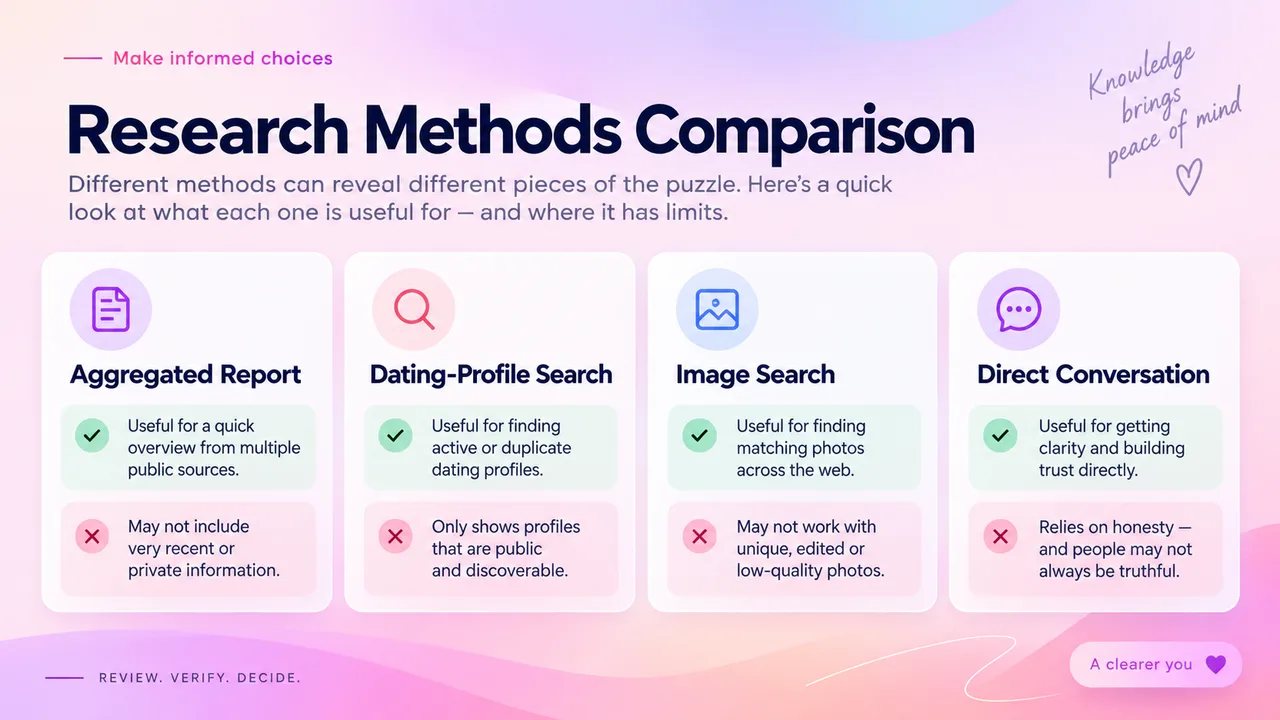
Dating Profile Search Methods Compared
Method |
Primary Platforms |
Input Needed |
Privacy & Safety |
Verification Quality |
|---|---|---|---|---|
ProfileFinder.ai |
Tinder |
Name, Age, City, Optional Photo |
High (No account needed, discreet) |
High (Direct card metadata, distance & bio) |
Search Engine Dorking |
Tinder, Bumble Web |
Name, Location, Keywords |
High (Public web queries) |
Moderate (High false-positive rate) |
Username Cross-Check |
Tinder URLs, Socials |
Known social media handle |
High (Direct URL navigation) |
High (If unique custom username) |
Reverse Image Search |
Open Web, Socials |
High-resolution portrait photo |
Moderate (Biometric considerations) |
Moderate (Shows duplicate web photos) |
Manual App Swiping |
Specific downloaded app |
Temporary user account |
Low (Time intensive, privacy concerns) |
Low (Algorithmic deprioritization) |
Platform-Specific Nuances: Tinder, Bumble, & Hinge
Understanding how dating apps treat user visibility is critical before interpreting any search result.
1. Tinder: Discovery Mode & Incognito Settings
In Tinder's settings, users can toggle "Show me on Tinder" (Discovery Mode) off at any time. When Discovery is off:
The profile is hidden from all new users in the swipe deck.
Existing matches and ongoing chats remain completely intact.
The account is not deleted.
Tinder also offers Incognito Mode to Tinder Plus, Gold, and Platinum subscribers. When Incognito is enabled, only users whom the account holder has already "swiped right" on can ever see their profile card. A public search tool cannot surface an account set to Incognito.
2. Bumble: Snooze Mode & Date Mode
Bumble features a built-in Snooze Mode that allows users to pause their profile for 24 hours, 72 hours, a week, or indefinitely. While snoozed, the profile disappears from the swiping stack, but conversations remain.
Bumble also allows users to disable "Date Mode" entirely to use Bumble BFF (friendship) or Bumble Bizz (networking), retaining the same account login without having a live dating card.
3. Hinge: Pausing Profiles
Hinge allows members to "Pause" their profile. When paused, new people cannot see or like the profile, but existing matches can continue chatting.
The Critical Rule: Deleting the App ≠ Deleting the Account
Both Tinder and Bumble clearly state in their official documentation: uninstalling or deleting the application from your smartphone does not delete your account or cancel your profile.
If someone met a partner a year ago, deleted the app from their home screen, but never went into Settings > Delete Account, their profile and photos may still remain stored on company servers.

Active Account Signals vs. Stale / Abandoned Profiles
If you uncover a profile, how can you tell if it is being used today or was abandoned three years ago?
Indicator |
🟢 Active Profile Signal |
⚪ Stale / Abandoned Profile |
|---|---|---|
Photos & Appearance |
Recent haircut, tattoos, clothing, or vacation spots from the past few months. |
Photos clearly dating from college, past jobs, or several years prior. |
Age Calculation |
Dating apps auto-update age based on birthdate; if age reflects current birthday, it verifies birth year. |
Same age updates automatically even if user has not logged in for 2 years. |
Location & Distance |
Distance dynamically updates when they commute or travel to another city. |
Distance stays pinned to their last known GPS login location from years ago. |
Bio Prompts & Anthems |
Recent Spotify anthems, updated job descriptions, or references to current events. |
Generic bios or references to old jobs/schools they left long ago. |
Tinder Green Dot |
"Recently Active" status indicator appears when logged in within 24 hours. |
No activity badge present. |
How to Verify a Match and Avoid False Positives
Mistaken identity causes tremendous emotional distress. Before reacting to a discovered profile, complete this verification checklist:
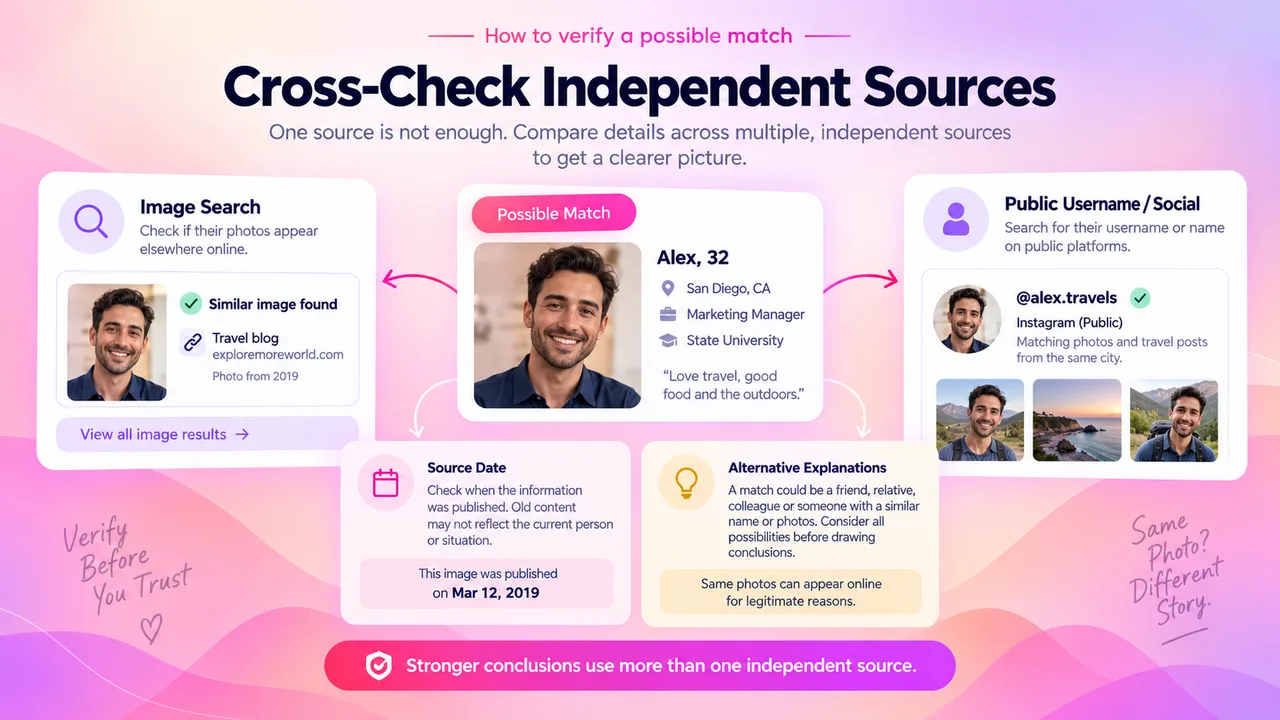
Rule Out Name Homonyms: In any metropolitan area, there are dozens of individuals named "Chris, 29" or "Emma, 26". Confirm distinctive facial features, dental patterns, or unique birthmarks.
Examine Catfish and Impersonator Scams: Scammers frequently scrape public Instagram and Facebook photos to build fake Tinder and Bumble profiles. If the photos match your partner but the bio sounds completely unnatural or promotes an off-platform link, it may be an unauthorized impersonator.
Cross-Check With an Independent Source: If you find a match via a search engine, confirm the details using ProfileFinder.ai. Independent cross-referencing ensures you aren't relying on a cached, obsolete search snippet.
Have a Calm, Direct Conversation: If genuine evidence of an active profile exists, approach the discussion constructively. State what you observed without hostility, show the evidence, and give your partner space to explain.
Why "No Results Found" Does Not Guarantee Absence
Just as finding a profile requires careful verification, getting zero results does not prove that someone is not on dating apps.
A search query may fail to locate an existing profile because:
The profile is paused: They disabled Discovery or snoozed the account.
Incognito Mode is active: They paid for a premium subscription that hides their card from public decks.
Different Registration Details: They used a middle name, an initial, an alias, or a fake birthday.
Location Discrepancy: The search was conducted in Chicago, but the profile was created in Atlanta during a business conference and hasn't updated.
Alternative Platforms: They might be using platforms not covered by public Tinder lookup tools (e.g., Feeld, Raya, or niche apps).
Healthy relationships are founded on communication and trust. Technical lookups can answer factual questions about public records, but they cannot replace honest emotional dialogue.
Privacy, Ethics, and Digital Boundaries
When investigating online profiles, respecting legal and digital boundaries is essential:
Never Install Spyware or Stalkerware: Monitoring software that records keystrokes, tracks private GPS coordinates without consent, or accesses private WhatsApp/SMS messages is illegal in most jurisdictions and constitutes a severe criminal invasion of privacy.
Stick to Public Web Records: Searching publicly available indexes, search engines, and profile platforms is lawful because it involves openly shared public data.
Protect Your Own Privacy: Avoid sketchy third-party sites that demand your credit card details for a "free reverse search" or request your personal Facebook credentials to scan dating networks.
Frequently Asked Questions
Can you see if someone is on dating apps without joining them?
Yes. Specialized profile discovery tools like ProfileFinder.ai and advanced search engine operators (e.g., site:tinder.com "Name") search publicly available profile data without requiring you to create a personal dating profile or swipe through user feeds.
Does Tinder notify someone if you view or search their profile?
No. Dating platforms do not alert users when their public profile is viewed or indexed. Searches conducted on third-party tools like ProfileFinder are entirely external and private.
Can an active dating profile exist if someone deleted the app from their phone?
Yes. Deleting the application icon from an iPhone or Android device merely removes the app from the phone; it does not close or delete the account from the platform's database. Unless the user explicitly clicked "Delete Account" inside settings, the profile remains stored.
What is the difference between pausing a profile and deleting it?
Pausing (or turning off Discovery) hides your profile card from new users in the swipe deck while preserving your matches, chat logs, and photos. Deleting the account permanently removes your photos, matches, conversations, and account records from the service.
How can I tell if a discovered profile is currently active?
Look for dynamic signals: recent photographs taken within the last few weeks or months, updated location coordinates that match recent travel, a "Recently Active" green indicator badge on Tinder, or recent prompt and bio changes.
Can someone hide their dating profile from specific people?
Yes. Tinder and Bumble allow users to block specific phone contacts to prevent mutual discovery. Additionally, paid tiers offer Incognito Mode, which renders the user completely invisible to everyone except individuals they have already swiped right on.
Is it legal to search for someone on dating apps?
Searching publicly accessible profile records using open tools or public search engines is legal in the vast majority of countries. However, accessing someone's private phone, hacking accounts, or deploying stealth spyware without authorization is illegal.
Does finding a dating profile prove that my partner is cheating?
No. A profile match proves only that an account exists. It does not prove recent messaging, physical encounters, or current intent. It could be an old, forgotten account, a profile created prior to the relationship, or an unauthorized impersonation. Always verify activity signals and communicate openly.
Recommended Reading
If you need to verify whether a public profile exists on Tinder, start with an objective, private search on ProfileFinder.ai—and remember to evaluate any result using the Evidence Ladder before jumping to conclusions.