

Suspecting that a partner is hiding something on their phone is one of the most stressful experiences in a relationship. In 2026, secret communication rarely looks like an open dating notification on a lock screen. Instead, individuals seeking discretion typically use disguised vault apps, secondary encrypted messaging channels, or private browser tabs.
Understanding which types of apps exist and how they operate helps you distinguish reasonable concern from unfounded anxiety. More importantly, recognizing these tools allows you to evaluate objective evidence without resorting to illegal phone hacking, invasive spyware, or toxic relationship habits.
⚡ Quick Answer
The most common cheating apps fall into four distinct categories: disguised vault utilities (such as fake calculator apps that conceal photo albums and chat logs), secondary encrypted messaging apps with disappearing messages (Telegram, Signal, WhatsApp Locked Chats), privacy-focused social accounts (Instagram Vanish Mode, Snapchat), and discreet dating platforms with incognito browsing (Bumble Incognito, Tinder Passport). If you suspect infidelity, never install intrusive spyware apps, which violate wiretap laws and compromise device security. A lawful, privacy-respecting first step is checking for public dating profiles using ProfileFinder's Cheater Finder.
| App Category | Common Examples | Concealment Mechanism | Legitimate Use vs Red Flag |
|---|---|---|---|
| Disguised Vault Apps | Calculator#, Secret Audio, Privary | Passcode entered into a fake calculator interface unlocks hidden files and browsers | Can hold tax files; red flag when paired with aggressive screen secrecy |
| Encrypted Messengers | Telegram Secret Chats, WhatsApp Locked Chats, Signal | Biometric app locks, auto-destruct timers, zero cloud backups | Standard privacy tool; red flag when hidden in secure folders with suppressed alerts |
| Discreet Social Features | Instagram Vanish Mode, Snapchat My Eyes Only | Messages disappear after viewing; PIN-protected private memory vaults | Normal teen/young adult use; red flag when maintained on secret secondary profiles |
| Incognito Dating Apps | Tinder Passport, Bumble Incognito, Pure | Profiles visible only to right-swiped users; location spoofed to other cities | Zero legitimate marital use; strong indicator of active romantic seeking |
| Spyware / Phone Trackers | mSpy, Eyezy, Spyera | Hidden background daemon logging keystrokes, GPS, and messages | Dangerous, highly illegal without explicit consent, frequently scams |
How to Check for Dating Profiles With ProfileFinder
If you notice suspicious utility icons or hidden folders on a partner's device, jumping to conclusions or grabbing their phone often escalates conflict. A cleaner, lawful method is checking whether an active profile exists on major dating networks using ProfileFinder.
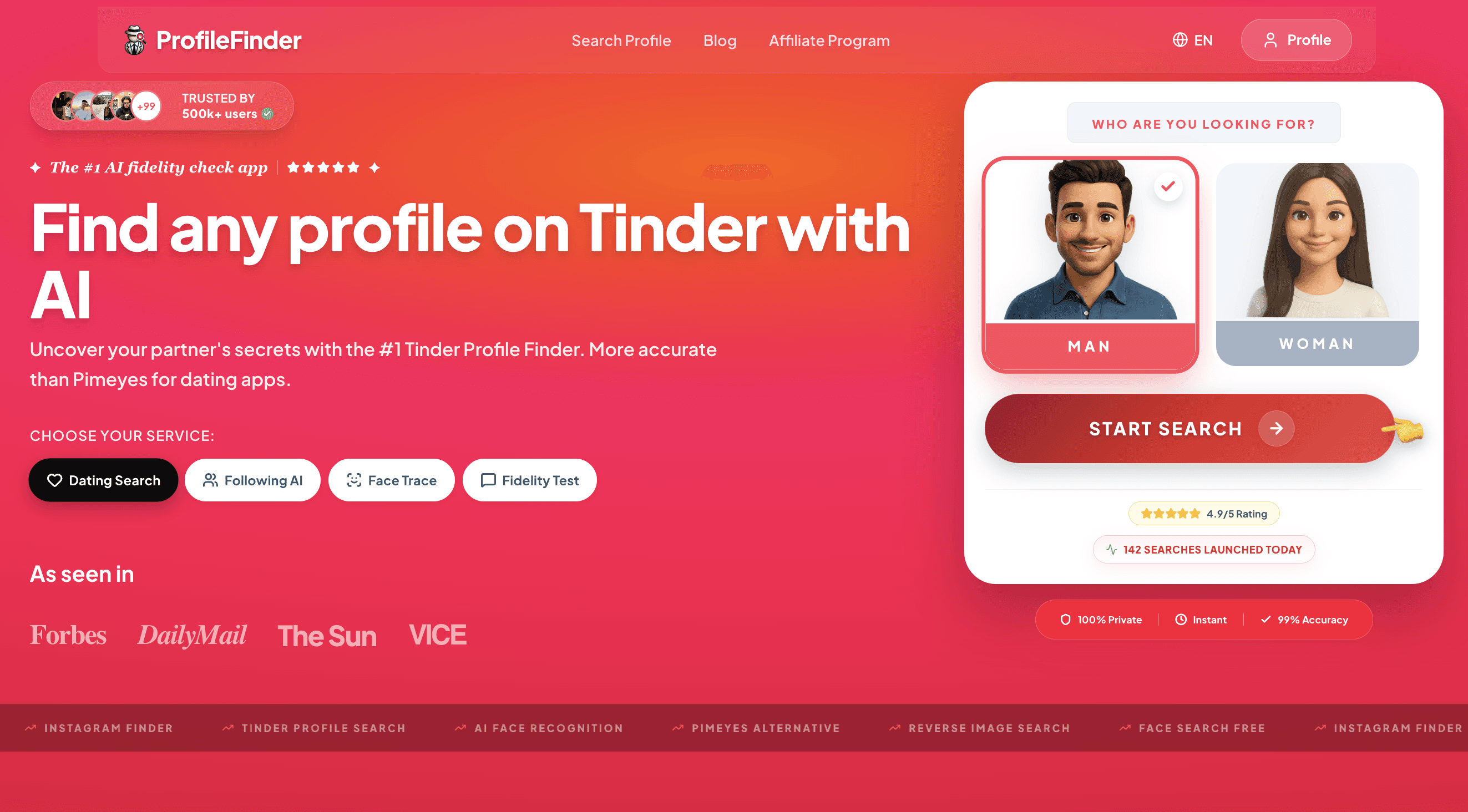
Step 1: Open ProfileFinder
Open ProfileFinder's dating search or the dedicated Cheater Finder. You do not need to create an account, install third-party tracking software, or notify the person you are searching for.
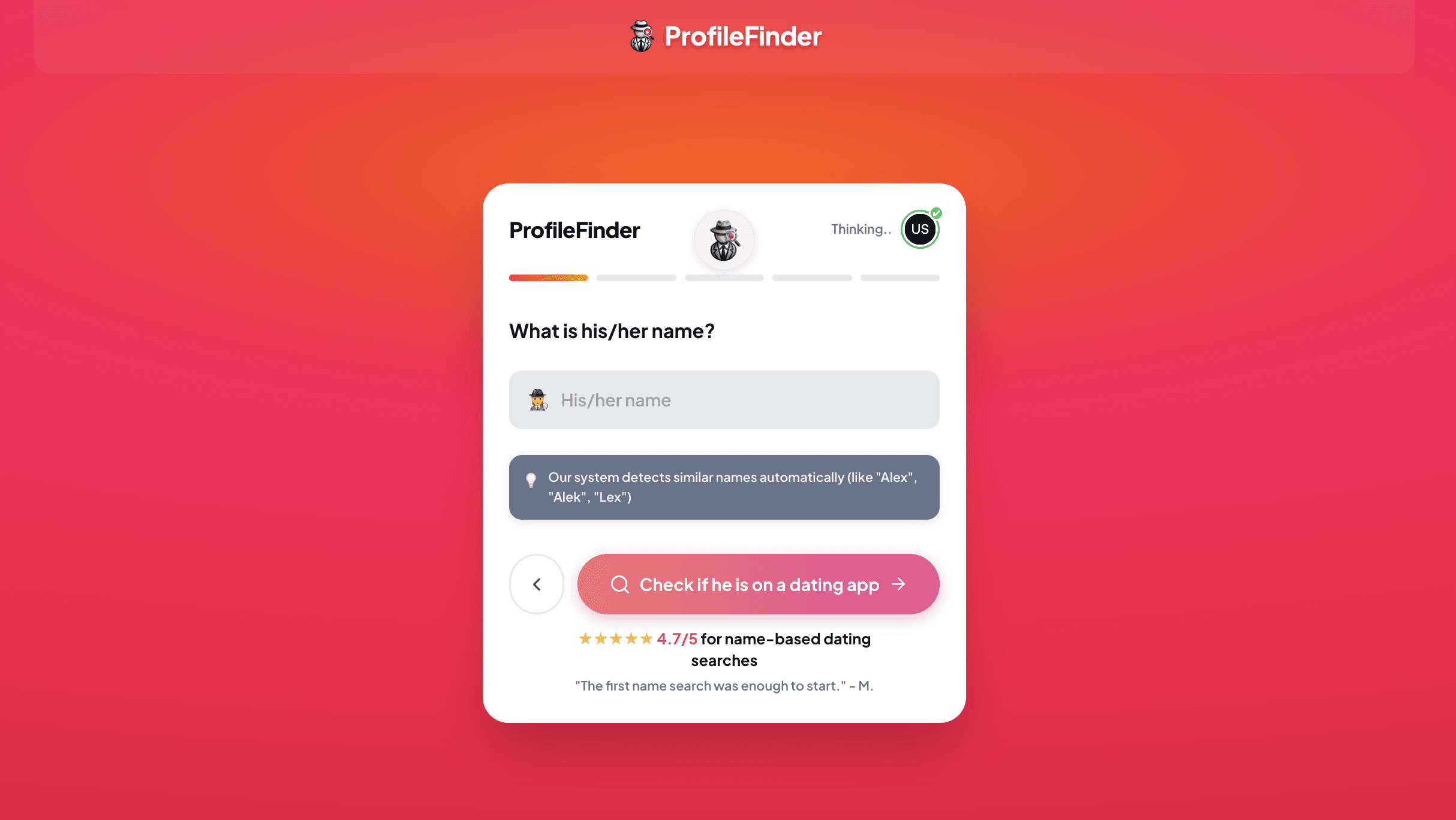
Step 2: Enter the first name you can verify
Input the person's real first name. Avoid guessing obscure aliases unless they are known to use them online. A common name will return multiple possible matches, making location and age essential filters.
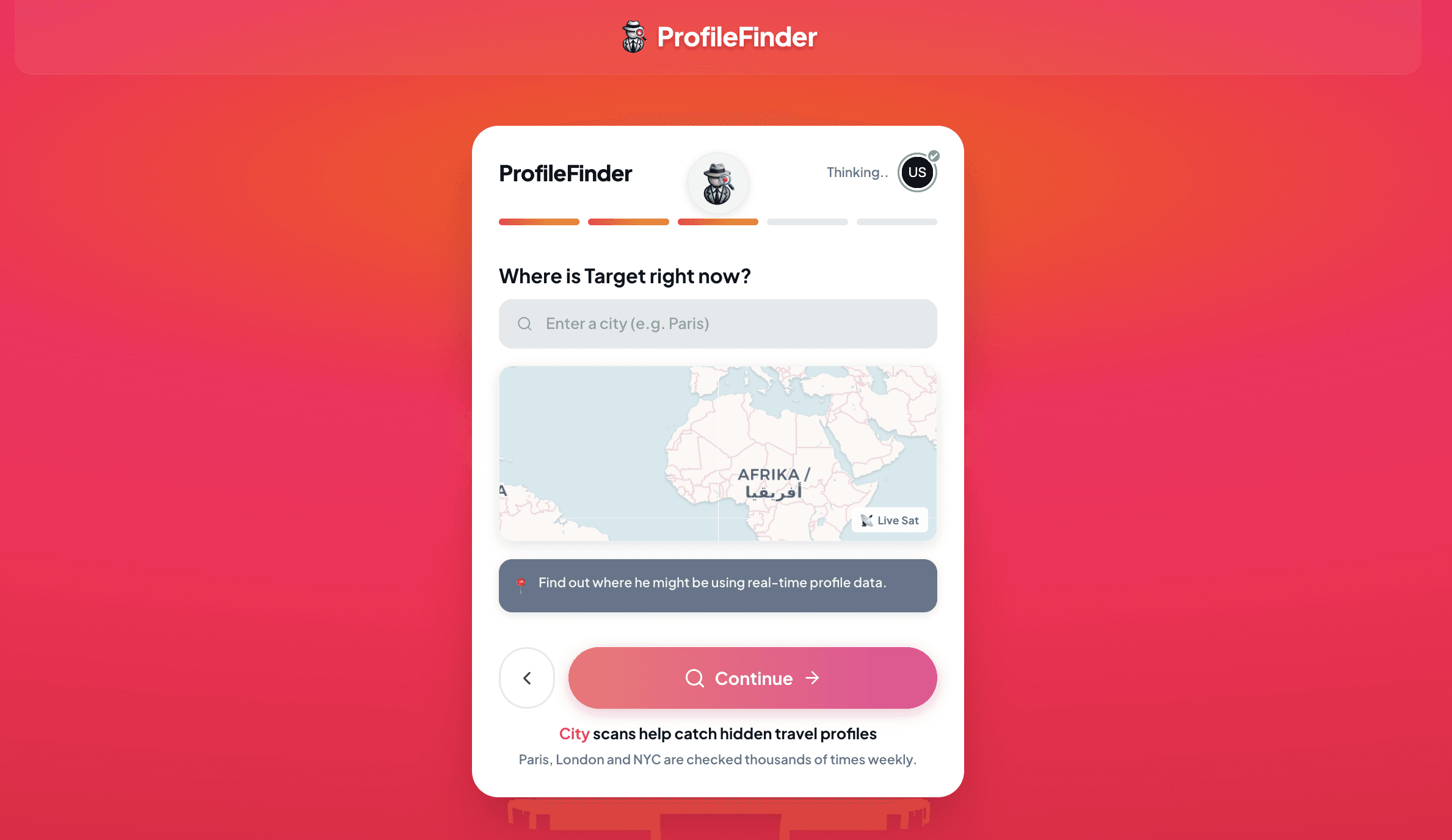
Step 3: Add an approximate age and location
Select the most accurate age and enter the city or metropolitan area where the person is most likely active. If your partner frequently travels for business, search both your home city and their frequent travel destinations.
Step 4: Launch the search
Submit the search to scan public dating network data across major platforms. The system compiles potential matches without accessing private messages or breaching device security.
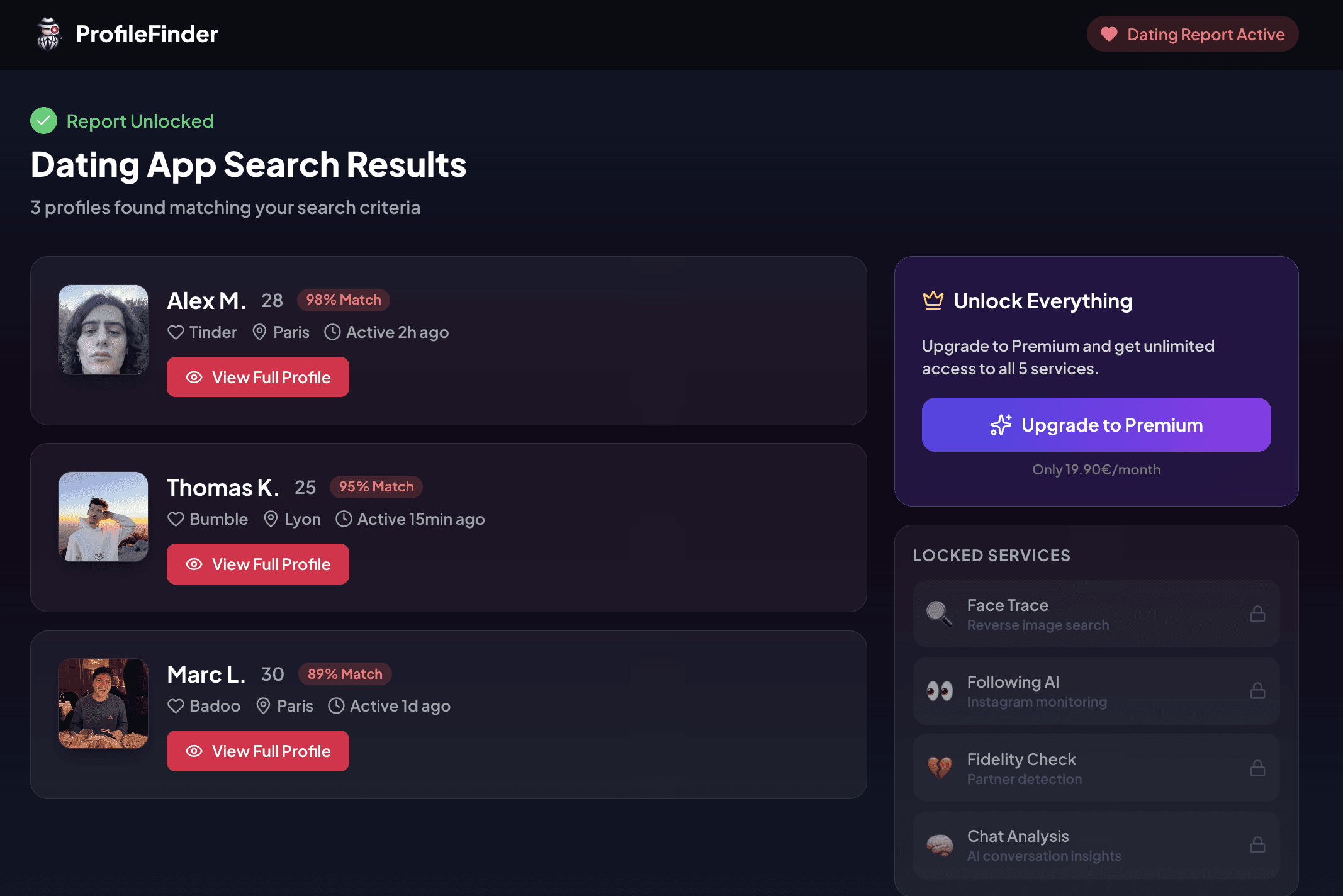
Step 5: Review possible matches and cross-check details
Review the profile cards carefully. Compare multiple independent data points—including photos, age, bio information, and city. Never rely on a single visual match or name similarity to draw definitive relationship conclusions.
1. Disguised Vault Apps (Calculator & Utility Clones)
Fake utility applications represent one of the oldest yet most persistent techniques for concealing sensitive media, private contacts, and illicit conversations. These apps appear on the home screen with innocuous names like Calculator+, Notes Pro, or Audio Manager.
How Fake Calculator Apps Function
When opened by an unsuspecting spouse, the application presents a fully functional calculator that performs addition, division, and standard equations. However, when the user types a secret numerical PIN followed by the percentage sign or equals button, the interface unlocks a hidden, encrypted directory.
Inside this encrypted vault, users can store private photo galleries, secret contact cards, separate notes, and even built-in web browsers that leave zero trace in Safari or Google Chrome search history.
Common Calculator Vault Apps to Recognize
Well-known examples across the Apple App Store and Google Play Store include Calculator# Hide Photos, Secret Photo Vault, and Privary. While some users install these for legitimate privacy (such as protecting scans of passports or financial tax forms), their presence in combination with guarded phone habits is often a significant warning sign.
2. Mainstream Messaging Apps Configured for Secret Conversations
Infidelity does not always require obscure software. Many individuals prefer mainstream messaging apps because their presence on a smartphone home screen looks completely ordinary. What differs is how the internal security settings are configured.
Telegram Secret Chats and App Passcode Locks
Telegram is widely used for discreet conversations because of its end-to-end encrypted "Secret Chats" feature. Secret chats do not synchronize to the cloud, cannot be forwarded, and support self-destruct timers ranging from one second to one week. Furthermore, Telegram allows users to set a dedicated local passcode lock, requiring Face ID or a PIN to view conversations even if the smartphone itself is unlocked.
WhatsApp Locked Chats and Disappearing Messages
WhatsApp includes a native "Chat Lock" feature that moves selected threads out of the main inbox into a hidden folder titled "Locked Chats." This folder only appears when pulling down on the chat list and requires biometric authentication. When a locked chat receives a message, notifications display only generic text such as "WhatsApp: 1 new message," hiding both the sender name and preview text.
Signal with Disappearing Messages and Incognito Keyboards
Because Signal retains zero metadata and provides industry-leading encryption, it is often adopted by people seeking total digital secrecy. Key features to note include disappearing messages that vanish automatically after being read, and incognito keyboard entry on Android, which blocks the operating system from learning typed words.
3. Social Media Platforms With Hidden Messaging Features
Romantic connections often initiate in casual social media spaces before migrating to private channels. Modern social networks have incorporated ephemeral chat features that leave few traces.
Instagram Vanish Mode and Secondary Profiles ("Finstas")
Instagram Direct Messages offer "Vanish Mode," which automatically deletes messages, photos, and videos as soon as the chat window is closed or both parties have seen them. In addition, users often maintain secondary, private accounts (frequently called "finstas") where they interact with romantic interests outside their family's knowledge.
Snapchat and the "My Eyes Only" Vault
Snapchat remains popular for secret relationships because messages and photos disappear after viewing by default. Furthermore, Snapchat includes a PIN-protected section called "My Eyes Only" inside the Memories tab. Photos stored here do not appear in the phone's standard camera roll and cannot be recovered without the passcode.
4. Dating Apps With Incognito and Travel Features
When someone actively browses dating apps while in a relationship, modern platforms offer premium features designed specifically to prevent them from getting caught organically by friends or coworkers.
Bumble Incognito Mode
Bumble offers an "Incognito Mode" for premium subscribers. When activated, the user's profile is hidden from the general swipe deck. It only becomes visible to people they have explicitly swiped right on, meaning friends or acquaintances swiping nearby will never see the profile.
Tinder Passport and Global Discovery
Tinder Passport allows members to set their location to any city worldwide. Someone planning a weekend business trip can swipe and arrange encounters days in advance, or browse profiles in another state without altering their physical GPS location. Tinder also features an Incognito Mode that hides profiles from anyone the user hasn't liked.
Discreet Adult Platforms (Feeld and Pure)
Apps like Feeld and Pure cater to casual encounters and alternative relationship dynamics. Pure automatically self-destructs all chats, photos, and messages after 24 hours, while Feeld allows users to hide their profiles from Facebook friends and browse anonymously.
Objective Technical Indicators on iOS and Android (Without Spyware)
You do not need to install invasive monitoring tools or secretly read private messages to notice objective technical signs that secret apps exist on a device. Operating systems provide built-in transparency logs.
1. App Store and Google Play Download History
On an iPhone, open the App Store, tap the user avatar, and select "Purchased." Look for apps with a cloud download icon next to them. This icon indicates that the app was downloaded under that Apple ID in the past, even if the app was recently deleted from the home screen. A similar download library exists in Google Play under "Manage apps & device."
2. Battery Usage and Screen Time Activity Logs
Operating systems track battery usage objectively by app:
iOS: Go to Settings > Battery and review app battery consumption over the past 24 hours and past 10 days. Tap "Show Activity" to view exact minutes spent on screen and in the background. If unfamiliar utility apps or web browsers show hours of activity at odd times, it warrants attention.
Android: Go to Settings > Digital Wellbeing to view a breakdown of screen time, notification counts, and app launch frequencies.
3. Suppressed Notification Banners and Blank Previews
If a smartphone consistently receives notifications showing only "Notification" or generic banners without preview text, the owner has explicitly set notification previews to "When Unlocked" or "Never." While common for privacy-conscious professionals, combined with guarded physical habits it can indicate secret communication.
Why You Should Never Install Spyware or Monitoring Software
Online searches for cheating apps frequently surface advertisements for mobile monitoring software such as mSpy, Eyezy, or FlexiSPY. Installing these tools on an adult partner's phone without their informed consent is illegal in most jurisdictions under federal wiretapping statutes (including the U.S. Electronic Communications Privacy Act) and computer crime laws.
Beyond legal liabilities, commercial spyware presents serious security risks. These apps frequently leak captured media and location logs to unencrypted servers, exposing your family's personal data to cybercriminals. Lawful investigation relies on open-source intelligence and public records—not unauthorized device compromise.
The Evidence Ladder: From Suspicion to Verified Facts
Discovering an unfamiliar app icon or hidden folder is an observation, not a definitive conclusion. Use the evidence ladder below to keep your assessment objective and proportional.
| Evidence Stage | Observation | What It Supports | What It Does NOT Prove |
|---|---|---|---|
| Level 1: Suspicious App Icon | A calculator vault or encrypted messenger is installed | The user values digital privacy or has hidden files | Infidelity, secret dating, or dishonesty |
| Level 2: Concealed Activity | Locked chat folders, cleared browser history, odd battery spikes | Deliberate secrecy or confidential professional communication | An extramarital affair or romantic involvement |
| Level 3: Public Dating Profile | Profile on Tinder or Bumble matching photo, age, and city | An active or dormant account was registered with their details | Current physical infidelity or broken agreements |
| Level 4: Verified Current Engagement | Recent activity timestamps, consistent current photos, direct communication | Objective basis for a serious, calm relationship conversation | A justification for hostile retaliation or unlawful surveillance |
What to Do if You Find Concerning App Activity
Do not retaliate or make immediate accusations. Acting on adrenaline often leads to angry denials, deleted evidence, and emotional damage if there is an innocent explanation.
Document objective details calmly. Note the app name, where you saw it, and specific behavioral inconsistencies without seizing or hacking their phone.
Verify public digital records first. If the suspicion involves dating apps, run a lawful search on ProfileFinder to see if public dating profiles exist.
Schedule an uninterrupted conversation. Frame the discussion around observable facts and relationship feelings rather than forensic cross-examination.
Prioritize your emotional well-being and safety. If the situation involves deception, gaslighting, or financial distress, consult a licensed relationship counselor or legal professional.
Frequently Asked Questions
What is the most popular hidden cheating app?
Disguised calculator vaults (such as Calculator# and Secret Photo Vault) and mainstream encrypted messengers with locked chat folders (Telegram and WhatsApp) are the most widely used tools for secret communication.
Can someone hide dating apps completely on an iPhone?
Yes. On iOS, users can remove an app from the home screen so it only appears in the App Library, hide notifications from the lock screen, or use Face ID to lock the app behind iOS 18's native app lock feature.
Does deleting a dating app delete the profile?
No. Deleting the app from a phone merely removes the client software. The profile, photos, and match history remain active on the platform's servers until the user explicitly navigates to account settings and taps 'Delete Account.'
What does a calculator app with a passcode mean?
It is a vault app designed to store private photos, videos, contacts, or browser tabs behind a PIN. While sometimes used for sensitive work documents, it is commonly used to hide secret personal media.
How can I tell if my partner downloaded Tinder in the past?
Check the App Store or Google Play Store download history. If Tinder or Bumble has a cloud icon with a downward arrow instead of 'Get', it was downloaded under that account previously.
Are secret chats on Telegram backed up to iCloud or Google Drive?
No. Telegram Secret Chats are device-specific and end-to-end encrypted. They do not synchronize with Telegram's cloud servers or standard phone backups.
Is it legal to put a tracking app on my spouse's phone?
No. Installing spyware, keyloggers, or hidden tracking software on a device without the owner's explicit knowledge and consent violates federal wiretap and computer access laws.
Can ProfileFinder tell me what apps are installed on a phone?
No. ProfileFinder does not interact with or access private phones. It searches publicly accessible dating profiles across major networks using name, age, and location parameters.
What should I do if I find a cheating app on my partner's phone?
Pause and avoid an emotional confrontation. Take note of what you observed, verify whether active dating profiles exist, and prepare for a direct, calm conversation about transparency.
Can an old dating profile remain online if the person is inactive?
Yes. Many dating platforms keep dormant profiles in their databases for months or years unless the account is permanently deleted. Always check for recent activity markers before assuming active infidelity.
📚 Related Readings
Best Apps to Catch a Cheater in 2026: Tools & Methods Compared
How to Catch a Cheating Spouse: Signs, Dating Apps & Ways to Verify
When investigating suspected infidelity, always prioritize verified facts over unchecked assumptions. Start with a lawful, objective search on ProfileFinder's Cheater Finder to clarify whether dating accounts exist.