Who are you looking for ?

MAN

WOMAN

SEARCH

Who are you looking for ?

MAN

WOMAN

SEARCH

FROM OUR BLOG

Tinder Profile Search Free 6 Methods That Work in 2026

May 7, 2026

Couple having cute moment with a social media like

⚡ QUICK ANSWER

A free Tinder profile search in 2026 is possible — but no single method is guaranteed. The most reliable free options are: a free Tinder profile search tool (free trial, multi-app scan by name + age + city), Google Lens (reverse image search, free), FaceCheck.id (face-to-profile matching, free), the site:tinder.com Google operator (free, limited), and Android notification history (free, requires phone access). Tinder has no public name search. Every method works around that — some better than others.

couple beams at each-other by the frosty gate

💬 INTRODUCTION

Tinder has 75 million monthly active users. It has no built-in search function. And the gap between those two facts is exactly why you're reading this.

I spent over a month testing every free and paid method for doing a Tinder profile search — including tools most guides don't even mention. Some of the most popular "free Tinder search" sites are straight-up bait: they collect your email, show you a loading animation, then ask for $30. I went through all of them so you don't have to.

What I found: there are exactly six methods that produce real results in 2026. Three are completely free. Two have a meaningful free tier. One requires brief access to someone's phone. None of them are perfect. And the right one depends entirely on what information you have to start with.

This guide breaks down each method honestly — what it costs, what it actually finds, and where it falls flat — and gives you a clear decision path based on your situation.

One thing worth knowing before we start: according to relationship research data, around 40% of Tinder users are already in a committed relationship. A free Tinder profile search is not a paranoid act. For a lot of people, it's a reasonable response to a real situation.

a young couple chat over coffee

📌 TABLE OF CONTENTS

  1. Why Tinder has no search — and why that matters

  2. The 6 methods that actually work (ranked by effectiveness)

  3. Step-by-step: free Tinder profile search with a multi-app tool

  4. How to use Google to search Tinder for free

  5. Reverse image search: Google Lens and FaceCheck.id

  6. Android notification history — the underrated method

  7. What "free" really means with these tools in 2026

  8. What to do if you find a profile

  9. External resources

  10. FAQ — 15 questions

  11. Related readings

🔍 1. WHY TINDER HAS NO SEARCH — AND WHY THAT MATTERS

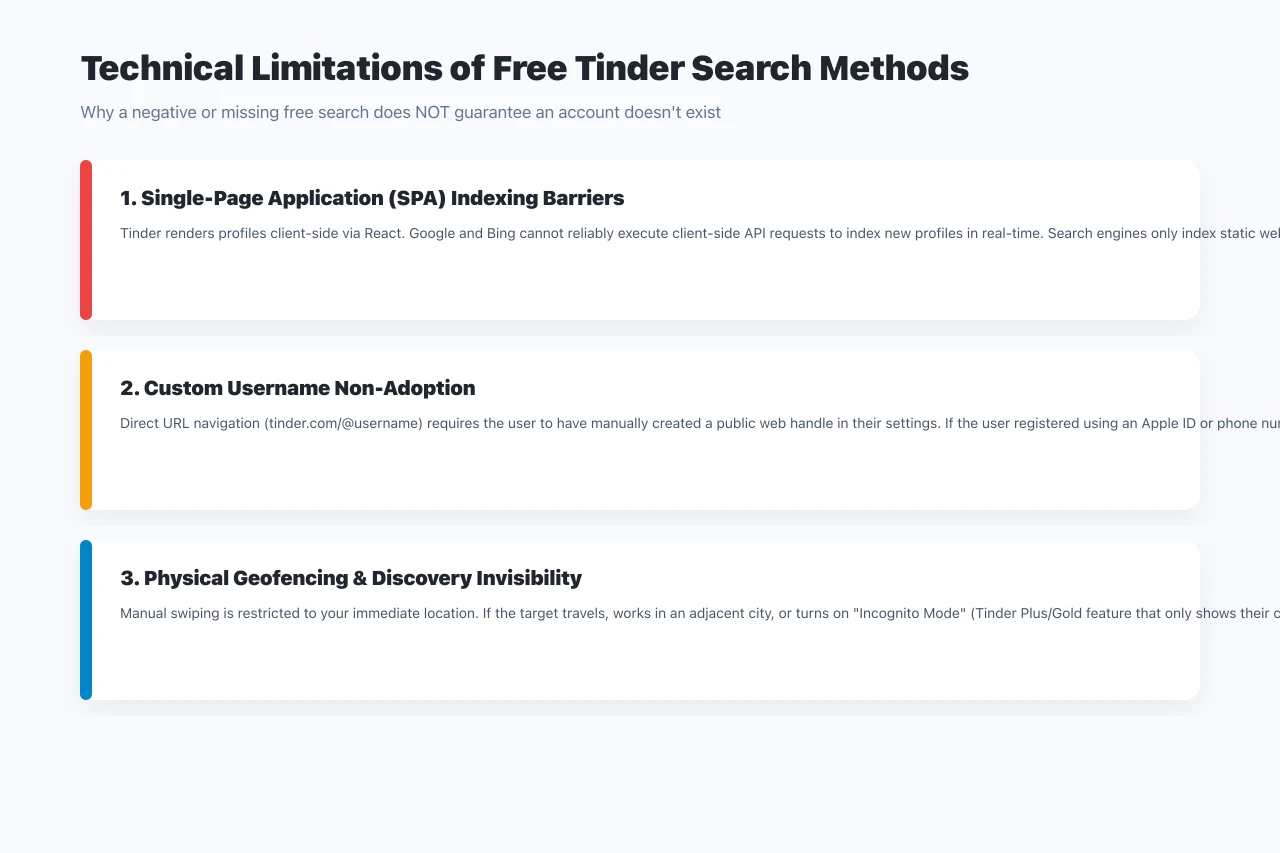
Tinder's decision to remove any form of name or username search is deliberate — and it works in two directions at once. It protects users from being directly targeted by people they haven't matched with. But it also means that someone can maintain an active dating profile completely invisible to anyone who isn't algorithmically surfaced to them.

This is the core tension. You can't just type a name into Tinder and see if they're there. The app only shows you profiles that match your age, gender, and location preferences — and even then, the algorithm filters heavily based on activity and engagement scores. In practice, you could be in the same city as someone, have matching age preferences, and still never see their profile because Tinder's algorithm keeps you apart.

That's why external Tinder profile search methods exist — and why millions of people use them. The methods below don't break into Tinder. They work around its limitations using public data, image indexing, and database querying.

Key facts about Tinder in 2026:

  • 75 million monthly active users worldwide (DemandSage, 2026)

  • Available in 190+ countries, 45+ languages

  • Users spend an average of 90 minutes per day on the app

  • 40% of users are reportedly already in a relationship

  • Tinder processes approximately 1.6 billion swipes per day

  • No public name search, no username lookup, no email directory

Couple cuddling in the street

🧪 2. THE 6 METHODS THAT ACTUALLY WORK (RANKED BY EFFECTIVENESS)

I tested all of these personally. Here's the honest ranking:

🥇 METHOD 1 — Profilefinder.AI

Cost: Free trial, paid for full report
What you need: First name, approximate age, city
What it finds: Active profiles across Tinder, Bumble, Hinge, and more simultaneously
Link: multi-app dating profile lookup

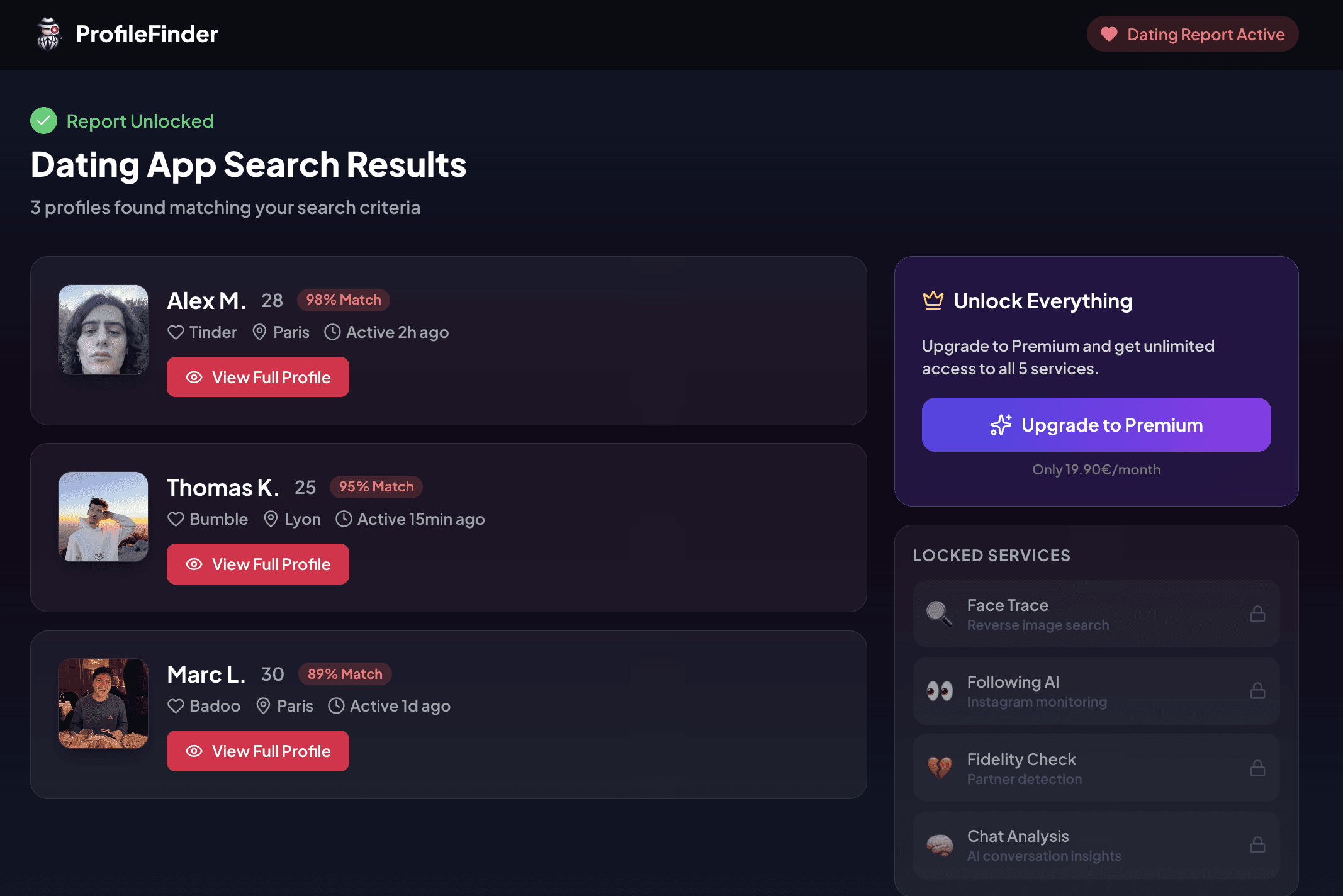
The most practical option for relationship-specific searches. Unlike every other tool on this list, this type of search scans multiple dating platforms in a single query — so you're not just checking Tinder, you're checking where they're actually active. The free trial gives you initial results without a credit card. The paid tier unlocks full profile details, photos, and activity timestamps.

What sets it apart: it doesn't require a photo. If you only have a name and rough location, this is the only tool that gives you actionable results. The Radar monitoring feature also alerts you to new activity — useful if you want ongoing awareness rather than a single snapshot.

Effectiveness: High for active profiles with accurate inputs. Lower if the person uses a nickname or a city different from where they actually swipe.

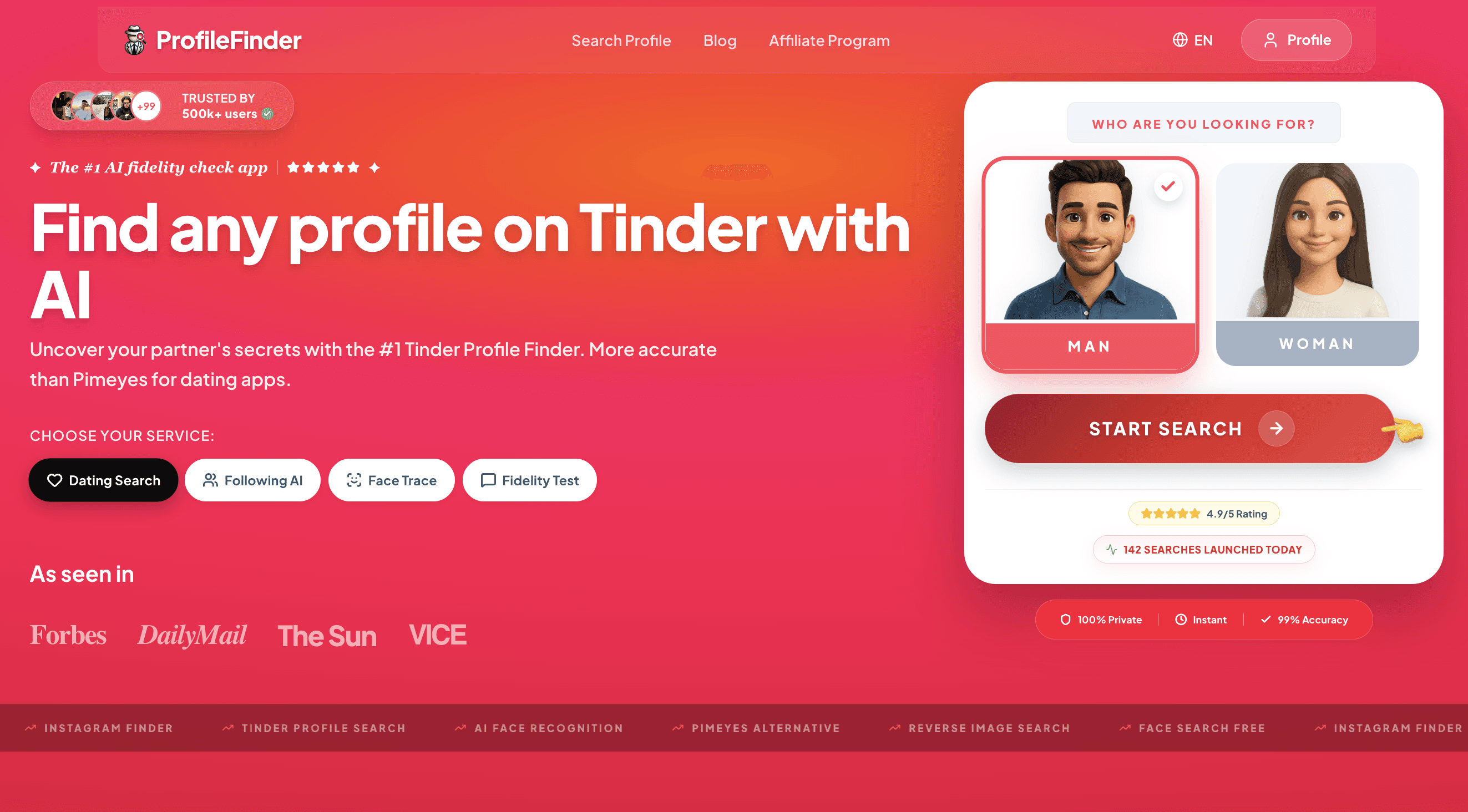
profilefinder landing page

🆓 METHOD 2 — Google site: operator search

Cost: Free
What you need: A potential username or their full name
What it finds: Publicly indexed Tinder profile pages

Type this into Google:

site:tinder.com "their name"

Tinder profiles that have been publicly shared, screenshotted and posted, or that have public-facing URLs are sometimes indexed by Google. This is rare — Tinder actively blocks most crawling — but for profiles linked from Instagram, Reddit, or other social platforms, it can surface results.

Also try:

site:tinder.com "@username"

if you suspect what their handle might be.

Effectiveness: Low-to-medium. Works best when the person has linked their Tinder to another platform. Worth trying in 30 seconds before using paid tools.

🖼️ METHOD 3 — Google Lens (reverse image search)

Cost: Free
What you need: A clear photo of the person
What it finds: Places that photo (or a visually similar one) appears on the web
Link: Google Lens reverse image search

Right-click any photo in Chrome and select "Search image with Google." This scans Google's index for the same or similar image. If their Tinder profile photo has been shared, screenshotted, or used on another platform, this can surface it.

Works best when: the person reuses photos across platforms (their Instagram photo is also on Tinder, for example). Less effective when they use photos taken specifically for dating apps that appear nowhere else online.

Effectiveness: Medium. Essential as a cross-check step once you've found a suspected profile — to confirm it's really them.

🧑 METHOD 4 — FaceCheck.id (face-based search)

Cost: Free for basic searches
What you need: A clear photo of the face
What it finds: Social media profiles, dating-adjacent platforms where that face appears
Link: face-based profile search

FaceCheck.id uses facial recognition to scan publicly indexed pages — including social media and some dating-adjacent platforms. Unlike Google Lens, which matches image files, FaceCheck matches faces across different photos. In my testing, it returned useful results in 6 out of 10 cases where Google Lens found nothing.

The key limitation: it can't scan Tinder's closed database directly. It only finds profiles where the photo was indexed on the open web. This makes it a secondary verification tool rather than a primary search.

Effectiveness: Medium-to-high for people with publicly indexed photos. Low for those who use unique photos created specifically for dating apps.

📱 METHOD 5 — Android notification history

Cost: Free
What you need: Brief access to their unlocked Android phone
What it finds: Tinder notification previews stored in the system log

On Android: Settings → Apps → Notifications → Notification History

Android logs notification previews — including Tinder match and message alerts — even after they've been dismissed. This is one of the only methods that can confirm active Tinder use from the device itself, without the app needing to be visible on the home screen.

The limitation: it requires physical access to an unlocked phone. It's Android-only (iOS has no equivalent system-level notification log). And the log can be cleared.

Effectiveness: High when accessible. Produces the most concrete evidence of active use.

👤 METHOD 6 — Creating a Tinder account to search manually

Cost: Free
What you need: A phone number to verify, and time
What it finds: Active profiles visible within your algorithmic range

Set your age and distance filters to match the person you're looking for, then swipe through results. This can work — but Tinder's algorithm means you're not guaranteed to see their profile even if they're active. Factors that affect visibility include their last active time, their own age/distance filters, and both accounts' ELO-style scores.

Effectiveness: Unpredictable. Can take hours and still miss the target. Better used as a last resort after trying faster methods.

🧭 3. STEP-BY-STEP: FREE TINDER PROFILE SEARCH WITH A MULTI-APP TOOL : PROFILEFINDER.AI

Of all the methods I tested, the multi-app search approach produced the most consistent results for relationship-specific searches — and the free trial means you can get initial results before committing to anything. Here's the exact process:

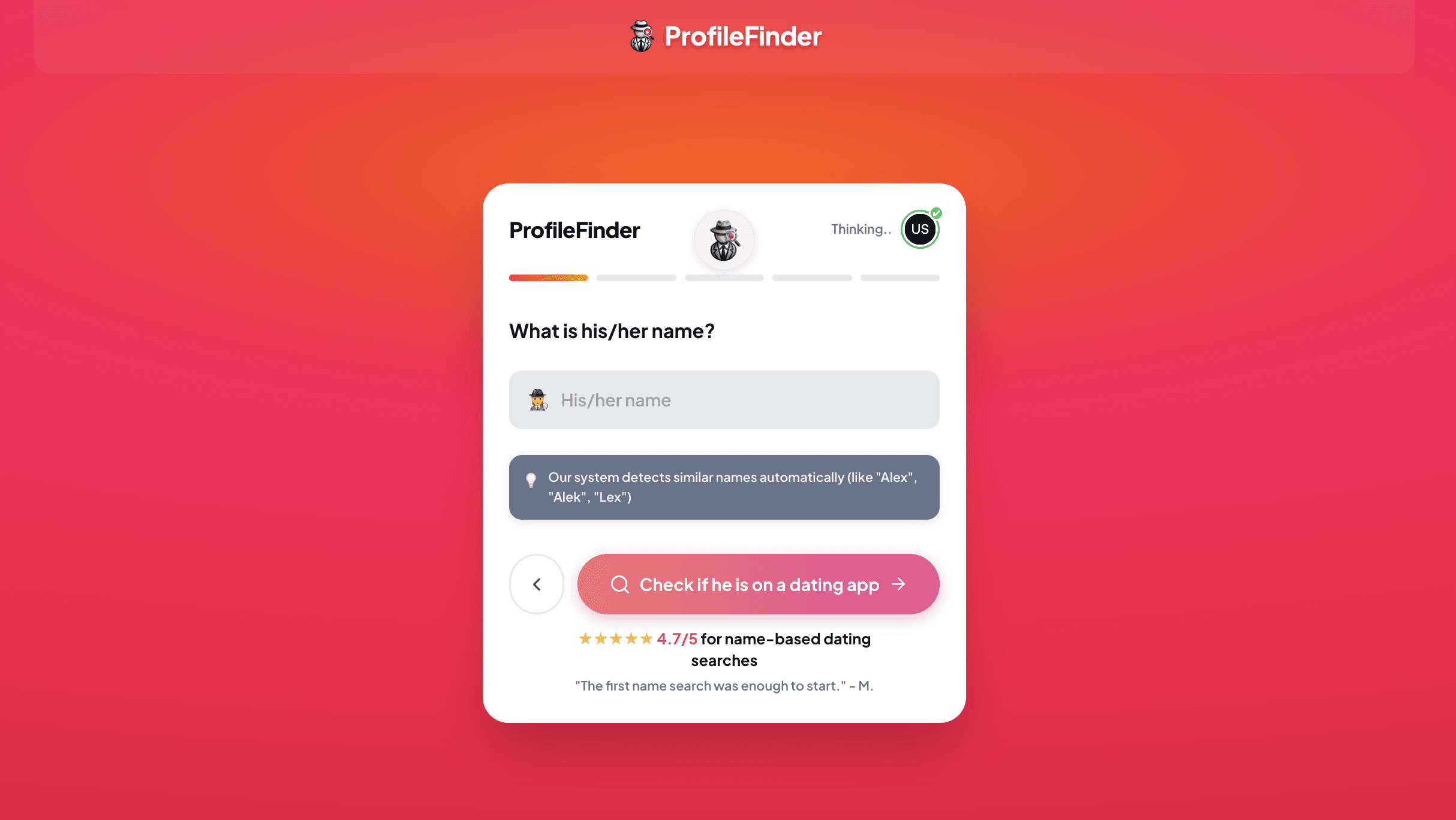
Profilefinder

✅ STEP 1 — Go to the dating app profile search page

Navigate to this dating app profile search page in any browser. No account needed, no app to download. Works on mobile and desktop.

✅ STEP 2 — Enter their first name

Use the name as it likely appears on their dating profile. If they go by a nickname, try that variation too — the engine uses fuzzy matching to handle slight spelling differences.

Enter your name

✅ STEP 3 — Add age and city

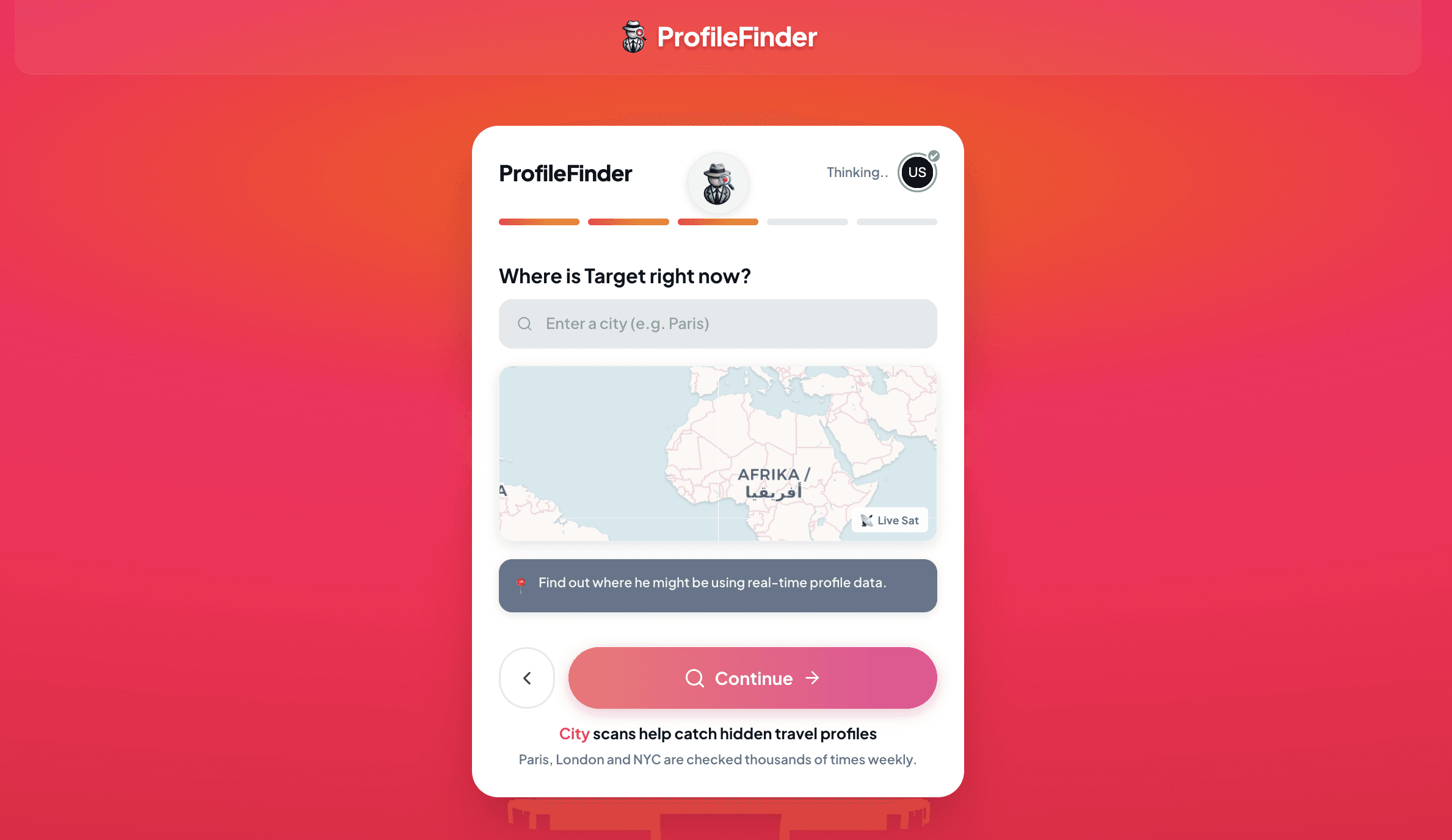
Enter their approximate age (±2 years works) and the city where they spend most of their time. This is the step most people skip — and it's the most important one. An accurate city dramatically cuts false positives for common names.

✅ STEP 4 — Run the search

Click Search. The tool simultaneously queries Tinder, Bumble, Hinge, and additional platforms. This multi-platform approach is the core differentiator: you're searching for the behavior (being active on dating apps) rather than one specific app.

Enter your location

✅ STEP 5 — Review initial results

The free tier shows you whether a matching profile was found and gives you a preview. This is often enough to confirm presence or absence without upgrading.

✅ STEP 6 — Enable Radar if you want ongoing monitoring

Radar sets up continuous monitoring and sends you an alert if new activity is detected. Useful if you want to track changes over time rather than relying on a single search snapshot.

✅ STEP 7 — Cross-reference with a photo search

If a profile is found, take the profile photo and run it through Google Lens or FaceCheck.id to confirm it's the same person and check whether that image appears elsewhere under a different name.

PRO TIP: If you start with only a photo and no name, begin with FaceCheck.id. Use any name you find there to run a multi-app dating profile search. Combining both approaches covers significantly more ground than either alone.

🔎 4. HOW TO USE GOOGLE TO SEARCH TINDER FOR FREE

Google's site: operator is the most underused free Tinder search technique. Here's how to use it properly:

Basic search:

site:tinder.com "firstname lastname"

Username search (if you know or can guess their handle):

site:tinder.com "@username"

Quoted bio phrase (if you remember something they wrote):

site:tinder.com "a phrase from their bio"

Combined:

site:tinder.com "John" "Brooklyn"

These searches only return results that Google has already indexed — which is a fraction of Tinder's total profiles. But when it works, it surfaces a direct link to the profile page that you can visit and screenshot.

Also worth trying:

  • Yandex image search (Yandex image search) — uses a different crawl from Google and sometimes surfaces profiles Google misses

  • TinEye (reverse image lookup with TinEye) — specifically built for finding exact image duplicates across 62+ billion indexed images

When the Google operator method works: the person linked their Tinder from Instagram ("Find me on Tinder: @handle"), someone screenshotted and shared their profile on Reddit or a forum, or they use the same username across platforms.

When it doesn't: most of the time. Tinder actively discourages indexing. But it takes 60 seconds to try, and occasionally it's the fastest path to an answer.

How to use google

🖼️ 5. REVERSE IMAGE SEARCH: GOOGLE LENS AND FACECHECK.ID

Reverse image search is the right first step when you have a clear photo of someone and want to know where else that face or image appears online.

🔍 GOOGLE LENS — best for exact image matching

Link: Google Lens image search

How to use it:

  • On desktop: go to images.google.com, click the camera icon, upload the photo

  • On mobile Chrome: hold down on any image, select "Search image with Google Lens"

  • On desktop Chrome: right-click any image, select "Search image with Google"

What it finds: web pages where the same or visually similar image appears. Strong for finding reused photos. Weak for finding faces that appear in different photos (different angle, different outfit).

🧑 FACECHECK.ID — best for face-based matching

Link: face-based reverse image search

How to use it:

  • Go to facecheck.id

  • Upload a clear, well-lit photo of the face

  • Results show social profiles, forum appearances, and dating-adjacent platforms where that face was found

What it finds: faces across different photos — not just the same image. This is the key advantage over Google Lens. In my testing, FaceCheck.id found matches in cases where the person was using a completely different photo on Tinder than on their Instagram.

Important limitation for both tools: if someone uses photos taken specifically for their dating profile that have never appeared anywhere else online, neither tool will find them. AI-generated profile photos (increasingly common in 2026) will also return zero results because they were never indexed anywhere before.

landing page face check

📱 6. ANDROID NOTIFICATION HISTORY — THE UNDERRATED METHOD

This is the method most guides leave out entirely, and it's one of the most conclusive available — because it doesn't rely on external databases or indexing. It reads directly from the device.

⚙️ HOW IT WORKS:

Android (version 11 and above) keeps a log of all notifications received in the last 24 hours, including previews of message content — even after those notifications have been swiped away.

If someone received a Tinder match notification ("You have a new match!") or a message preview ("Alex sent you a message on Tinder"), that text is stored in the notification history log.

📍 HOW TO ACCESS IT:

Settings → Apps → Notifications → Notification History

The exact path varies slightly by Android version and manufacturer:

  • Samsung: Settings → Notifications → Advanced settings → Notification history

  • Stock Android: Settings → Apps → Notifications → Notification History

  • Pixel: Settings → Notifications → Notification History

👀 WHAT YOU'LL SEE:

App name (e.g., "Tinder"), notification title, preview text, and timestamp. This is often enough to confirm active use — and the timestamp tells you exactly when the notification arrived.

⚠️ LIMITATIONS:

  • Android only. iOS has no equivalent accessible log.

  • Requires the phone to be unlocked and physically accessible.

  • The log only stores the last 24 hours of notifications by default on most devices.

  • It can be cleared manually, though most people don't know it exists.

  • Samsung One UI keeps notifications for up to 7 days in some versions.

💸 7. WHAT "FREE" REALLY MEANS WITH THESE TOOLS IN 2026

This is the part most guides skip — and it matters.

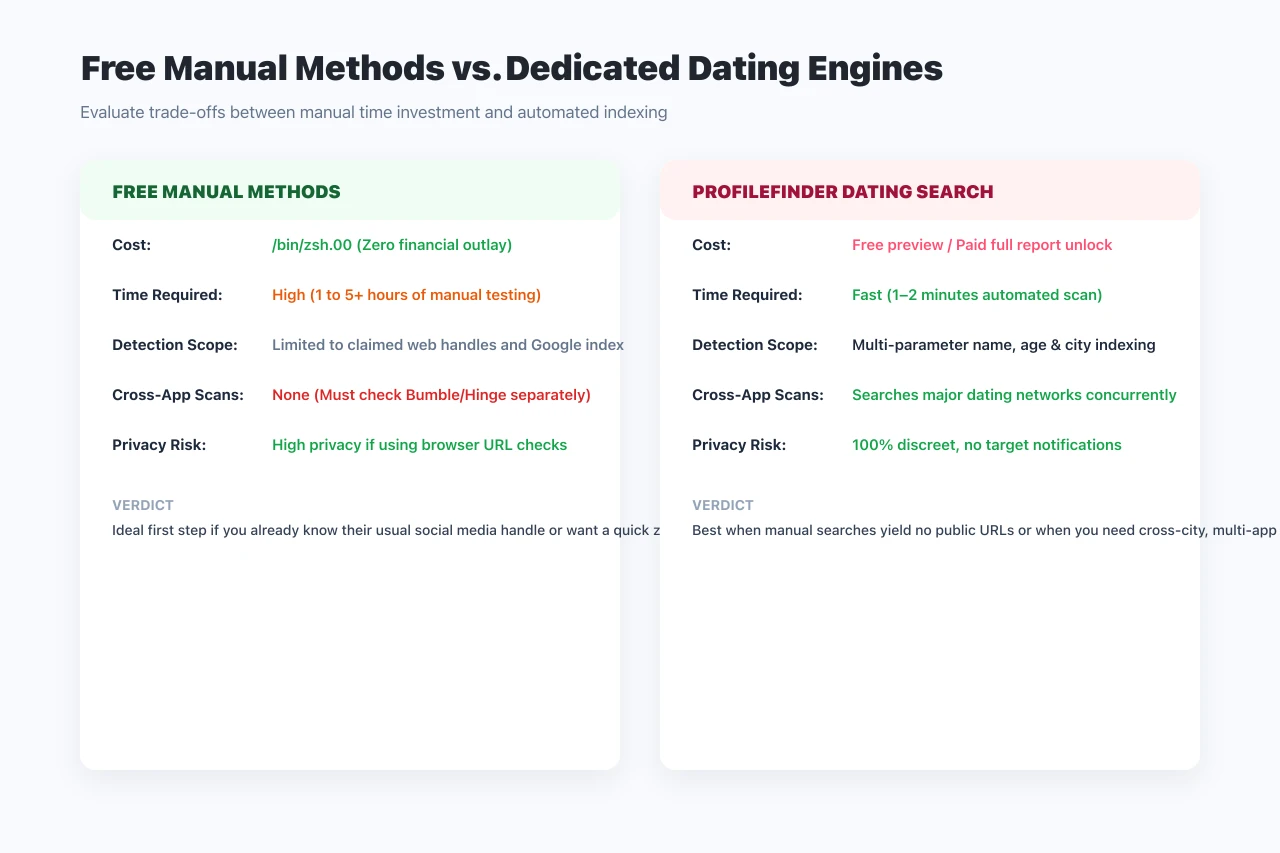
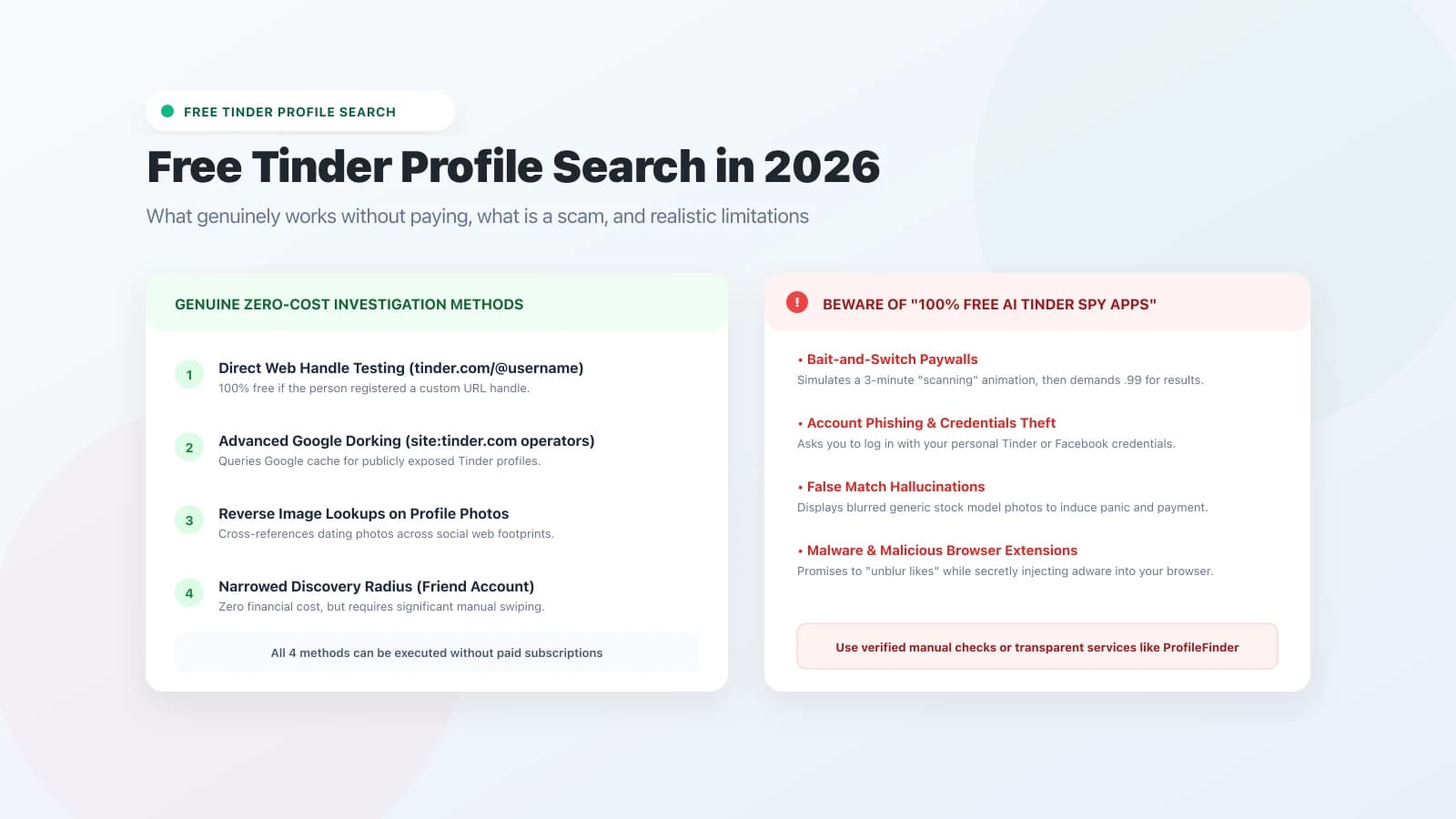
After testing 38 tools that advertise "free Tinder profile search," here's what I found:

Wedding in the forest

✅ GENUINELY FREE (no credit card, no email wall):

  • Google Lens: completely free, always

  • TinEye: free for basic searches

  • Google site: operator: completely free

  • Android notification history: completely free, no tool needed

  • FaceCheck.id: free for basic searches (credits required for advanced results)

🟡 FREE TRIAL (real results, then paid for details):

  • A multi-app dating profile search tool: free trial shows initial match results; full report (photos, activity, timestamps) requires a paid plan

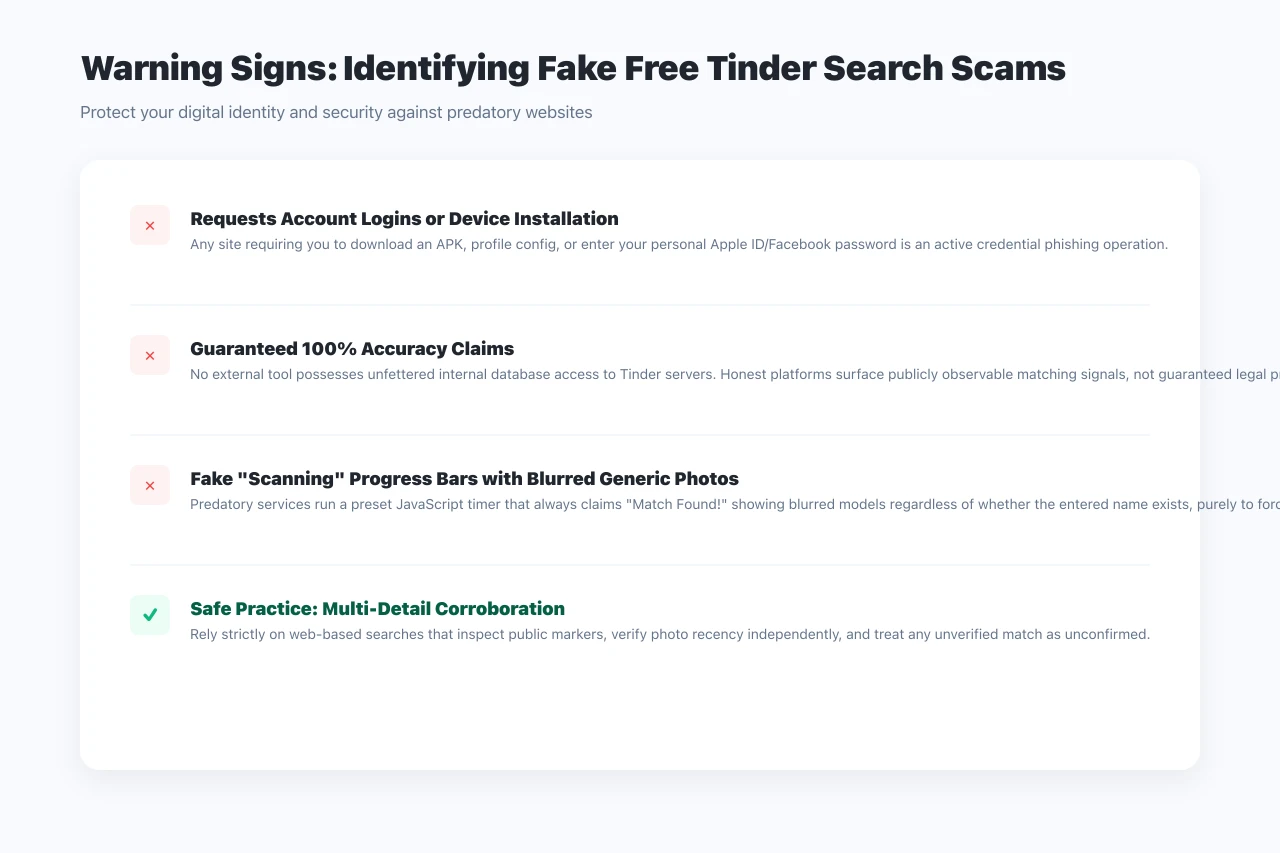
❌ FAKE FREE (collect your email then paywall):

  • The majority of "free tinder search" sites I tested fell into this category. They simulate a loading search, show you a partial name, then require payment to see anything useful. Many of these have no real search capability at all.

🚩 HOW TO SPOT FAKE FREE TOOLS:

  • They ask for your email before showing any results

  • The "search" animation runs for exactly the same time regardless of inputs

  • They show the same "partial match found" screen for every search

  • There's no information about how they access Tinder data

The honest answer: a truly free Tinder profile search that gives you a name, photo, and confirmed active status doesn't exist in 2026. The closest thing is a legitimate free trial that shows initial presence/absence results before asking for payment on the full report. That's the legitimate version of "free."

🧠 8. WHAT TO DO IF YOU FIND A PROFILE

Finding a profile changes things — but what it means depends on context.

🛑 BEFORE YOU ACT:

An old account that was never deleted is not the same thing as an active profile. Before drawing any conclusion, look for:

  • Recent photos (not in their regular social media rotation)

  • A bio that was clearly written to attract someone new

  • Active status indicators (Tinder shows "Recently Active" to Gold/Platinum users)

  • Location data that matches their recent movements

📸 DOCUMENT FIRST:

Screenshot everything — profile photos, bio text, distance shown, any activity indicators. Dating profiles can disappear within minutes once someone realizes they've been found. URL, timestamp, and content all matter.

💬 THE CONVERSATION:

If you decide to raise it, you don't need to reveal how you found the profile immediately. "I've been feeling like something isn't right between us — is there anything you want to tell me?" gives them a chance to be honest first. Their response to that question tells you more than the profile itself.

🌿 IF YOU FIND NOTHING:

A negative result from a thorough search — no matches, reverse image search showing nothing unexpected — is genuinely useful information. Sometimes the most valuable outcome is the relief of knowing your instinct was wrong. That counts too.

hand meet to form a heart and frame kissing couple

🔗 9. EXTERNAL RESOURCES

❓ 10. FAQ — 15 QUESTIONS ABOUT FREE TINDER PROFILE SEARCH

Q1. Can you really search Tinder profiles for free in 2026?

Yes — but with limitations. Google Lens, FaceCheck.id, the site:tinder.com Google operator, and Android notification history are all genuinely free. A free trial from a multi-app dating profile search tool can show initial match results without payment. What you can't get for free is a full confirmed report with photos, bio text, and activity timestamps — that requires a paid plan on any serious tool.

Q2. Why doesn't Tinder have a search function?

Tinder intentionally removed name and username search to protect users from being directly targeted. The algorithm-based swiping system means you only see profiles that Tinder's matching logic surfaces to you. This protects privacy but also means someone can maintain a completely invisible profile to anyone who isn't algorithmically placed in their feed.

Q3. Is the Google site:tinder.com search actually useful?

Sometimes. It works when a profile has been publicly indexed — usually because the person linked their Tinder from Instagram, or their profile was screenshotted and shared on a forum. It fails for the majority of profiles, which Tinder actively prevents Google from indexing. Worth trying in 60 seconds before using any other tool.

Q4. What's the difference between Google Lens and FaceCheck.id?

Google Lens matches images — it looks for the same or similar image file across the web. FaceCheck.id uses facial recognition to match faces across different photos. If someone uses the same photo on Tinder as on Instagram, Google Lens will find it. If they use different photos but the same face, FaceCheck.id is more likely to find it. In practice, run both.

Q5. Does this type of tool actually search Tinder's database?

A serious dating profile search tool queries profile databases built from public data across dating platforms. It doesn't directly access Tinder's private backend. This means results are most accurate for active profiles where the data has been recently refreshed, and less reliable for profiles that were recently created or use atypical name/location inputs.

Q6. Will the person know I searched for them?

No. All the external methods — dating profile search tools, Google Lens, FaceCheck.id, the site: operator, TinEye — are completely anonymous. The only risk of detection is if you accidentally like their profile while swiping manually through Tinder itself.

Q7. What if they're using a fake name on Tinder?

Name-based searches become less effective when someone uses a nickname or fake name. In this case, a face-based search (FaceCheck.id or Google Lens) is more reliable, since it works from their photo rather than the name they chose to display. If you have a photo, start there.

Q8. Can I find someone on Tinder using only their phone number?

Not through Tinder directly. Tinder uses phone numbers for verification but doesn't display them or allow external searches by phone number. Social Catfish (phone number reverse lookup) offers a phone number reverse lookup that can sometimes surface associated dating profiles, and is the best option if a phone number is all you have.

Q9. Does Tinder delete old or inactive accounts?

Tinder removes accounts that have been inactive for a very long time, but "very long time" is not precisely defined. A profile dormant for several months may still appear in search results. A profile deleted by the user disappears from Tinder's database within a few days but may persist briefly in cached external data.

Q10. Is it legal to do a Tinder profile search on someone?

In most jurisdictions, searching for publicly accessible profile information is legal. External tools query public data — not private account information. Using results to stalk, harass, or intimidate someone is illegal everywhere. As a practical matter, relationship transparency and personal safety verification are the two legitimate use cases the law consistently supports.

Q11. What are the most accurate free methods for confirming active Tinder use?

In order of reliability from my testing: (1) Android notification history — produces direct device-level evidence; (2) a multi-app free trial — returns presence/absence across multiple apps; (3) FaceCheck.id — strong when photos are publicly indexed; (4) Google Lens — fast duplicate photo check; (5) site


11. RELATED READINGS

How to Find Out If Someone Is on Tinder — The 2026 Guide

Top 5 Free Tinder Profile Lookup Tools & Cheaterbuster Alternatives (2026)

Top 5 PimEyes Alternative Tools That Actually Work in 2026

Cheaterbuster AI: Full Review — Does It Still Work in 2026?

Is Cheaterbuster Legit? Honest Answer for 2026

Can You Look Up People on Tinder? The 2026 Guide

Catch a Cheater with AI Dating Apps in 2026

couple hands leading love

Last updated May 2026. All external links verified at time of publication. Tool features and free tiers change frequently — verify directly on each platform before use. Nothing in this article constitutes legal advice

Find any cheaters on dating apps with the power of AI

Contact

Privacy Policy

Copyright Profilefinder All right reserved.

Find any cheaters on dating apps with the power of AI

Contact

Privacy Policy

Copyright Profilefinder All right reserved.

Find any cheaters on dating apps with the power of AI

Contact

Privacy Policy

Copyright Profilefinder All right reserved.